Have the show advance ready before crew calls
Every Monday, WebRun opens Flex Rental Solutions, finds every show scheduled for the coming week, pulls the venue address, power requirements, load in time, and full gear list for each, cross checks the load in time against Google Calendar, and posts a complete show advance to your crew in Slack.
- No credit card
- Under $0.01 per run
- Cancel anytime
What does WebRun do on every run?
The exact actions WebRun takes, in order - in plain language, so you can adjust anything.
-
WebRun signs in and gets to work
Opens
app.flexrentalsolutions.comin a real browser with your saved login - no setup, no API keys. -
1
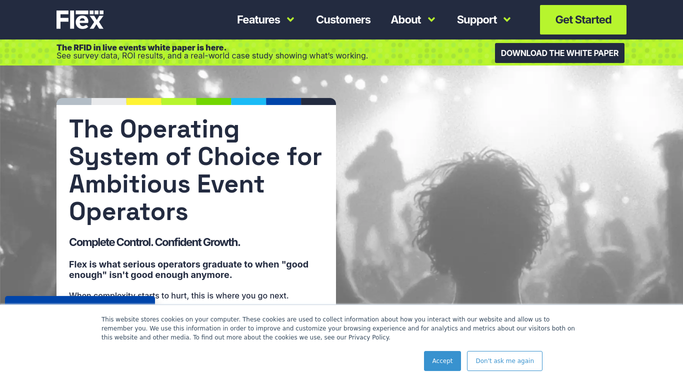
Flex Rental Solutions - find this week's shows
flexrentalsolutions.com How to Automate Flex Rental Solutions

WebRun opens Flex Rental Solutions to find this week's shows. - Open Flex Rental Solutions and filter jobs to shows scheduled in the coming week
- Pull the venue address, power requirements, contact name, and full gear list for each
- Note any show missing a venue contact or power spec
Done when Every show for the coming week has its venue details and gear list captured.
-
2
Google Calendar - confirm load in times
calendar.google.com How to Automate Google Calendar
WebRun opens Google Calendar to confirm load in times. - Check the load in and load out times on the shared crew calendar for each show
- Confirm the times match what is recorded in Flex Rental Solutions
- Flag any mismatch or missing time
Done when Every show's load in and load out time is confirmed against the calendar.
-
3
Slack - post the show advance
slack.com How to Automate Slack
WebRun opens Slack to post the show advance. - Post a show advance for each event to the crew channel
- Include venue address, power spec, load in and load out times, and the full gear list
- Flag any show missing a venue contact or power spec for follow up
Done when The crew has a complete show advance for every event happening this week.


How do I automatically prepare a show advance before load in?
WebRun opens Flex Rental Solutions every Monday, pulls the venue address, power requirements, load in time, and full gear list for every show that week, and cross checks the load in time against Google Calendar. It posts a complete show advance to your crew in Slack, so nobody arrives at a venue without the details they need.
- Full show advance reaches crew days before load in, not the morning of
- Missing venue contacts or power specs flagged before they become a problem
- Load in time discrepancies caught before the truck leaves
Built for AV production managers · staging and lighting crews · touring production teams · event technical directors
How is each run configured?
Secure by default
Connect once, stays signed in
WebRun signs in once and keeps each session in a persistent environment, so every run picks up right where it left off.
Every action is checked against this policy before it runs.
Questions, answered
Does it contact the venue directly for missing details?
No. It flags a missing venue contact or power spec in the Slack advance so your production manager can follow up. It never reaches out to a venue on its own.
What if the load in time in Flex Rental Solutions and the calendar don't match?
It flags the mismatch in the advance instead of guessing which one is correct, so your team can confirm the right time before the crew shows up.
How far ahead does it compile the advance?
It runs every Monday for the coming week, so crew and production leads have the full advance days before load in, not the morning of.
Related templates
Put this on autopilot.
Turn it on in minutes - or have our team set it up for you.