Get a clear weekly revenue snapshot for your glass shop
Every Monday, WebRun opens GlassBiller and Omega EDI, pulls last week's completed jobs, invoiced amounts, collected payments, and outstanding balances, logs a summary row to a Google Sheet, and posts a concise weekly revenue report to your Slack channel.
- No credit card
- Under $0.01 per run
- Cancel anytime
What does WebRun do on every run?
The exact actions WebRun takes, in order - in plain language, so you can adjust anything.
-
WebRun signs in and gets to work
Opens
app.glassbiller.comin a real browser with your saved login - no setup, no API keys. -
1
GlassBiller - pull last week's completed jobs and revenue
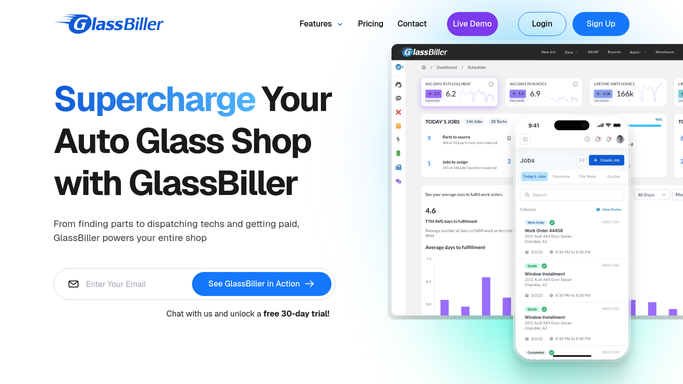
glassbiller.com How to Automate GlassBiller

WebRun opens GlassBiller to pull last week's completed jobs and revenue. - Open GlassBiller and navigate to the Analytics or Reports section
- Filter for jobs completed in the previous 7 days
- Capture total jobs completed, job types breakdown such as windshield and chip repair, and gross revenue by job type
- Note the top technician by job count for the week
Done when Last week's job count and gross revenue are captured from GlassBiller.
-
2
Omega EDI - pull invoiced amounts, collected, and outstanding
omegaedi.com
WebRun opens Omega EDI to pull invoiced amounts, collected, and outstanding. - Open Omega EDI and navigate to Reports or the billing dashboard
- Pull total invoiced amount, total collected, and total outstanding for the previous 7 days
- Break down collected payments by insurance versus retail
- Note any large unpaid insurance invoices
Done when Last week's invoiced, collected, and outstanding totals are captured from Omega EDI.
-
3
Google Sheets - log weekly revenue summary row
google.com How to Automate Google Sheets
WebRun opens Google Sheets to log weekly revenue summary row. - Open the weekly revenue tracker spreadsheet
- Append a new row with the week ending date, jobs completed, gross revenue, amount invoiced, collected, outstanding, and insurance versus retail split
- Verify the row was saved correctly
Done when This week's revenue summary row is logged in the Google Sheet.
-
4
Slack - post revenue report to the owner
slack.com How to Automate Slack
WebRun opens Slack to post revenue report to the owner. - Post the weekly revenue report to the owner's Slack channel
- Include jobs completed, gross revenue, amount collected, and outstanding balance
- Add a brief comparison to the prior week if the sheet has history
- Include a link to the Google Sheet for full detail
Done when The weekly revenue report is live in Slack for the owner.



How do I get an automatic weekly revenue report for my auto-glass shop?
WebRun opens GlassBiller and Omega EDI every Monday, pulls last week's completed jobs, gross revenue, collected payments, and outstanding balances, logs a summary row to Google Sheets, and posts a concise revenue report to your internal Slack channel with an insurance versus retail split and a week-over-week comparison.
- Weekly revenue snapshot in Slack every Monday before the day begins
- Insurance versus retail split visible at a glance each week
- Running history logged in Google Sheets for trend tracking
Built for auto glass shop owners · glass shop managers · windshield replacement business owners · multi-location glass shops
How is each run configured?
Secure by default
Connect once, stays signed in
WebRun signs in once and keeps each session in a persistent environment, so every run picks up right where it left off.
Every action is checked against this policy before it runs.
Questions, answered
Does this report go to customers or just to us internally?
It posts only to your internal Slack channel. No customer-facing content is published, and no external messages are sent.
Can it compare this week to last week automatically?
Yes. If the Google Sheet has prior week data, WebRun reads the previous row and includes a brief week-over-week comparison in the Slack report.
What if the numbers in GlassBiller and Omega EDI do not match?
WebRun reports the numbers as it finds them and flags any discrepancy between the two systems in the Slack message, so you know to investigate before relying on the figures.
Related templates
Put this on autopilot.
Turn it on in minutes - or have our team set it up for you.