Respond to every new glass lead within minutes
The moment a new lead arrives, WebRun reads the inquiry details from GlassBiller, drafts a personalised acknowledgement email for the prospect in Gmail, and pings your sales team in Slack so someone can follow up immediately.
- No credit card
- Under $0.01 per run
- Cancel anytime
What does WebRun do on every run?
The exact actions WebRun takes, in order - in plain language, so you can adjust anything.
-
WebRun signs in and gets to work
Opens
app.glassbiller.comin a real browser with your saved login - no setup, no API keys. -
1
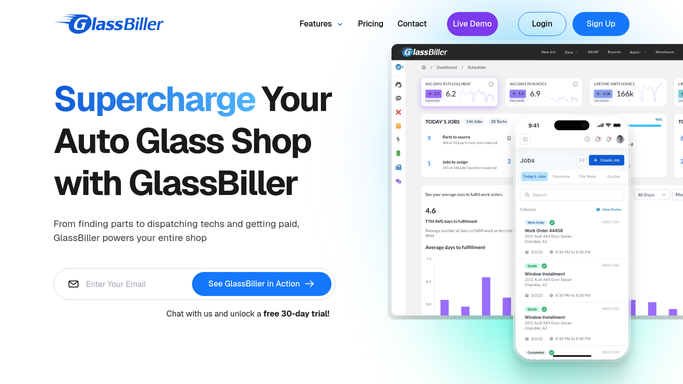
GlassBiller - read new lead inquiry details
glassbiller.com How to Automate GlassBiller

WebRun opens GlassBiller to read new lead inquiry details. - Open GlassBiller and locate the new lead or inquiry record
- Capture the prospect's name, vehicle, glass type requested, preferred time, and contact details
- Note the inquiry source, such as web form or phone, for routing
Done when The new lead details are captured from GlassBiller.
-
2
Gmail - draft personalised acknowledgement for the prospect
gmail.com How to Automate Gmail
WebRun opens Gmail to draft personalised acknowledgement for the prospect. - Draft a warm, personalised acknowledgement email for the prospect, referencing their vehicle and the service they asked about
- Include your shop's availability and a clear next step such as booking a quote
- Leave the draft unsent in Gmail for a quick review before sending
- Do not send the email automatically
Done when A draft acknowledgement email is queued in Gmail for the new prospect.
-
3
Slack - alert the team to follow up now
slack.com How to Automate Slack
WebRun opens Slack to alert the team to follow up now. - Post a new-lead alert to the sales Slack channel with the prospect's name, vehicle, service requested, and contact details
- Indicate the inquiry source and the time it came in
- Tag the on-duty team member for immediate follow-up
Done when The team has an instant new-lead alert in Slack with full contact details.


How do I instantly respond to new auto-glass leads as they come in?
The moment a new lead appears in GlassBiller, WebRun reads the inquiry details, drafts a personalised acknowledgement email in Gmail for your quick review, and posts an instant alert to your sales team in Slack with the prospect's vehicle, service requested, and contact details. Your team can respond within minutes, before the prospect calls a competitor.
- New leads acknowledged within minutes, before they call a competitor
- Sales team alerted instantly in Slack with full prospect details
- Every inquiry captured and actioned regardless of source
Built for auto glass shop owners · glass repair sales teams · windshield replacement shops · mobile glass technicians
How is each run configured?
Secure by default
Connect once, stays signed in
WebRun signs in once and keeps each session in a persistent environment, so every run picks up right where it left off.
Every action is checked against this policy before it runs.
Questions, answered
Will it send a reply to the prospect automatically?
No. WebRun drafts the acknowledgement email and leaves it unsent in Gmail for a quick review. Your team gets a Slack alert so they can approve and send it within minutes.
How quickly does the Slack alert arrive?
The Slack alert posts within minutes of the new lead arriving in GlassBiller, so your team can act while the prospect is still actively searching.
Does it work for phone leads as well as web form inquiries?
It picks up any new lead record created in GlassBiller, regardless of source. If your team logs phone inquiries in GlassBiller, those trigger the alert too.
Related templates
Put this on autopilot.
Turn it on in minutes - or have our team set it up for you.