Follow up with event no-shows automatically
Every night, WebRun checks Eventbrite for events that finished today, identifies registrants who did not check in, drafts a friendly follow-up email in Gmail for each no-show with a recording link or next-event invitation, and posts a summary to Slack for your approval.
- No credit card
- Under $0.01 per run
- Cancel anytime
What does WebRun do on every run?
The exact actions WebRun takes, in order - in plain language, so you can adjust anything.
-
WebRun signs in and gets to work
Opens
www.eventbrite.com/organizations/eventsin a real browser with your saved login - no setup, no API keys. -
1
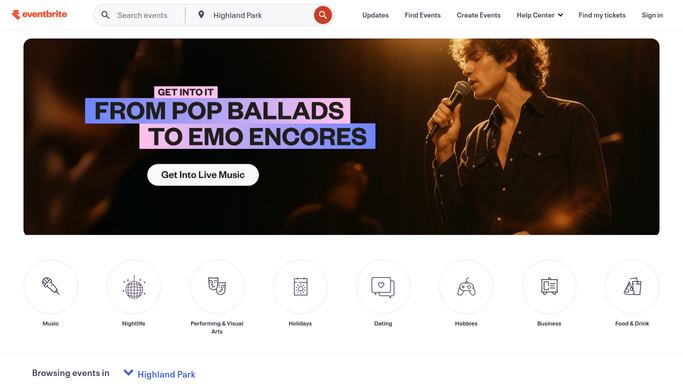
Eventbrite - identify today's no-shows
eventbrite.com

WebRun opens Eventbrite to identify today's no-shows. - Open Eventbrite and find events that ended today
- Compare the registered attendees list with the check-in list
- Capture the name and email of every registrant who did not check in
Done when Every no-show registrant from today's events is identified with their contact details.
-
2
Gmail - draft follow-up for each no-show
gmail.com How to Automate Gmail
WebRun opens Gmail to draft follow-up for each no-show. - Draft a warm, empathetic follow-up email for each no-show attendee
- Include a recording link if available, key highlights, and a link to the next event
- Save each message as a Draft - do not send until you have reviewed and approved
Done when A personalised follow-up draft is ready in Gmail for every no-show, held pending approval.
-
3
Slack - report no-show summary to you
slack.com How to Automate Slack
WebRun opens Slack to report no-show summary to you. - Post a nightly summary with the event name, total registrants, check-in count, and no-show count
- Include a link to the Gmail Drafts folder so you can approve and send in one step
Done when You have tonight's no-show summary in Slack with links to every pending draft.


How can I automatically follow up with people who missed my event?
Every night, WebRun checks Eventbrite for events that finished that day, identifies registrants who did not check in, drafts a friendly follow-up email in Gmail for each no-show with a recording link or next-event invitation, and posts a Slack summary for your approval before sending.
- No-shows receive a personalised follow-up email the same night
- Recording links and next-event invitations reach missed attendees automatically
- Follow-up messages are reviewed in Slack before sending
Built for event organisers · conference teams · community managers · marketing managers
How is each run configured?
Secure by default
Connect once, stays signed in
WebRun signs in once and keeps each session in a persistent environment, so every run picks up right where it left off.
Every action is checked against this policy before it runs.
Questions, answered
Will it email no-shows without my approval?
No. Every follow-up is saved as a Gmail Draft. You review each message and decide who to send it to - nothing goes out automatically.
How does it know who didn't show up?
It compares Eventbrite's registered attendee list with the event's check-in list. Anyone registered but not checked in is marked as a no-show.
What if someone had a legitimate reason for missing?
That's exactly why the drafts are held for review. You can personalise the message or skip sending it entirely for any individual before approving.
Related templates
Put this on autopilot.
Turn it on in minutes - or have our team set it up for you.