Automated Email Attachment Filing for Aqua Mail
Every morning, WebRun opens Aqua Mail, goes through the messages that arrived overnight, picks out the ones carrying attachments, logs every document in Airtable with its sender, subject, date, and file type, and writes a short filing summary in Notion so nothing needed at month end stays buried in the inbox.
How do I keep track of invoices and documents that arrive by email?
WebRun files your emailed documents every morning. It goes through new Aqua Mail messages carrying attachments, logs each one in Airtable with its sender, subject, date, and file type, and writes a Notion summary of what arrived, so month end paperwork is one list instead of an inbox dig.
- Every emailed document is logged the morning after it lands
- Invoices and statements are searchable by sender and date
- Month end starts from a register, not a three week inbox scroll
Built for bookkeepers · office administrators · sole traders · small business finance
What does WebRun do on every run?
The exact actions WebRun takes, in order - in plain language, so you can adjust anything.
-
WebRun signs in and gets to work
Opens
aqua-mail.comin a real browser with your saved login - no setup, no API keys. -
1
Aqua Mail - find messages with attachments
aqua-mail.com
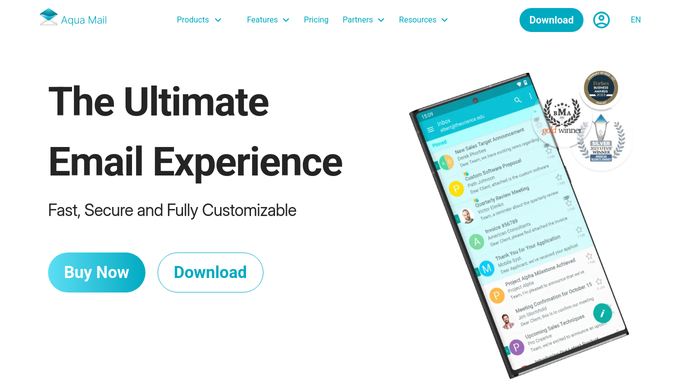
WebRun opens Aqua Mail to find messages with attachments. - Open Aqua Mail and go through the messages received since the last run across your linked accounts
- Pick out every message carrying an attachment and note the sender, the subject, the date, and the folder it landed in
- Record each attachment's file name and type, and read the subject to tell an invoice from a statement or a contract
Done when Every new message with an attachment has been listed with its document details.
-
2
Airtable - log each document
airtable.com

WebRun opens Airtable to log each document. - Add a row per document to your document register with the sender, subject, date, file name, and type
- Tag each row with the kind of document it looks like, such as invoice, statement, receipt, or contract
- Skip anything already logged, so a forwarded or replied thread does not create a duplicate row
Done when Every new attachment has exactly one row in the document register.
-
3
Notion - write the filing summary
notion.so

WebRun opens Notion to write the filing summary. - Write today's filing summary in Notion: how many documents arrived and how they split by type
- Name any sender you have marked as important, so an expected invoice is confirmed as received
- Flag messages where an attachment could not be read, so a document is never quietly missed
Done when Today's filing summary is written with the counts and any flagged messages.
How is each run configured?
Secure by default
Connect once, stays signed in
WebRun signs in once and keeps each session in a persistent environment, so every run picks up right where it left off.
Every action is checked against this policy before it runs.
Questions, answered
Will it reply to or delete any email?
No. WebRun reads and logs only. It never replies, forwards, moves, or deletes a message, so your inbox looks exactly as you left it apart from being read.
Does it upload my attachments anywhere?
No. File uploads are blocked by policy. WebRun records the document's name, type, sender, and date in Airtable, and the file itself stays in your mailbox.
How does it know an invoice from a statement?
It reads the subject line and the attachment name and tags the row with its best guess. You can correct a tag in Airtable and it will follow that sender's pattern next time.
Related templates
Put this on autopilot.
Turn it on in minutes - or have our team set it up for you.