Track a new Appsmith internal tool until it is deploy ready
Every Monday while a new internal tool is being built, WebRun opens Appsmith, checks whether the datasource connections, key queries, and page permissions are set up, logs a row in a Google Sheets checklist tracker, and updates a Notion setup doc with the items still open before the app can go to the team.
- No credit card
- Under $0.01 per run
- Cancel anytime
How do I track Appsmith internal tool setup until it is ready to deploy?
Every Monday, WebRun checks a new Appsmith app's datasource connections, core queries, and page permissions against a deploy checklist, logs the week's progress in a Google Sheets tracker, and updates a Notion setup doc with exactly what is left. This keeps an internal tool's deploy readiness visible without re-checking the builder by hand each week.
- Setup gaps stay visible instead of getting found at deploy time
- Progress history builds up automatically in one sheet
- The team always has a current list of what is left to configure
Built for internal tools teams · platform engineers · IT teams · startup engineering teams
What does WebRun do on every run?
The exact actions WebRun takes, in order - in plain language, so you can adjust anything.
-
WebRun signs in and gets to work
Opens
app.appsmith.comin a real browser with your saved login - no setup, no API keys. -
1
Appsmith - check app setup progress
appsmith.com
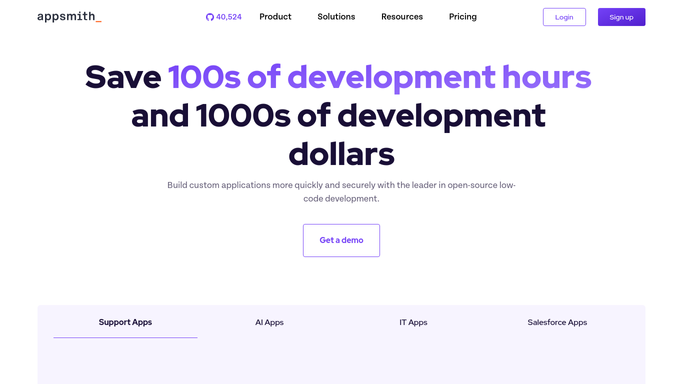
WebRun opens Appsmith to check app setup progress. - Open the app in Appsmith and review which datasources are connected
- Check which core queries and widgets are built and working
- Confirm whether page-level permissions and roles have been set
Done when This week's setup status is captured across datasources, queries, and permissions.
-
2
Google Sheets - log checklist progress
google.com How to Automate Google Sheets

WebRun opens Google Sheets to log checklist progress. - Open the internal tool deploy checklist in Google Sheets
- Add this week's row marking each checklist item done or still open
- Keep prior weeks in place so progress is visible over time
Done when This week's checklist status is logged alongside prior weeks.
-
3
Notion - update the setup doc
notion.so How to Automate Notion

WebRun opens Notion to update the setup doc. - Open the app's setup doc in Notion
- Update the open items list to match this week's status
- Move any newly finished item into the completed section
Done when The Notion setup doc reflects exactly what is left before deploy.
How is each run configured?
Secure by default
Connect once, stays signed in
WebRun signs in once and keeps each session in a persistent environment, so every run picks up right where it left off.
Every action is checked against this policy before it runs.
Questions, answered
Does it connect datasources or build queries for me?
No. WebRun only checks what already exists in Appsmith and reports the gap. Connecting a datasource or building a query stays your team's work.
How do I know what is actually left before the tool goes live?
The Notion setup doc lists only the open items, updated every Monday, so it always matches the real gap rather than going stale.
Does it check whether permissions are set correctly?
It checks whether page-level permissions and roles have been configured at all. Reviewing whether they are set correctly for your organization stays your team's call.
Related templates
Put this on autopilot.
Turn it on in minutes - or have our team set it up for you.