How to Automate Rippling
Connect every app you can to Rippling first, through its pre-built integrations or a custom SCIM or SAML app, so identity and access management provisions and revokes accounts from the employee record. For consoles that support neither, WebRun can compare each user list with the Rippling roster every week and list the leavers who still hold access.
 Written by
Hannah Vogel
Finance operations
Written by
Hannah Vogel
Finance operations
 Reviewed by
Priya Raghavan
Solutions lead
Reviewed by
Priya Raghavan
Solutions lead
Rippling ties pay, app access and devices to one employee record
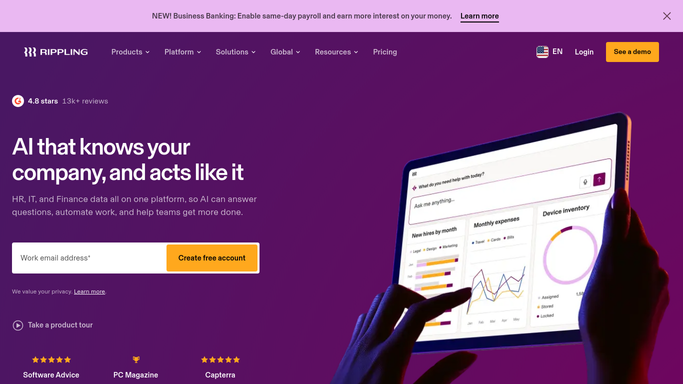
Rippling runs HR, IT and finance from a single employee record. When HR moves someone to a new department in Rippling, that one edit can change which apps they sign into and which rules their laptop follows.
The product list runs long: HRIS, US and global payroll, benefits administration, recruiting, time and attendance, identity and access management, device management, and spend tools such as corporate cards and expense management. Each is a separate product on one platform, and a company switches on the ones it uses.
HR works in it to hire, promote and offboard people, and finance to run payroll and approve spend. Where a company has an IT team, that team watches app access and laptops from the same screens. A new hire first meets Rippling as the single sign-on that opens every connected app; a manager knows it as the place approvals wait.
Leavers keep their logins in the consoles Rippling cannot reach
The firewall console has two admin accounts an engineer added by hand during an incident. The supplier portal keeps its own user list, and one login on it is shared by four people. When someone leaves, Rippling closes their connected accounts on schedule, and these stay open until somebody remembers them, often at the next audit. When one of the four leaves, the shared password has to change as well, and no task in Rippling says so.
For joiners the gap runs the other way. Their connected apps are ready on the first morning, while the client portal they will work in and the vendor's training site each wait for somebody to send a request. Movers carry the gap with them: someone who changes teams keeps whatever admin rights the old job needed in every console Rippling does not manage.
Every quarter an IT lead spends most of a day gathering access review evidence for those consoles, opening each admin page, taking screenshots and matching the names against a roster exported from Rippling.
Workflow Studio reaches as far as the connected apps go
When a role changes in Rippling, identity and access management provisions or revokes app access to match, following policies an admin sets, and an admin can schedule a new hire's provisioning down to the minute. Rippling lists more than 600 pre-built integrations and accepts custom SCIM and SAML apps on top. Workflow Studio can start a workflow from any data in Rippling or a connected app, such as tenure, device status or app access, and run approval chains and email alerts.
Rippling Automated Compliance, launched in April 2026 for SOC 2, collects audit evidence automatically and removes app access it detects as wrong.
Each of these works through a connection. A console with no integration, SCIM or SAML hears nothing from the employee record, so Rippling cannot revoke an account there, and Workflow Studio has no event from it to trigger on. A shared login on a supplier portal belongs to nobody on the roster. For those consoles, the proof that a leaver's access is gone still sits on each console's own user screen.
The Rippling roster becomes the list every console is checked against
The IT lead's Monday page lists everyone Rippling marks as departed who still has a login in the endpoint protection dashboard, the vulnerability scanner, the supplier portal or the courier account, each with the date they left. The same page catches movers, such as someone who left finance for sales last month and is still an admin in the billing portal.
The reclaim sheet in Google Sheets shows finance the seats that leavers still hold in unconnected tools billed per user, and finance approves each removal. The office manager hears the same week that the shared supplier-portal login needs a new password, because one of the people who knew it has gone. For a new hire starting on Monday, the IT lead reviews and sends the requests for the client portal and the vendor's training site the Thursday before.
At quarter end the reviewer starts from a dated copy of each unconnected console's user list, sitting beside the Rippling roster from the same week. An auditor who asks about a leaver from March gets the page saved in March.
An IT admin approves every removal the Rippling check finds
The weekly job is to sign in to each unconnected console, read its user list and hold it against the Rippling roster.
WebRun is an AI agent that works a real Chrome browser, signed in as you. The Rippling roster and each console's admin page are its two sources, the consoles opened with an account you provide, read-only where the console allows it. Each name found in a console goes onto the IT lead's page as expected or not.
IT decides every removal. Each account that should go appears with a link to its user screen, and an IT admin approves before the agent removes anything. The Monday access audit below writes its findings to Notion and its reclaim list to Google Sheets.
Questions people ask
Should we build a custom SCIM or SAML app instead?
Yes, wherever the tool supports one. Rippling accepts custom SCIM and SAML apps, and a tool connected that way is provisioned and revoked with the rest. The agent is for the consoles that support neither, and for shared logins that no protocol can tie to a person.
Can the agent remove a leaver from a console Rippling does not manage?
Only after an IT admin approves. By default the account appears on the IT lead's page with the date the person left and a link to the console's user screen, because removing the wrong admin during an incident is worse than waiting a day.
Does Rippling Automated Compliance cover apps Rippling is not connected to?
It collects evidence from what Rippling manages, and a console with no connection gives it nothing to collect. For those consoles, a dated copy of each user list, saved every week by the agent, gives the SOC 2 audit evidence for them too.
Sources
- HR Workflow Automation: Streamline Your HR Processes with Rippling Describes Workflow Studio triggering on any data in Rippling or connected third-party apps, such as role, tenure, device status and app access, and running onboarding sequences, approval chains and email alerts.
- Best Identity and Access Management Software States that Rippling provisions or revokes access automatically as roles change, schedules new-hire provisioning down to the minute, and lists 600+ pre-built app integrations plus custom SCIM and SAML apps.
- Explore Rippling's Product Ecosystem Lists Rippling's products on one platform, including HRIS, US and global payroll, identity and access, device management, corporate cards and expense management.
- Rippling Rolls Out Automated Compliance Tool for SOC 2 Audits CPA Practice Advisor, 29 April 2026: Rippling Automated Compliance launched for SOC 2 Type 1 and Type 2, collecting and monitoring audit evidence automatically and de-provisioning wrong app access.
3 ready-made Rippling workflows
Each one names the apps it touches and the exact steps it takes. Open one to read what it will do, then turn it on.


Want one of these running on your own Rippling?
Show WebRun the process once and it will run it on schedule, in your own private browser environment.