How to Automate Melio
Let Melio capture bills from its email inbox and, on Core and above, route them through approval workflows and sync with QuickBooks Online or Xero. It leaves the follow-up after a payment is scheduled: bounced ACH payments, checks still undeposited at day 14 and vendor emails asking where the money is, which an AI agent such as WebRun can track.
 Written by
Marcus Deleon
Support operations
Written by
Marcus Deleon
Support operations
 Reviewed by
Nikhil Bhatt
Automation strategist
Reviewed by
Nikhil Bhatt
Automation strategist
Melio is where a small business decides how each bill gets paid
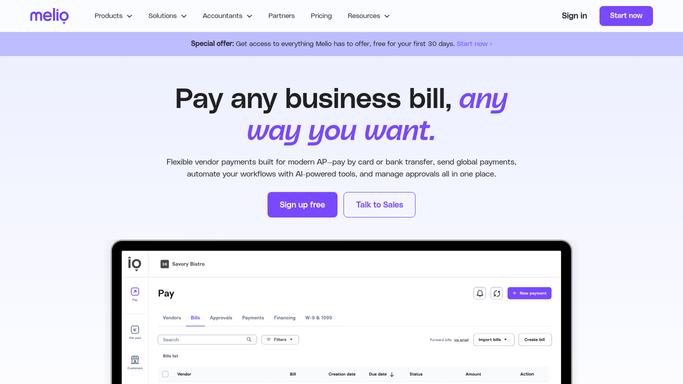
Melio is bill-pay software for small businesses in the United States. Bills come in by phone camera, by upload, through a dedicated email address or from a sync with QuickBooks or Xero. The owner then picks how each one is paid: a bank transfer, a paper check that Melio prints and mails, a card payment even to a vendor that does not take cards, or an international payment in the vendor's currency. The vendor needs no Melio account.
Customers can pay the business through Melio too, from its invoices and payment links. Xero completed its purchase of Melio in October 2025, and Melio says it keeps supporting businesses on QuickBooks Online, QuickBooks Desktop and other software.
The owner schedules and approves payments, a bookkeeper adds the bills, and an outside accountant may run several clients' accounts from Melio's Accountants Dashboard under one login.
Melio debits a check days before the vendor sees it
A check payment is debited from the operating account first and reaches the vendor by mail days later; even Melio's fast check, sent by FedEx, takes three business days. A supplier can phone on Tuesday about money that left the bank the Friday before.
An ACH payment bounces back because the vendor changed banks and never said. Two weeks after mailing, a check still has not been deposited. Melio may take extra time to review a first payment to a new vendor, and the vendor rings to ask why. On the Approvals tab, a payment waits because the owner was on a site visit when the approval email came in.
The bookkeeper picks each of these up between other jobs. They reply to the vendor, look up the trace number, check that a new set of bank details is genuine before anyone types it in, and work out whether next week's debits will clear.
The Notification Center counts failed payments and overdue bills
The bell icon at the top right of Melio opens the Notification Center, which counts failed payments, overdue bills and unpaid bills and, on the Core, Boost and Unlimited plans, payments waiting for an Admin's approval. Each failed payment links to the Payments tab, filtered to failures, where the owner resolves it. Melio emails a reminder 14 days after a check was mailed if nobody has deposited it, and from day 15 the owner can void it and resend the money by ACH or another check, or get it back.
Approval workflows, on Core and above, route payments by amount, by who scheduled them or by vendor, and approvers can clear several at once from the approval email. Agent Mel, an assistant Melio still marks beta, answers from the account's own data, such as which vendors are overdue or what went out yesterday, and takes no action itself.
The vendor asking where the money is writes to the bookkeeper's inbox. New bank details have to come from the vendor and be confirmed by phone before anyone edits the vendor in Melio. Whether the operating account covers next week's debits is a question for the bank's own site and for the customer payments still due in.

A vendor asking where the money is gets the NACHA trace number
The bookkeeper could answer a vendor's email about a missing payment in one message: the payment method, the debit date and, once the payment reads Paid, the NACHA trace number that the vendor's bank uses to find the funds.
A fix list each morning could hold every payment marked Failed, or not delivered by its expected date, each next to its bill and the vendor's latest email. The owner could check the coming week in one place: bills falling due within five days that nobody has scheduled, set against the operating account's balance and the debits already booked.
A check still undeposited at day 14 could come with the vendor's phone number and a short note asking whether it arrived, so the owner decides on day 15 whether to void and resend it. When a vendor emails a new bank account, the bookkeeper calls the number already on file before anyone touches the vendor in Melio.

WebRun brings the vendor's email to the Payments tab
Checking the Payments tab against the inbox and the bank's own site each morning is the job WebRun takes over. WebRun is an AI agent that works a real Chrome browser with its own Melio login, and it writes up only the payments that need a person.
A bank change that arrives by email goes on the fix list for a phone call and never into Melio, and the bookkeeper sends each vendor reply herself. The owner still schedules and approves every payment and makes the day-15 call on a check.
If failed ACH payments are the recurring problem, the morning failed payment watch logs each failure against its bill in Airtable and writes the fix list in Notion.
Questions people ask
Which Melio role should the agent sign in with?
Viewer. Melio's Viewers see payments, statuses and reports but cannot create, edit or approve payments, bills or vendors. The free Go plan allows one user, so a separate login for the agent needs Core or Boost, at $10 a month for each extra user, or Unlimited, which has unlimited seats.
If a vendor emails new bank details, does the agent update them?
No. It flags the email and lists the scheduled payments the change would affect, and a person calls the vendor on a number already on file before anyone edits the vendor in Melio.
Does Melio still sync with QuickBooks now that Xero owns it?
Yes. Xero completed its purchase of Melio on 15 October 2025, and Melio says it keeps supporting businesses on QuickBooks Online, QuickBooks Desktop and other software. On the pricing page, Core and above sync with QuickBooks Online and Xero, Boost adds QuickBooks Desktop and Unlimited adds NetSuite; the free Go plan is limited to 10 syncs.
How many clients on the Accountants Dashboard can it cover?
All the ones its login can open. Melio's dashboard puts every client under one login with role-based access, and the agent goes through each client in turn and returns one fix list marked by client, instead of a tab per client.
Sources
- Xero Acquiring Melio FAQs | Melio States that Xero announced a binding agreement to acquire Melio on 25 June 2025, and that melio.com will keep supporting businesses using QuickBooks Online, QuickBooks Desktop, Xero or other software.
- Xero completes acquisition of payments platform Melio for $2.5B | CPA Practice Advisor Reports that Xero completed its acquisition of Melio Payments Inc. for $2.5 billion as of 15 October 2025.
- How to view and manage urgent tasks in the Notification Center | Melio Help Center Lists the Notification Center's four task types: failed payments, payments pending Admin approval on the Core, Boost and Unlimited plans, overdue bills and unpaid bills.
- Void a check that hasn't been deposited | Melio Help Center Explains the reminder email sent 14 days after an undeposited check was mailed, and the options to void and resend or void and refund from day 15.
- The different user roles in Melio | Melio Help Center Describes Melio's roles, including the Viewer role, which can view payments, statuses and basic reports but cannot modify anything.
- Pricing | Melio Shows the Go plan limited to one user with no approval workflows and up to 10 accounting syncs, custom approval workflows and QuickBooks Online and Xero sync from Core, QuickBooks Desktop sync and advanced line-item capture on Boost, and $10 a month per additional user.
- Accounts payable automation software | Melio States that vendors get paid without a Melio account, that bills can be emailed to a dedicated address or uploaded, and the payment methods including card payments where cards are not accepted.
- Accounts payable approval workflow | Melio Describes approval workflows by payment amount, scheduler or vendor, and approving several bills at once in Melio or by email.
- Agent Mel, AI agent for accountants and SMB finance | Melio Describes Agent Mel as Melio's beta AI assistant that answers questions about bills, payments and vendors from the account's own data, without taking actions.
- Payment solutions for accountants and bookkeepers | Melio Describes the accountants' dashboard for managing every client from one login, with six permission levels.
- How to pay vendors on time | Melio States that Melio can send a vendor a check by FedEx with a delivery time of three business days.
4 ready-made Melio workflows
Each one names the apps it touches and the exact steps it takes. Open one to read what it will do, then turn it on.




Want one of these running on your own Melio?
Show WebRun the process once and it will run it on schedule, in your own private browser environment.