How to Automate Hotjar
Survey replies, recordings and heatmaps collect on their own in Hotjar, and its integrations pass replies to Slack or Teams and recordings to Jira. With accounts moving to Contentsquare, WebRun, an AI agent, can match each reply to the order and ticket behind it and keep the move's checklist.
 Written by
Nikhil Bhatt
Automation strategist
 Reviewed by
Sofia Marchetti
Marketing operations
Hotjar shows what visitors did on the page and what they said about it
Web analytics can say that half the visitors left the delivery step; Hotjar is where a team goes to see why. Heatmaps show where people clicked and how far they scrolled, recordings replay single sessions, and surveys ask questions on the page itself.
The plans follow that split: Observe covers heatmaps and recordings, Ask covers surveys, and Engage runs user interviews. A UX designer checks a new layout in Hotjar, and an agency's conversion specialist keeps one Hotjar site per client.
Hotjar has been part of Contentsquare since 2021, and the two products have now merged. New users sign up to Contentsquare, and existing Hotjar accounts are moving across in phases that began on 26 August: each gets 30 days with both running, then switches to Contentsquare's Growth plan unless the account owner opts out.
Survey replies land in one inbox and the recordings behind them go unwatched
The checkout survey collects replies all day, and most mornings the product manager skims them in Hotjar's daily summary email. An angry reply about a coupon code that would not apply sits between two compliments. Hotjar can show whether that response came from a recorded session, but finding the recording and watching it is a separate job.
The designer filters recordings for rage clicks on the new pricing page and watches the first few. A bug turns up, so she creates a Jira issue from the recording and types in the browser and the steps. The ecommerce manager wants to know whether the drop on the delivery step matches the unfinished orders in Shopify, which means another tab and a spreadsheet.
The move adds a list of its own. Heatmaps, recordings, funnels, dashboards and saved analyses stay in Hotjar, read-only for 90 days after the switch and then deleted, while surveys and feedback travel to Contentsquare. Integrations have to be reconnected there.
Hotjar sees the session, not the order or the support ticket behind it
On every Observe plan, Hotjar's Jira integration creates an issue from a recording, a console error, a survey response or a highlight. On the Business and Scale plans, the Slack integration forwards survey responses and pushes recordings from a chosen segment, and responses can also go to a Microsoft Teams channel through a webhook.
AI analysis gives each text answer a positive, neutral or negative sentiment, tags it and writes a summary of the responses. Hotjar also emails a daily survey summary, and every Monday a roundup of activity across heatmaps, recordings, feedback and surveys.
Each of these passes Hotjar's own data along. Webhooks, Zapier or the Hotjar API can send a response elsewhere, but matching it to the Shopify order that failed, or to the help desk ticket from the same customer, is a lookup someone builds or does by hand, and each Jira issue is still filed one recording at a time. After the move, Contentsquare supports neither webhooks nor Zapier, and it creates no Jira issues from Session Replay.
An angry survey reply reaches the checkout team with its recording and order
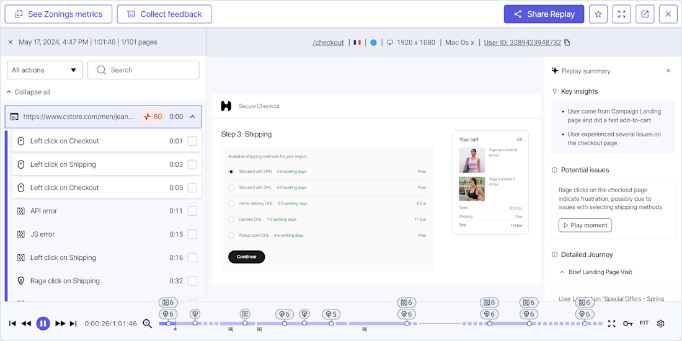
Yesterday's negative replies from the checkout survey reach the team that owns checkout before stand-up, each beside its recording, the order in the shop that never completed and any help desk ticket from the same email address. The worst few also go to the team lead by text.
Every Monday, recordings with rage clicks or U-turns on the pages changed in the last release come back as draft Jira issues, each naming the page, the browser and the release, for a developer to file or close. The drafts carry on after the move, when Contentsquare stops filing Jira issues from replays.
The ecommerce manager's delivery-step question gets a sheet of its own: last week's recordings that ended on the delivery step, set against the abandoned checkouts Shopify shows for the same days.
For an account inside its 30-day window, the team works from one checklist: each saved heatmap, recordings segment and highlight by site and date, the integrations to reconnect in Contentsquare, and the Contentsquare cookies the consent banner does not list yet.
One visitor's story spans Hotjar, the shop admin and the help desk
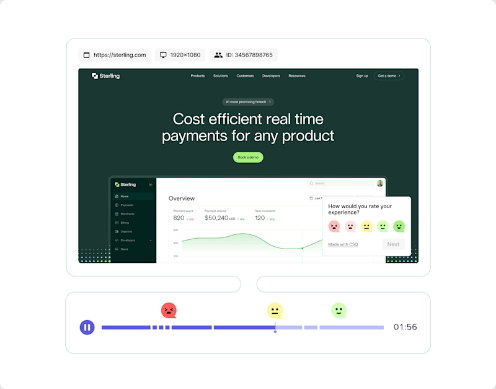
Matching one survey reply to its recording, its order and its support ticket takes four tabs for a single visitor. WebRun is an AI agent that works a real Chrome browser, signed in as you. When the account moves, the same Hotjar login opens Contentsquare, and the reading carries on there.
Nothing a visitor sees changes: surveys, their targeting and the tracking code are left alone, Jira issues arrive as drafts for a developer to file, and no customer is contacted.
With the 30-day window running, the move checklist is the job to start this week.
Questions people ask
What happens to our Hotjar plan and billing after the move?
It becomes a Contentsquare Growth plan at the end of the 30-day window, and the first Contentsquare charge falls on your existing renewal date. Hotjar says the price may change, based on your observed traffic, and the personalised email shows the new one. Existing sites become Contentsquare projects, included for 12 months.
Can we still export recordings during the 90 read-only days?
Yes. The read-only account still lets you sign in, view and export historical data until it is deleted: heatmaps as JPG or CSV from each heatmap's page, recordings lists as CSV or XLSX by email link, up to 100,000 per export, and highlights as video files.
Will our Jira and Slack integrations carry over to Contentsquare?
They have to be reconnected after the 30-day period. Contentsquare's Growth plan supports Slack, Jira, Microsoft Teams, HubSpot, Google Analytics and Mixpanel, but not webhooks, Zapier, Trello, Asana or Linear, and it does not send Session Replay links to Slack or Teams.
Do we need to update our cookie banner when the account moves?
Yes. Once the Contentsquare tag is live, Contentsquare's cs cookies run alongside Hotjar's _hj cookies, and the tag does not read your existing cookie banner or consent platform settings, so its cookies have to be added there by hand.
Is letting an agent watch session recordings a privacy problem?
It sees the recordings your team sees, with the same masking. Hotjar's suppression settings, such as element masking and digit anonymisation, decide what is captured and apply automatically to the Contentsquare project after the move. Keystroke capture does not carry over: Contentsquare blocks all keystroke input.
Sources
- Moving from Hotjar to Contentsquare? FAQs | Hotjar Help Center Hotjar's account of the move: phases from 26 August, a 30-day period with an Account Owner opt-out, a read-only Hotjar account for 90 days before deletion, historical heatmaps and recordings not transferred, surveys and feedback transferred, suppression settings carried over, and integrations Contentsquare does not support.
- Official Hotjar Site States that Hotjar is now Contentsquare and that it is no longer possible to create a new Hotjar account.
- Hotjar's Integration With Jira | Hotjar Help Center Describes creating a Jira issue from a recording, a console error, a survey response or a highlight, on all Observe plans.
- How to Share and Export Data | Hotjar Help Center Covers heatmap JPG and CSV downloads, recordings list exports sent as an email link, highlight downloads and forwarding survey responses to email, Slack, Microsoft Teams, a webhook, Zapier or the Hotjar API.
- Using Hotjar with Slack | Hotjar Help Center The Slack integration, for survey responses and recordings segments, is only available on the Observe and Ask Business and Scale plans.
- How to Analyze Survey Responses with AI | Hotjar Help Center Sentiment analysis, automated tags and automated summaries of survey responses.
- How to Manage Hotjar Notifications | Hotjar Help Center Daily summary emails of survey responses and a weekly summary every Monday across heatmaps, recordings, feedback and surveys.
3 ready-made Hotjar workflows
Each one names the apps it touches and the exact steps it takes. Open one to read what it will do, then turn it on.



Want one of these running on your own Hotjar?
Show WebRun the process once and it will run it on schedule, in your own private browser environment.