How to Automate BuildOps
Inspection agreements, Inspect Point's deficiency sync, min/max stock levels and OpsAI's flags automate the scheduling and the warnings inside BuildOps. The emails and alerts that follow, chasing deficiency quotes and renewals in Gmail and telling sales and purchasing in Slack, are what an AI agent like WebRun can draft or post for the office.
 Written by
Grace Okafor
Healthcare operations
Written by
Grace Okafor
Healthcare operations
 Reviewed by
Tom Kessler
Field operations analyst
Reviewed by
Tom Kessler
Field operations analyst
Fire inspection agreements put a year of visits on the BuildOps calendar
BuildOps is field service software for commercial contractors in HVAC and mechanical, electrical, plumbing, refrigeration, and fire and life safety. A fire protection company sells much of its year in advance. A hospital or an office tower signs an inspection agreement, and BuildOps schedules the visits by property, asset type and NFPA frequency.
On the Schedule & Dispatch board, the dispatcher matches each visit to a tech by skill, certification and distance. At the building, the tech pulls up the equipment's service records in the BuildOps app and photographs what needs fixing. Shops that inspect in Inspect Point send the signed report from there, and its deficiencies, such as a corroded sprinkler head, appear in BuildOps at once.
In the office, gated closeout moves each job from open to billed, and invoices, POs, payments and job costs sync with QuickBooks, Sage, NetSuite, Vista or Spectrum.
Deficiency quotes and agreement renewals land on the service coordinator
An annual inspection at an office tower turns up six deficiencies. The coordinator prices them and sends the quote to the property manager, who forwards it to the owner. Eleven days later nobody has replied, and the corroded heads are still in the ceiling.
A hospital's inspection agreement ends in March. Renewing it means finding the current rate and getting the facilities director on the phone, so it waits for whoever remembers in February. Purchasing learns that the heads for next Tuesday's inspections are short when a tech asks for a box.
Each morning the dispatcher checks that every visit on the board has a tech, and that the tech knows who meets them at the hospital's loading dock. A property manager whose building failed its last inspection wants a price the same day.
OpsAI flags a stalled approval to the team, not to the property manager
Inspection agreements in BuildOps generate their own visits. Deficiencies synced from Inspect Point become a quote in one click, and the inspection report attaches to the job. Quote to Contract shows the coordinator when a property manager opens a quote. Purchasing & Inventory holds min/max thresholds for each warehouse and truck.
OpsAI reads finished visit notes for repair and replacement work, and flags a stalled approval or an agreement close to expiring. In BuildOps' own words, OpsAI recommends and your team approves.
Those signals all land with people inside BuildOps. The read receipt and the stalled-approval flag tell the coordinator a quote has gone quiet; what to say to the property manager, and when, is the coordinator's to write. An agreement near its end date gets a flag, and the sales rep writes the renewal offer at the current rate. The inventory view shows what is on hand, reserved and low, and turning that into an order for each supplier is the operations manager's call. A shop that already checks that view every morning may need nothing more for parts.

A deficiency quote unanswered for five days goes back to the property manager
For every deficiency quote left unanswered for five days, the account manager has an unsent reminder to the property manager that names the deficiency and the price, and sends the ones that read right. On Monday morning the sales channel lists the same quotes by value and age, so the office tower's six deficiencies sit above a one-head repair.
Two months before the hospital's agreement ends, the sales rep reads a renewal offer to the facilities director naming the contract type and current rate and asking for a call. The rep sees any agreement with under two weeks left flagged as urgent.
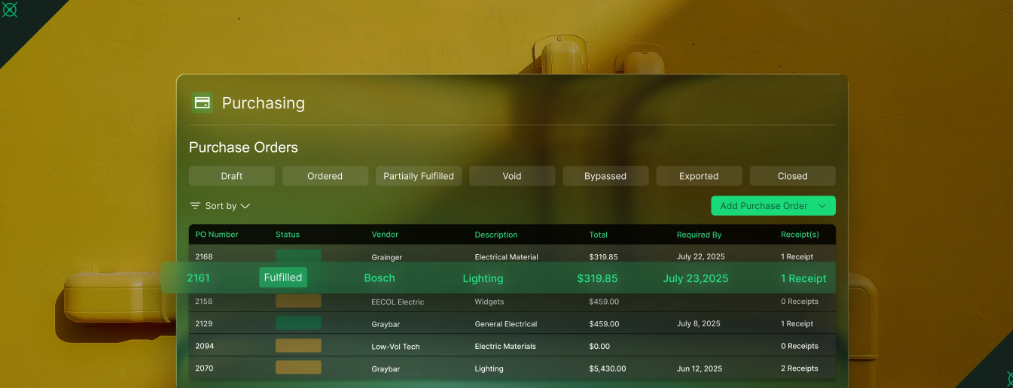
For parts, the operations manager reads the reorder alert the operations channel gets at 7:00, which lists each part at or below its reorder level with the ones booked jobs need in the next seven days at the top. The purchase order summary, grouped by supplier, is in the reorder sheet.
Techs get their day as a Slack message at 6:30, and the dispatcher sees any visit with no tech assigned before the first van leaves. When a property manager asks for a price, the rep for that territory gets a Slack mention within minutes and a first reply in Gmail to personalize.
WebRun does the BuildOps reading behind each follow-up
Today the coordinator filters quotes by sent date and agreements by end date, then writes each email from what the quote or the agreement says. WebRun is an AI agent that works a real Chrome browser, signed in as you. Its BuildOps user's role opens only quotes, service agreements, inventory and the dispatch board, and it does that filtering on each job's schedule. Quotes and renewals come up on Mondays, the tech schedule at 6:30 and parts at seven.
The account manager and the sales rep send every follow-up and renewal offer themselves, from the drafts in Gmail. The parts alert stops at a purchase order summary, and purchasing places the order in BuildOps or through Kojo. Quote prices and statuses stay as the coordinator set them. For a shop whose Inspect Point sync brings in more deficiencies than one coordinator can chase, the deficiency quote card is the place to start.
Questions people ask
Does it chase quotes for deficiencies that came from Inspect Point?
Yes. It reads deficiency repair quotes in BuildOps once they are more than five days old and not accepted, however the deficiency got there. The inspection report attached to the job is left as it is.
Will it place purchase orders with our suppliers?
No. It writes a purchase order summary, grouped by supplier, into the reorder sheet and posts the low-stock alert in Slack. Your operations manager places the order, in BuildOps' Purchasing & Inventory or through Kojo if you order materials that way.
Which renewals does it put first?
The ones worth the most. Agreements ending in the next 60 days are ranked by annual value, and anything inside 14 days is marked for a call this week. Agreements already marked renewed or cancelled in BuildOps are skipped.
Our techs already see their visits in the BuildOps app. Is the Slack message for them?
Partly. Each tech gets a direct message with the day's buildings in order, the time windows and the access notes. If the app already does that job for your crew, the part worth keeping is the dispatcher's: the day's roster added to the schedule sheet, and a Slack summary that flags any visit with no tech assigned.
Sources
- Fire Protection & Safety Software for Commercial Teams BuildOps' fire and life safety page: inspection agreements with visits auto-scheduled by property, asset type and NFPA frequency, and the Inspect Point integration that syncs deficiencies into BuildOps for one-click quotes.
- OpsAI: AI-Powered Field Service Management Software Describes OpsAI's visit summaries from voice notes, repair and replacement opportunities read from visit notes, flags for stalled approvals and expiring agreements, and states that OpsAI recommends while the team approves.
- BuildOps Integrations Connect Your ERP, Fleet, & Field Lists BuildOps' integrations: QuickBooks, Sage, NetSuite, Viewpoint Vista and Spectrum, Inspect Point, ServiceChannel with work orders synced both ways, Bluon, Coast, Miter, Avalara and Kojo.
- Commercial Field Service Business Management Software Describes automated PM scheduling from agreements, dispatch matched by skill, certification and distance, and gated Work Order Closeout that moves jobs from open to billed.
- Purchasing & Inventory BuildOps' inventory feature: min/max thresholds, and what is on hand, reserved and low across warehouses, trucks and job sites.
- Quote to Contract Shows when a customer opens a quote, and converts an approved quote into a job, project or service agreement in one click.
- Best Field Service App for Techs & Contractors The BuildOps technician app: equipment history on site, photos, time entries, closing the job and sending the invoice before leaving, and role-based permissions.
5 ready-made BuildOps workflows
Each one names the apps it touches and the exact steps it takes. Open one to read what it will do, then turn it on.


Want one of these running on your own BuildOps?
Show WebRun the process once and it will run it on schedule, in your own private browser environment.