How to Automate Bitbucket
Bitbucket Cloud enforces access through user groups, merge checks and, on Premium, deployment permissions, and announces events through webhooks and Pipelines. Reviewing who can still reach each repository, and finding leavers and forgotten keys, is left to an admin reading one page at a time, and that weekly review is work an AI agent like WebRun can run.
 Written by
Devon Ruiz
Workflow engineer
Written by
Devon Ruiz
Workflow engineer
 Reviewed by
Rosa Lindqvist
Operations editor
Reviewed by
Rosa Lindqvist
Operations editor
In Bitbucket, the workspace owns the code, the pipelines and the access
Atlassian runs Bitbucket Cloud as the place to keep a team's Git repositories next to its Jira work. A workspace holds projects and each project holds repositories, and a repository carries its branches, its pull requests and a bitbucket-pipelines.yml file that tells Bitbucket Pipelines how to build and deploy it.
Pull requests are where most of the day goes. A developer pushes a branch and adds reviewers, merge checks show whether it is ready to land, and a green pipeline takes it on towards Production. The Jira integration ties the work back to its work item.
The free plan covers up to five users. Past that, Atlassian bills per user, $3.65 a month on Standard and $7.25 on Premium, and counts as a user anyone who is a member of the workspace, so the member list is also the invoice. For an agency with a repository per client, that list decides which outsiders can read which client's code.
Repository access piles up faster than anyone removes it
Adding someone to a workspace takes a few clicks. The admin puts a new developer in the Developers group, gives a contractor Write on the two repositories they are fixing, and adds a client's in-house engineer so they can read their own code.
Leaving takes longer. The contractor's last invoice is paid in March, and in September their account can still push to both repositories and still counts as a paid user, because removing people was on nobody's list.
Then a client's security questionnaire asks who can reach their repositories. The admin finds the answer on each repository's permissions page, split between groups and individual users, and copies it into a spreadsheet one repository at a time. On top of that, the first developer in each morning checks the overnight Pipelines failures and the pull requests still waiting on a reviewer.
Bitbucket enforces permissions and leaves the review to an admin
User groups carry Read, Write or Admin on each repository, and new members land in a default group, Developers in a new workspace. The User directory's View access action shows, for one member at a time, their groups and the repositories they reach directly. On Premium, enforced merge checks stop a pull request landing before its checks pass, deployment permissions control who can deploy and from which branch, and IP allowlisting and required two-step verification limit how members get in.
For events there are webhooks and alerts. A repository administrator can add up to 50 webhooks that post to a URL on a push, a pull request change or a build status update, and admins get an alert when build minute usage reaches 80 and then 100 percent of the allowance.
No webhook fires because a contractor has not pushed since March, and View access answers for one member at a time, while a client asking about their repositories wants the whole list. Building that list through the API means a script and a credential to maintain: when Atlassian switched off app passwords on 9 June 2026, every script still using one stopped until someone moved it to an API token. The SSH keys on the servers those repositories deploy to sit outside Bitbucket altogether.
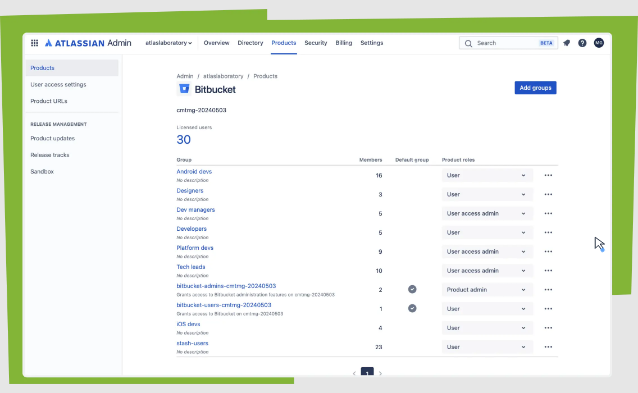
One dated sheet lists who can reach every repository
For the annual audit, the admin could hand over last Monday's sheet from the shared drive: every repository with its groups, people and permission levels, dated. A grant that is not on the approved list, or that belongs to someone who has not pushed in ninety days, would already be a card waiting for the admin's decision. A client who asks who can reach their code could have their own rows, as a draft reply, the same afternoon.
When a contractor's engagement ends, the admin could work from one offboarding checklist that reaches past Bitbucket: their workspace membership, their groups and the SSH keys under their name on each client's hosting account, cleared in one sitting instead of found on a server a year later. The admin could also catch a new starter placed in a group with Write when the role called for Read.
The team lead would hear on WhatsApp each morning which pipelines failed overnight, and in Telegram which pull requests have waited five days for a review.
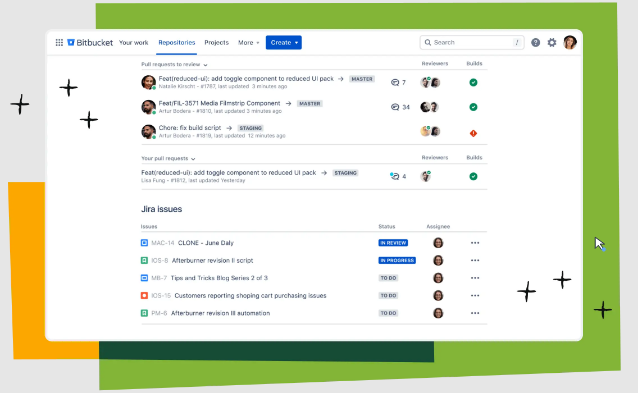
The review runs on an account that administers the repositories
Bitbucket shows who can reach a repository only in that repository's settings, which is an administrator's screen. WebRun is an AI agent that works a real Chrome browser, signed in as you. Each Monday it goes through the User directory and every repository's permissions page, then writes the sheet, opens a Trello card for each grant nobody seems to need and drafts the reply to the client.
Each Trello card is a proposal. Changing a group, revoking a grant or deleting a key stays with the admin, who knows whether a client's engineer still needs Write or a contractor is coming back. The access review, the build failure digest and the stale pull request alerts are the workflows below.
Questions people ask
Do its runs count toward our build minutes?
No. Build minutes measure pipeline execution time on Atlassian's cloud runners, and reading pages in a browser starts no pipeline.
Will a separate account for it count as a paid user?
Yes. Atlassian counts anyone who is a member of the workspace as a user, so a dedicated account takes a seat, and on the Free plan it counts toward the five-user limit. In exchange its access is its own, and removing it later is one change.
Does the sheet show access that comes through a group?
Yes. Bitbucket shows a repository's access split between groups and individual users, and the sheet lists both, with each group's members, so a contractor with Write through the Developers group shows up as plainly as one granted it directly.
Sources
- Bitbucket pricing Defines a user as anyone who is a member of the workspace, sets the Free plan at up to five users with 50 build minutes, prices Standard at $3.65 and Premium at $7.25 a user a month, and lists enforced merge checks, IP allowlisting, deployment permissions and required two-step verification on Premium.
- Bitbucket licensing and billing FAQ Admins receive alerts when build minute usage reaches 80 and 100 percent of the allowance.
- Grant access to a workspace New members join a default group (Developers in new workspaces), repositories grant Read, Write or Admin, and the User directory's View access shows a member's groups and direct repository access.
- Manage webhooks Only repository administrators can create webhooks, up to 50 per repository, and each posts to a URL on events such as a push, a pull request change or a build status update.
- Bitbucket Cloud transitions to API tokens Atlassian, 9 June 2025: new app passwords disabled from 9 September 2025, and existing app passwords stop working on 9 June 2026; API tokens replace them.
3 ready-made Bitbucket workflows
Each one names the apps it touches and the exact steps it takes. Open one to read what it will do, then turn it on.


Want one of these running on your own Bitbucket?
Show WebRun the process once and it will run it on schedule, in your own private browser environment.