Catch products that have gone unavailable
Every morning, WebRun opens Amazon Vendor Central, reads the items catalog, finds ASINs newly flagged temporarily or permanently unavailable, checks whether recent purchase orders have stopped for them, records the change history in Notion, and drafts a Gmail summary for your vendor manager to review.
- No credit card
- Under $0.01 per run
- Cancel anytime
 Amazon Vendor Central
check item availability
Amazon Vendor Central
check item availability
How do I catch Vendor Central items that have gone unavailable?
Every morning WebRun opens Amazon Vendor Central, reads the items catalog, and finds ASINs newly flagged temporarily or permanently unavailable. It records each change in Notion with the last purchase order date and drafts a Gmail summary for your vendor manager, so a top seller is never left unorderable unnoticed.
- Availability changes surface the same morning they appear
- The last purchase order date sits next to every flagged ASIN
- Nothing is edited in the catalog and no email is sent without you
Built for vendor managers · ecommerce teams · brand operations · supply chain planners
What does WebRun do on every run?
The exact actions WebRun takes, in order - in plain language, so you can adjust anything.
-
WebRun signs in and gets to work
Opens
vendorcentral.amazon.comin a real browser with your saved login - no setup, no API keys. -
1
Amazon Vendor Central - check item availability
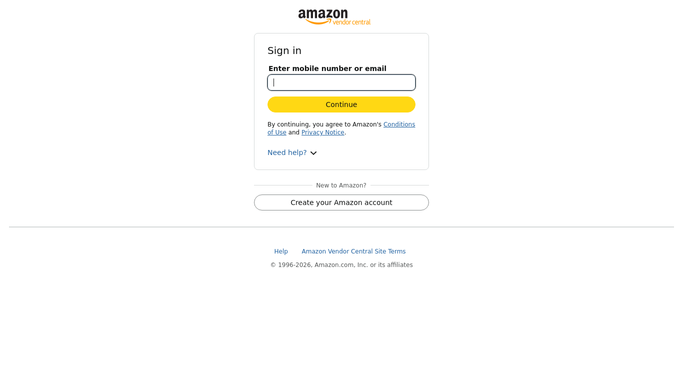
WebRun opens Amazon Vendor Central to check item availability. - Open Vendor Central and go to the items catalog
- Read the availability status on each ASIN you sell
- Compare against yesterday to find items newly marked temporarily or permanently unavailable
- Note the cost price and the last purchase order date on each changed item
- Flag items whose purchase orders have dried up while the status changed
- Change nothing in the catalog. WebRun reads status and leaves edits to your team
Done when Every availability change since the last run is captured with its purchase order history.
-
2
Notion - record each status change
notion.so How to Automate Notion

WebRun opens Notion to record each status change. - Append one row per changed ASIN with the date, old status, and new status
- Record how long an item has been unavailable so a chronic case stands out
- Keep the last purchase order date beside each row
- Close rows out when an item returns to available
Done when Notion holds a dated availability history for every affected ASIN.
-
3
Gmail - draft the summary for review
gmail.com How to Automate Gmail

WebRun opens Gmail to draft the summary for review. - Write a short summary naming the ASINs that changed and how
- Put the highest revenue items first so the costly ones are obvious
- Add the ASINs that have now been unavailable for more than a week
- Save it as a draft in Gmail. WebRun never emails Amazon or a buyer on your behalf
Done when A drafted summary is waiting in Gmail for the vendor manager.
How is each run configured?
Secure by default
Connect once, stays signed in
WebRun signs in once and keeps each session in a persistent environment, so every run picks up right where it left off.
Amazon Vendor Central
Sign in once
Every action is checked against this policy before it runs.
Questions, answered
Will it change item status or contact Amazon?
No. WebRun reads the items catalog and reports what changed. Editing availability, updating cost, or raising a case with Amazon stays with your team, and the Gmail summary is left as a draft you approve.
How does it know something changed?
It compares today's availability status on each ASIN against the record it kept yesterday in Notion, so only genuine changes are reported rather than the whole catalog every morning.
Does it cover items with no recent purchase orders?
Yes. An ASIN whose orders dried up while its status changed is flagged specifically, because that combination is the one that quietly costs you a top seller.
Related templates
Put this on autopilot.
Turn it on in minutes - or have our team set it up for you.