Roll up revenue across every country you sell in
On the 1st of every month, WebRun opens the Alegra account for each country you operate in, totals last month's revenue in its local currency, converts every total to your reporting currency, builds one consolidated report in Google Drive, and pings leadership on Telegram the moment it is ready.
- No credit card
- Under $0.01 per run
- Cancel anytime
What does WebRun do on every run?
The exact actions WebRun takes, in order - in plain language, so you can adjust anything.
-
WebRun signs in and gets to work
Opens
app.alegra.comin a real browser with your saved login - no setup, no API keys. -
1
Alegra - total each country's revenue
alegra.com How to Automate Alegra

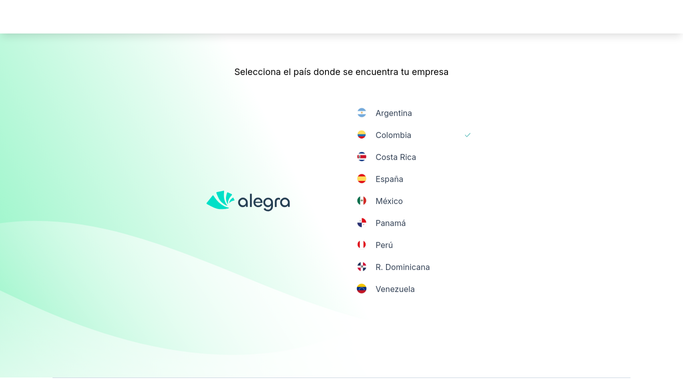
WebRun opens Alegra to total each country's revenue. - Open the Alegra account for each country, such as Colombia, Mexico, Peru, and Argentina
- Total last month's revenue in each account's local currency
- Note the exchange rate used for each currency on the reporting date
Done when Every country's revenue has been totaled in its own currency.
-
2
Google Drive - build the consolidated report
drive.google.com How to Automate Google Drive
WebRun opens Google Drive to build the consolidated report. - Open the consolidated revenue report template
- Convert each country's total to your reporting currency and combine them into one figure
- Save the finished report to a dated folder, with each country's local and converted total shown
Done when One consolidated report sits in Google Drive with every country's contribution shown.
-
3
Telegram - notify leadership it's ready
telegram.org How to Automate Telegram
WebRun opens Telegram to notify leadership it's ready. - Message leadership that the consolidated revenue report is ready
- Include the total and the top contributing country
- Link to the full report in Google Drive
Done when Leadership has this month's consolidated number on Telegram.


How do I roll up revenue across multiple countries in Alegra?
On the 1st of every month, WebRun opens the Alegra account for each country you operate in, totals last month's revenue in its local currency, and converts every total into your reporting currency. It builds one consolidated report in Google Drive and messages leadership on Telegram the moment it is ready.
- Leadership sees consolidated revenue across every country in one place
- Currency differences are reconciled into one converted total
- No more waiting on four separate country exports
Built for multi country finance teams · regional controllers · franchise and multi branch owners · Alegra bookkeepers
How is each run configured?
Secure by default
Connect once, stays signed in
WebRun signs in once and keeps each session in a persistent environment, so every run picks up right where it left off.
Every action is checked against this policy before it runs.
Questions, answered
How many countries can it consolidate?
As many Alegra accounts as you connect. Add or remove a country and WebRun includes or excludes it from the next rollup automatically.
What exchange rate does it use?
The rate on the reporting date, noted alongside each country's total in the report, so leadership can see exactly how the conversion was done.
Does it combine the accounts into one Alegra login?
No. Each country keeps its own separate Alegra account. WebRun only reads each one and combines the totals in the report, nothing changes in Alegra itself.
Related templates
Put this on autopilot.
Turn it on in minutes - or have our team set it up for you.