Flag aging whole-goods units before floor plan costs pile up
Every Monday, WebRun opens ASPEN, pulls every whole-goods unit's stock-in date and current floor plan status, flags units crossing the 90, 180, and 365 day aging thresholds, logs the list in Google Sheets, and posts a prioritized aging alert to Slack so your sales manager knows which units to move first.
- No credit card
- Under $0.01 per run
- Cancel anytime
What does WebRun do on every run?
The exact actions WebRun takes, in order - in plain language, so you can adjust anything.
-
WebRun signs in and gets to work
Opens
aspendealers.comin a real browser with your saved login - no setup, no API keys. -
1
ASPEN (Charter Software) - find whole-goods units by age on the lot
aspendealers.com How to Automate ASPEN (Charter Software)

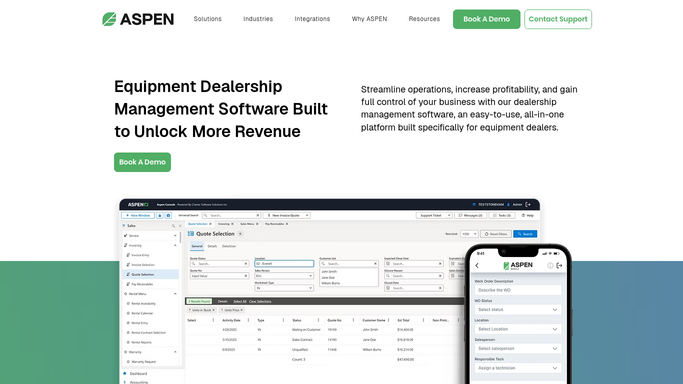
WebRun opens ASPEN (Charter Software) to find whole-goods units by age on the lot. - Open ASPEN Whole Goods Inventory and pull the stock-in date for every unit currently on the lot
- Calculate days on the lot for each unit and flag those crossing 90, 180, and 365 days
- Note the floor plan curtailment status and current cost for each flagged unit
Done when Every whole-goods unit past 90 days on the lot is listed with its age band and floor plan cost.
-
2
Google Sheets - log aging thresholds and trend history
google.com How to Automate Google Sheets
WebRun opens Google Sheets to log aging thresholds and trend history. - Append this week's flagged units to the whole-goods aging tracker with the date
- Mark any unit that moved into a new age band since last week
Done when The aging tracker reflects this week's units and age-band changes.
-
3
Slack - alert the sales manager to move aging units
slack.com How to Automate Slack
WebRun opens Slack to alert the sales manager to move aging units. - Post the aging alert to the sales manager Slack channel
- List units over 365 days first, then 180, then 90, with make, model, and floor plan cost
- Flag any unit whose floor plan curtailment payment is due this month
Done when The sales manager has this week's prioritized aging list in Slack.


How do I get alerted before whole-goods inventory ages into a floor plan cost problem?
WebRun checks ASPEN every Monday for whole-goods units aging past 90, 180, and 365 days on the lot, calculates each one's floor plan cost, logs the trend in Google Sheets, and posts a prioritized Slack alert so your sales manager knows which aging units to move first before curtailment payments add up.
- Units over 365 days on the lot get flagged before another curtailment payment hits
- Sales managers open Slack every Monday with the aging list already prioritized
- Floor plan cost is visible per unit, not buried in a lender statement
Built for ag equipment dealers · dealership sales managers · farm equipment dealer principals
How is each run configured?
Secure by default
Connect once, stays signed in
WebRun signs in once and keeps each session in a persistent environment, so every run picks up right where it left off.
Every action is checked against this policy before it runs.
Questions, answered
Does it mark down or reprice aging units on its own?
No. WebRun only flags units and reports their age and floor plan cost. Any price change or promotion is a decision your sales manager makes.
How does it decide the aging thresholds?
It uses the 90, 180, and 365 day bands common to floor plan agreements, checked against each unit's actual stock-in date in ASPEN. You can adjust the bands to match your lender's terms.
Will it flag units already sold but not yet delivered?
No. It reads live inventory status in ASPEN each run, so units marked sold or delivered are excluded from the aging list automatically.
Related templates
Put this on autopilot.
Turn it on in minutes - or have our team set it up for you.