Catch warranty claims before they blow past the OEM filing deadline
Every morning, WebRun opens ASPEN, finds every open warranty claim and its OEM filing deadline, flags any claim within 5 days of that deadline or already past it, checks QuickBooks to see which older claims still show no reimbursement posted, and posts a prioritized aging alert to Slack for your warranty administrator.
- No credit card
- Under $0.01 per run
- Cancel anytime
What does WebRun do on every run?
The exact actions WebRun takes, in order - in plain language, so you can adjust anything.
-
WebRun signs in and gets to work
Opens
aspendealers.comin a real browser with your saved login - no setup, no API keys. -
1
ASPEN (Charter Software) - find claims nearing their OEM filing deadline
aspendealers.com How to Automate ASPEN (Charter Software)

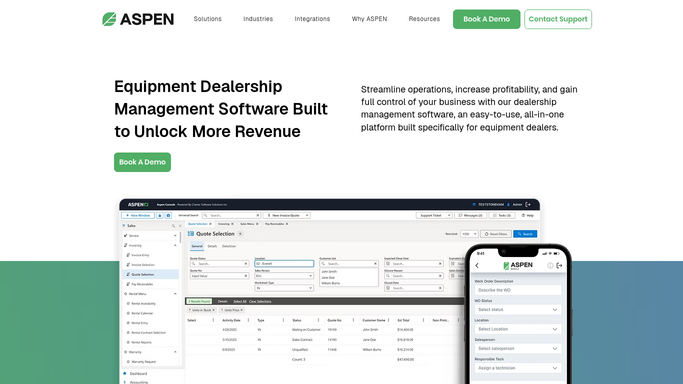
WebRun opens ASPEN (Charter Software) to find claims nearing their OEM filing deadline. - Open ASPEN Warranty and list every open claim with its OEM filing deadline
- Flag claims within 5 days of the deadline and any already past it
- Note the OEM, claim amount, and reason code for each flagged claim
Done when Every claim within 5 days of its filing deadline, or already past it, is listed with its details.
-
2
QuickBooks - check which claims still show no reimbursement
- For claims filed more than 30 days ago, check whether the OEM reimbursement has posted in QuickBooks
- Flag any older claim still showing no reimbursement received
Done when Every claim older than 30 days is marked reimbursed or still outstanding in QuickBooks.
-
3
Slack - alert the warranty administrator
slack.com How to Automate Slack
WebRun opens Slack to alert the warranty administrator. - Post the warranty aging alert to the warranty administrator Slack channel
- List claims already past deadline first, then those within 5 days, then outstanding reimbursements
- Include the OEM, claim amount, and days remaining or overdue for each
Done when The warranty administrator has today's claim aging alert in Slack.

How do I stop warranty claims from missing the OEM filing deadline?
WebRun checks ASPEN every morning for open warranty claims within 5 days of their OEM filing deadline or already past it, cross-checks QuickBooks to flag older claims still showing no reimbursement, and posts a prioritized Slack alert so your warranty administrator files every claim on time and catches reimbursements that never posted.
- Claims past their OEM deadline get caught before the denial letter arrives
- Warranty administrators start the day with claims already ranked by urgency
- Reimbursements that never posted in QuickBooks stop going unnoticed
Built for warranty administrators · service managers · ag equipment dealership accounting teams
How is each run configured?
Secure by default
Connect once, stays signed in
WebRun signs in once and keeps each session in a persistent environment, so every run picks up right where it left off.
Every action is checked against this policy before it runs.
Questions, answered
Does it file or submit the warranty claim to the OEM?
No. WebRun only flags claims approaching their filing deadline and alerts your warranty administrator. Every claim is still reviewed and filed by your team.
How does it know each OEM's filing deadline?
It reads the deadline already recorded on each claim in ASPEN Warranty, which your team sets per the OEM's published warranty policy.
Can it tell if a reimbursement was shorted, not just late?
Not on its own. It flags whether a reimbursement has posted in QuickBooks at all. Comparing the posted amount to the claimed amount is still a step for your accounting team.
Related templates
Put this on autopilot.
Turn it on in minutes - or have our team set it up for you.