Draft trade-in appraisals before the customer walks in
Within minutes of a new trade-in inquiry logged in ASPEN, WebRun pulls the unit's service history, hours, and any open recalls, checks recent comparable sales for similar units, drafts a suggested appraisal range in Google Sheets for the sales manager to confirm, and posts a Slack alert so the appraisal is ready before the customer arrives.
- No credit card
- Under $0.01 per run
- Cancel anytime
What does WebRun do on every run?
The exact actions WebRun takes, in order - in plain language, so you can adjust anything.
-
WebRun signs in and gets to work
Opens
aspendealers.comin a real browser with your saved login - no setup, no API keys. -
1
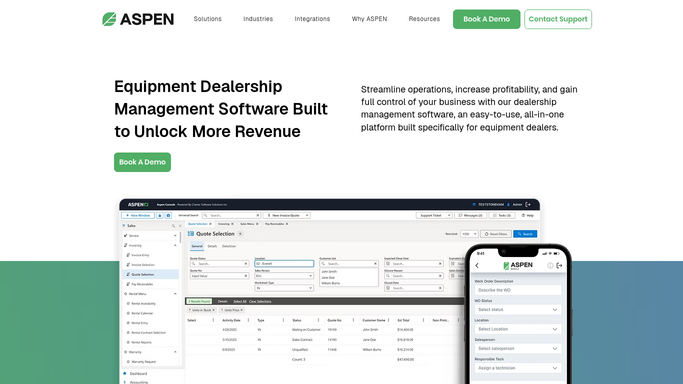
ASPEN (Charter Software) - pull service history and hours for the trade-in unit
aspendealers.com How to Automate ASPEN (Charter Software)

WebRun opens ASPEN (Charter Software) to pull service history and hours for the trade-in unit. - Open ASPEN and pull the trade-in unit's service history, current hours, and any open recall or warranty items
- Note the make, model, year, and attachments included in the inquiry
- Check for comparable units your dealership has sold or appraised in the past 12 months
Done when The trade-in unit's history and comparable sales are compiled.
-
2
Google Sheets - draft a suggested appraisal range
google.com How to Automate Google Sheets
WebRun opens Google Sheets to draft a suggested appraisal range. - Draft a suggested appraisal range based on the comparable sales and the unit's condition
- Leave the range as a draft note, clearly marked as pending sales manager confirmation
- Never present the range to the customer as a final offer
Done when A draft appraisal range exists in Google Sheets, marked pending confirmation.
-
3
Slack - alert the sales manager the draft is ready
slack.com How to Automate Slack
WebRun opens Slack to alert the sales manager the draft is ready. - Post an alert to the sales manager that a new trade-in appraisal draft is ready
- Include the unit, hours, and a link to the draft range
- Flag if the customer's stated appointment time is within 2 hours
Done when The sales manager has been alerted to review the draft before the customer arrives.


How do I prepare a trade-in appraisal before the customer shows up?
WebRun pulls a trade-in unit's service history and hours from ASPEN as soon as the inquiry is logged, checks comparable sales from the past 12 months, drafts a suggested appraisal range in Google Sheets marked pending confirmation, and alerts the sales manager in Slack so the draft is ready to review before the customer arrives.
- Appraisal ranges are ready before the customer's appointment, not scrambled during it
- Every draft is grounded in actual service history and recent comparable sales
- Low-confidence appraisals get flagged instead of quoted with false certainty
Built for sales managers · used equipment buyers · ag equipment dealership sales teams
How is each run configured?
Secure by default
Connect once, stays signed in
WebRun signs in once and keeps each session in a persistent environment, so every run picks up right where it left off.
Every action is checked against this policy before it runs.
Questions, answered
Does it tell the customer their trade-in value automatically?
No. WebRun only drafts a suggested range in Google Sheets for internal review. Your sales manager confirms the number before anyone quotes it to the customer.
What does it use to set the suggested range?
It pulls the unit's actual service history and hours from ASPEN and compares them against similar units your dealership has sold or appraised in the past 12 months.
What if the trade-in unit has no comparable sales on file?
It flags the draft as low-confidence when there are too few comparables, so the sales manager knows to lean on outside sources before confirming the range.
Related templates
Put this on autopilot.
Turn it on in minutes - or have our team set it up for you.