Chase stalled service work orders before they sit another week
Every morning, WebRun opens ASPEN Service, finds open work orders that have not moved status in more than three days, drafts a plain status update email for each customer awaiting parts, approval, or pickup and leaves it in Gmail for review, and posts an internal digest to Slack so your service manager sees what is stuck and why.
- No credit card
- Under $0.01 per run
- Cancel anytime
What does WebRun do on every run?
The exact actions WebRun takes, in order - in plain language, so you can adjust anything.
-
WebRun signs in and gets to work
Opens
aspendealers.comin a real browser with your saved login - no setup, no API keys. -
1
ASPEN (Charter Software) - find work orders stuck more than 3 days
aspendealers.com How to Automate ASPEN (Charter Software)

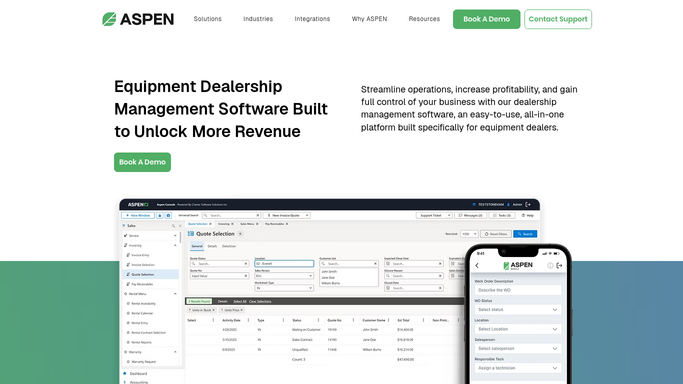
WebRun opens ASPEN (Charter Software) to find work orders stuck more than 3 days. - Open ASPEN Service and filter work orders that have not changed status in more than 3 days
- Note the stall reason for each: awaiting parts, awaiting customer approval, or ready for pickup
- Capture the customer name, unit, and days stalled for each work order
Done when Every work order stalled more than 3 days is listed with its reason and days stalled.
-
2
Gmail - draft a status update for each customer
gmail.com How to Automate Gmail
WebRun opens Gmail to draft a status update for each customer. - Draft a short, plain status update for each customer explaining the hold-up and the next step
- Leave every draft unsent in Gmail for the service advisor to review and personalize
- Never send a status update automatically, even for a routine parts delay
Done when A draft status update exists in Gmail for every stalled work order, ready for the advisor to review.
-
3
Slack - post the stuck-order digest to the service manager
slack.com How to Automate Slack
WebRun opens Slack to post the stuck-order digest to the service manager. - Post the internal stuck-order list to the service manager Slack channel
- Group by stall reason so parts delays, approval delays, and pickup delays are easy to scan
- Flag any work order stalled more than 7 days at the top
Done when The service manager has today's stuck-order digest in Slack.


How do I follow up on service work orders that have stalled without contacting customers automatically?
WebRun checks ASPEN Service every morning for work orders stalled more than 3 days awaiting parts, approval, or pickup, drafts a plain status update for each customer in Gmail without sending it, and posts an internal Slack digest grouped by stall reason so your service manager knows exactly what is stuck and why.
- Stalled work orders surface before a customer calls asking where their machine is
- Every status update is drafted, never sent, so the advisor's voice stays in every email
- Service managers see delays grouped by cause, not buried in a long open-order list
Built for service managers · service advisors · ag equipment dealership service departments
How is each run configured?
Secure by default
Connect once, stays signed in
WebRun signs in once and keeps each session in a persistent environment, so every run picks up right where it left off.
Every action is checked against this policy before it runs.
Questions, answered
Will it email customers without me reviewing it first?
No. WebRun only drafts the status update in Gmail. Nothing goes to a customer until your service advisor reads it and hits send.
How does it decide a work order is stalled?
It checks how long a work order has sat without a status change in ASPEN Service. Anything past 3 days with no movement gets flagged and drafted.
Does it skip work orders already updated today?
Yes. It reads the live status and last-touched date in ASPEN each morning, so any work order already moved forward is left off the list.
Related templates
Put this on autopilot.
Turn it on in minutes - or have our team set it up for you.