Stock the right parts before planting season catches you short
Every Monday during the eight weeks before planting and harvest season, WebRun opens ASPEN, compares this year's parts sales pace against last season's, flags fast-moving SKUs trending toward a stockout, logs the recommended order quantities in Google Sheets, and sends your parts manager a Telegram alert so restocking happens before demand peaks.
- No credit card
- Under $0.01 per run
- Cancel anytime
What does WebRun do on every run?
The exact actions WebRun takes, in order - in plain language, so you can adjust anything.
-
WebRun signs in and gets to work
Opens
aspendealers.comin a real browser with your saved login - no setup, no API keys. -
1
ASPEN (Charter Software) - compare parts sales pace to last season
aspendealers.com How to Automate ASPEN (Charter Software)

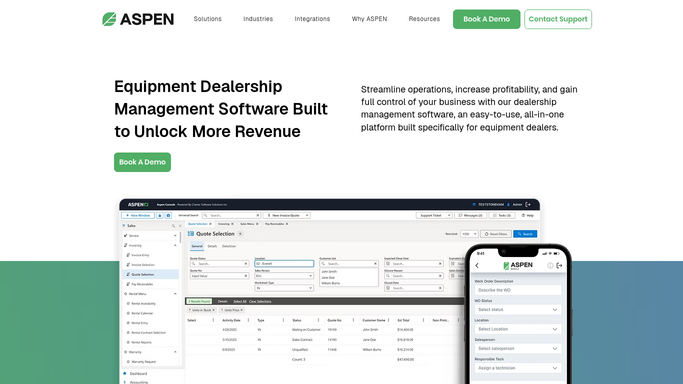
WebRun opens ASPEN (Charter Software) to compare parts sales pace to last season. - Open ASPEN Parts Inventory and pull this season's sales velocity for each SKU tied to spring or harvest work
- Compare current on-hand quantity and velocity against the same week last season
- Flag SKUs on pace to stock out before the season's demand peak
Done when Every seasonal SKU trending toward a stockout is listed with on-hand quantity and days of cover remaining.
-
2
Google Sheets - log recommended stocking quantities
google.com How to Automate Google Sheets
WebRun opens Google Sheets to log recommended stocking quantities. - Log the flagged SKUs with part number, on-hand quantity, and recommended order quantity
- Carry forward any SKU flagged the previous week that has not yet been reordered
Done when The seasonal stocking sheet reflects this week's recommended order quantities.
-
3
Telegram - alert the parts manager to reorder
telegram.org How to Automate Telegram
WebRun opens Telegram to alert the parts manager to reorder. - Send the parts manager a Telegram message with this week's stocking list
- Lead with SKUs that have the fewest days of cover remaining
- Include the recommended order quantity and preferred OEM supplier for each
Done when The parts manager has this week's seasonal stocking list on Telegram.


How do I know which parts to stock before planting or harvest season hits?
WebRun compares this season's parts sales pace against last season's in ASPEN every Monday, flags SKUs trending toward a stockout before spring or harvest demand peaks, logs recommended order quantities in Google Sheets, and sends your parts manager a Telegram alert so restocking happens before a customer's machine is down waiting on a part.
- Fast-moving seasonal parts get reordered before the rush, not during it
- Parts managers get a Telegram list ranked by days of cover remaining
- Last season's sales pace catches stockouts a spreadsheet alone would miss
Built for ag equipment dealer parts managers · parts department leads · farm equipment dealerships
How is each run configured?
Secure by default
Connect once, stays signed in
WebRun signs in once and keeps each session in a persistent environment, so every run picks up right where it left off.
Every action is checked against this policy before it runs.
Questions, answered
Does it place the parts order automatically?
No. WebRun only recommends order quantities and sends them to your parts manager on Telegram. Every purchase order is still placed by your team.
How does it know which parts are seasonal?
It compares each SKU's sales velocity against the same week last season in ASPEN, so parts that moved fast heading into spring or harvest surface automatically.
What if this year's demand does not match last year's pattern?
It also checks the current week's actual sales pace, not just last year's history, so a faster or slower start to the season still gets flagged in time.
Related templates
Put this on autopilot.
Turn it on in minutes - or have our team set it up for you.