Catch phase budget overruns before they derail a project
Every morning, WebRun opens Monograph, reads the budget burn for each active project phase, logs the data to a Google Sheets dashboard, and posts a Slack alert for any phase whose remaining fee has dropped below the threshold you set, so principals can intervene before a phase runs over.
- No credit card
- Under $0.01 per run
- Cancel anytime
What does WebRun do on every run?
The exact actions WebRun takes, in order - in plain language, so you can adjust anything.
-
WebRun signs in and gets to work
Opens
app.monograph.comin a real browser with your saved login - no setup, no API keys. -
1
Monograph - read phase budget burn
monograph.com

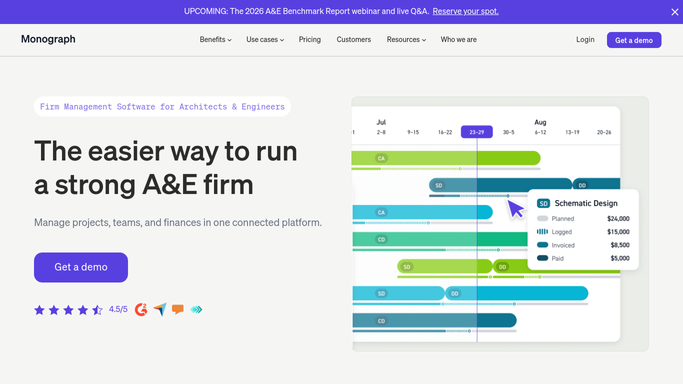
WebRun opens Monograph to read phase budget burn. - Open Monograph and navigate to the budget section for each active project
- Read the fee budget, hours spent, and fee remaining for each project phase
- Calculate the burn percentage and flag any phase above the warning threshold you have configured
Done when Every active project phase is assessed for budget burn and flagged if above the threshold.
-
2
Google Sheets - log burn to dashboard
google.com How to Automate Google Sheets
WebRun opens Google Sheets to log burn to dashboard. - Open the budget burn dashboard sheet and update each project phase row with today's figures
- Record fee budget, hours spent, fee remaining, and burn percentage
- Highlight phases in the warning zone in amber and over budget in red
Done when The budget dashboard reflects today's burn figures for all active phases.
-
3
Slack - alert on phases near limit
slack.com How to Automate Slack
WebRun opens Slack to alert on phases near limit. - Post an alert to the principals channel listing any phases that crossed the warning threshold since the previous run
- Include the project name, phase name, fee budget, fee remaining, and burn percentage
- Note any phase that has already exceeded its budget
Done when Principals have an actionable burn alert in Slack for any phase approaching its limit.


How can I automatically get alerts when a project phase is burning through its budget in Monograph?
WebRun reads Monograph phase budgets every morning, calculates burn for each active project phase, and logs the results to a Google Sheets dashboard. When any phase crosses your warning threshold, it posts an instant Slack alert to principals with the fee remaining and burn percentage, so overruns are caught early.
- Budget overruns are flagged before a phase exceeds its fee, not after
- Principals see a daily burn snapshot across all active project phases
- Google Sheets dashboard stays current without manual data entry
Built for architecture firms · engineering firms · AEC principals · project managers · project accountants
How is each run configured?
Secure by default
Connect once, stays signed in
WebRun signs in once and keeps each session in a persistent environment, so every run picks up right where it left off.
Every action is checked against this policy before it runs.
Questions, answered
What threshold triggers a burn alert?
You set the warning threshold when you configure the workflow, for example alerting when a phase has spent 80 percent or more of its fee budget. WebRun only posts to Slack when that line is crossed.
Will it alert the client that a phase is running over budget?
No. All alerts are internal, posted only to your Slack channel. WebRun never contacts clients. Any client communication about fee adjustments is handled separately by your team.
Can it track burn across all project phases or just the overall project total?
It tracks burn at the individual phase level. Each phase (schematic design, design development, construction documents, and so on) is assessed separately so you can see exactly where the hours are going.
Related templates
Put this on autopilot.
Turn it on in minutes - or have our team set it up for you.