Keep your applicant tracker in step with Adecco
Every morning, WebRun signs into Adecco, opens each of your live roles, captures new applicants and any stage changes since yesterday, writes them into your Airtable pipeline base, and posts a short Microsoft Teams summary of what moved and what is now waiting on your team.
- No credit card
- Under $0.01 per run
- Cancel anytime
How do I keep my applicant tracker in sync with Adecco?
WebRun signs into Adecco each morning, opens every live role, and captures new applicants plus any stage changes since the last run. It writes them into your Airtable recruiting base, matching on name and role to avoid duplicates, then posts a Microsoft Teams summary of the day's pipeline movement.
- Your Airtable pipeline matches Adecco every morning
- Stale roles with no applicants get flagged in the same run
- No manual copying of applicant lists between systems
Built for recruiters · staffing agencies · talent acquisition teams · hiring managers
What does WebRun do on every run?
The exact actions WebRun takes, in order - in plain language, so you can adjust anything.
-
WebRun signs in and gets to work
Opens
www.adecco.comin a real browser with your saved login - no setup, no API keys. -
1
Adecco - read new and updated applicants
adecco.com
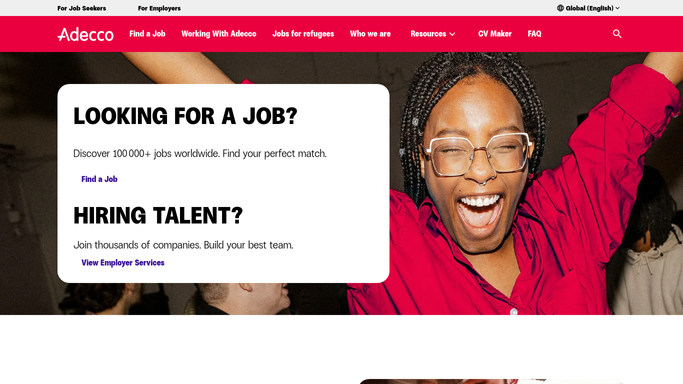
WebRun opens Adecco to read new and updated applicants. - Sign into Adecco and open your list of live roles
- For each role, open the applicant list and capture anyone added since the last run
- Record the applicant name, role, current stage, and the date they applied
- Note applicants whose stage changed since yesterday
Done when Every new applicant and stage change since the last run has been captured.
-
2
Airtable - sync the pipeline base
airtable.com How to Automate Airtable

WebRun opens Airtable to sync the pipeline base. - Open your Airtable recruiting base
- Add a row for each new applicant with role, stage, and applied date
- Update the stage field on existing rows that moved
- Match on applicant name and role so nobody is duplicated
Done when The Airtable base matches the applicant lists in Adecco.
-
3
Microsoft Teams - post what moved today
microsoft.com How to Automate Microsoft Teams

WebRun opens Microsoft Teams to post what moved today. - Post a short summary to your recruiting channel: new applicants, stage moves, and totals per role
- Call out roles with no new applicants for over a week
- Post internally only. Never message a candidate from this run
Done when Your recruiting channel has today's pipeline movement.
How is each run configured?
Secure by default
Connect once, stays signed in
WebRun signs in once and keeps each session in a persistent environment, so every run picks up right where it left off.
Every action is checked against this policy before it runs.
Questions, answered
Will it contact candidates?
No. WebRun only reads applicant lists in Adecco and writes to your own Airtable base and Teams channel. Any candidate message is left for a recruiter to write and send.
Does it create duplicate rows in Airtable?
No. WebRun matches on applicant name plus role before writing, so an existing row is updated rather than added again.
Does it change anything in Adecco?
No. The Adecco side is read-only. WebRun opens your role and applicant lists, captures what is there, and makes no edits to stages or records.
Related templates
Put this on autopilot.
Turn it on in minutes - or have our team set it up for you.