Greet every new signup the day they join
When a new record appears in your Adalo users collection, WebRun opens the app database, reads the signup date and profile fields, drafts a short personal welcome for you to approve, posts the new user and the draft to Slack, and pings Telegram when the profile looks worth a call.
- No credit card
- Under $0.01 per run
- Cancel anytime
How do I welcome every new signup in my Adalo app on the same day?
When a new record lands in your Adalo users collection, WebRun opens the app database, reads the signup details, drafts a personal welcome for you to approve, posts the new user to Slack with a suggested next step, and pings Telegram when the profile looks worth a call.
- New users hear from a human the day they sign up
- High-value signups get a call instead of a template
- Every signup lands in Slack with the fields you actually use
Built for no-code founders · solo app builders · indie SaaS teams · product-led startups
What does WebRun do on every run?
The exact actions WebRun takes, in order - in plain language, so you can adjust anything.
-
WebRun signs in and gets to work
Opens
app.adalo.comin a real browser with your saved login - no setup, no API keys. -
1
Adalo - read the new user record
adalo.com
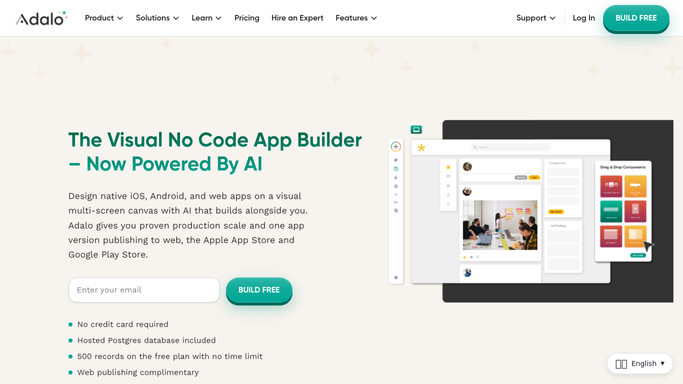
WebRun opens Adalo to read the new user record. - Open your Adalo app and go to the users collection in the database
- Pick up records created since the last run using the signup date field
- Capture the profile fields you actually use, such as name, email, plan, and how they found you
- Draft a short personal welcome in your own tone and leave it unsent for you to approve
Done when Every new user record since the last run has its details captured and a draft welcome written.
-
2
Slack - post the signup and draft welcome
slack.com How to Automate Slack

WebRun opens Slack to post the signup and draft welcome. - Post each new signup to your growth channel with the fields that matter
- Attach the drafted welcome so you can approve or edit it in place
- Note whether the record is complete or missing fields you usually need
- Keep the running count of signups so far today at the bottom of the message
Done when Every new signup is in Slack with its details and a draft welcome ready to approve.
-
3
Telegram - ping you about the ones worth a call
telegram.org How to Automate Telegram

WebRun opens Telegram to ping you about the ones worth a call. - Send yourself a short Telegram message for signups that match your worth-a-call rules
- Say in one line why the record stood out, such as a work email or a paid plan
- Keep quiet on the routine ones so the ping still means something
Done when You have been pinged about the signups that deserve a personal call today.
How is each run configured?
Secure by default
Connect once, stays signed in
WebRun signs in once and keeps each session in a persistent environment, so every run picks up right where it left off.
Every action is checked against this policy before it runs.
Questions, answered
Will it email the new user without me?
No. WebRun writes the welcome and leaves it as a draft in Slack for you to approve. Nothing reaches the signup until a person sends it.
How does it decide who is worth a call?
You set the rules, such as a work email domain, a paid plan, or a referral source, and WebRun checks each new record against them before it pings Telegram.
Does it change anything in my Adalo database?
No. WebRun reads the users collection and leaves your records untouched, so a bad run can never overwrite live app data.
Related templates
Put this on autopilot.
Turn it on in minutes - or have our team set it up for you.