Bring clients back for the next step in their treatment plan
Every morning, WebRun checks Jane for clients who had a session yesterday but have no upcoming appointment, drafts a personalised rebooking message referencing their treatment plan, and queues every outreach for the practitioner to review before it is sent.
- No credit card
- Under $0.01 per run
- Cancel anytime
What does WebRun do on every run?
The exact actions WebRun takes, in order - in plain language, so you can adjust anything.
-
WebRun signs in and gets to work
Opens
jane.appin a real browser with your saved login - no setup, no API keys. -
1
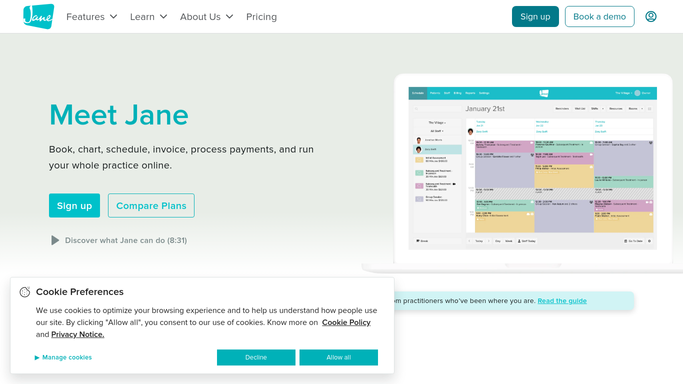
Jane - find clients with no follow-up booked
jane.app How to Automate Jane

WebRun opens Jane to find clients with no follow-up booked. - Open Jane and review appointments completed in the past 24 hours
- Identify clients who have no future appointment on the schedule
- Capture the client name, treatment type, and practitioner recommendation notes
Done when Every client who attended yesterday with no follow-up booked is listed.
-
2
Gmail - draft personalised rebooking messages
gmail.com How to Automate Gmail
WebRun opens Gmail to draft personalised rebooking messages. - Draft a warm, personalised rebooking message for each client
- Reference their recent treatment and recommended return interval
- Save every draft unsent for practitioner review
Done when A draft rebooking message exists in Gmail for each eligible client.
-
3
Slack - notify practitioner to review
slack.com How to Automate Slack
WebRun opens Slack to notify practitioner to review. - Post a Slack notification listing how many rebooking drafts are awaiting review
- Include the client names and recommended return intervals for quick scanning
Done when Practitioner sees a Slack summary and can open Gmail to review and send.


How do I automatically follow up with acupuncture clients who need to rebook?
WebRun checks Jane every morning for clients who attended yesterday but have no next appointment, then drafts a personalised rebooking message for each in Gmail. Every draft is held unsent for practitioner review, and a Slack summary flags the queue so no client falls off their treatment plan.
- Clients stay on their recommended treatment plan instead of drifting away
- Practitioners review and send rebooking messages in one click with no manual chasing
- Clients who already rebooked online are automatically excluded
Built for acupuncturists · TCM practitioners · wellness clinics · holistic health practices
How is each run configured?
Secure by default
Connect once, stays signed in
WebRun signs in once and keeps each session in a persistent environment, so every run picks up right where it left off.
Every action is checked against this policy before it runs.
Questions, answered
Will it contact clients directly without my sign-off?
No. Every rebooking message is saved as an unsent Gmail draft. Nothing reaches a client until the practitioner reviews and sends it.
How does it know the right return interval for each client?
It reads the treatment type and any practitioner notes captured in Jane. You can also provide default intervals per treatment type for WebRun to reference.
What if the client already rebooked online since the session ended?
It checks the live Jane schedule each morning, so clients who have already booked a future appointment are excluded from the draft list.
Related templates
Put this on autopilot.
Turn it on in minutes - or have our team set it up for you.