Draft monthly superbills for acupuncture clients who need them for insurance
On the first of each month, WebRun opens Jane, finds clients who requested superbills and had completed visits in the previous month, drafts a superbill for each, and queues every document in Gmail for the practitioner to review and approve before sending to the client.
- No credit card
- Under $0.01 per run
- Cancel anytime
What does WebRun do on every run?
The exact actions WebRun takes, in order - in plain language, so you can adjust anything.
-
WebRun signs in and gets to work
Opens
jane.appin a real browser with your saved login - no setup, no API keys. -
1
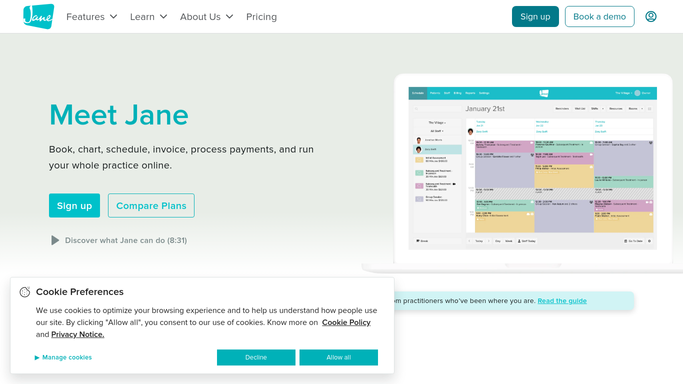
Jane - pull completed visits for superbill-eligible clients
jane.app How to Automate Jane

WebRun opens Jane to pull completed visits for superbill-eligible clients. - Open Jane and filter completed appointments for the previous calendar month
- Identify clients flagged as requiring superbills for insurance reimbursement
- Capture visit dates, service codes (CPT), diagnosis codes (ICD-10), fees paid, and provider NPI for each eligible client
Done when Every superbill-eligible client has a complete record of last month's visits with billing codes.
-
2
Gmail - draft superbill documents for review
gmail.com How to Automate Gmail
WebRun opens Gmail to draft superbill documents for review. - Draft a superbill for each eligible client covering the previous month's visits
- Include visit dates, procedure codes, diagnosis codes, provider details, and amounts paid
- Save each draft unsent in Gmail for practitioner review before any document is sent to a client
Done when A superbill draft exists in Gmail for every eligible client who had visits last month.
-
3
Slack - alert practitioner that superbill drafts are ready
slack.com How to Automate Slack
WebRun opens Slack to alert practitioner that superbill drafts are ready. - Post a Slack alert on the first of the month confirming how many superbill drafts are awaiting review
- Flag any clients whose records are missing required billing codes for follow-up
Done when Practitioner sees the monthly superbill count in Slack and can review and send from Gmail.


How do I automatically draft monthly superbills for acupuncture clients?
On the first of each month, WebRun opens Jane, collects completed visits for clients flagged as needing superbills, and drafts a full superbill for each in Gmail with visit dates, CPT codes, ICD-10 codes, and fees. Every document is held for practitioner review before sending, and a Slack alert flags any missing billing codes.
- Monthly superbills are drafted in minutes instead of hours of manual billing work
- Missing CPT or ICD-10 codes are flagged before any document reaches a client
- Clients receive accurate, professional superbills without delays that could affect their insurance claims
Built for acupuncturists · TCM clinic administrators · holistic health billing staff · wellness practice owners
How is each run configured?
Secure by default
Connect once, stays signed in
WebRun signs in once and keeps each session in a persistent environment, so every run picks up right where it left off.
Every action is checked against this policy before it runs.
Questions, answered
Will it send superbills to clients without my review?
No. Every superbill is saved as an unsent Gmail draft. Nothing is delivered to a client until you review the document and click send.
How does it know which clients need superbills?
It looks for the superbill flag or insurance note on each client record in Jane. You can maintain a list of which clients require monthly superbills and WebRun will reference it on every run.
Does it include the correct CPT and ICD-10 codes?
It reads the service and diagnosis codes already recorded in Jane for each visit. If any codes are missing from a visit record, it flags those for your attention before you send the draft.
Related templates
Put this on autopilot.
Turn it on in minutes - or have our team set it up for you.