Collect client reviews after every acupuncture visit
Every morning, WebRun opens Jane and finds appointments that were completed the previous day. It drafts a warm, personalised review request for each client and queues every message in Gmail for the practitioner to review before sending, so five-star feedback is captured while the visit is still fresh.
- No credit card
- Under $0.01 per run
- Cancel anytime
What does WebRun do on every run?
The exact actions WebRun takes, in order - in plain language, so you can adjust anything.
-
WebRun signs in and gets to work
Opens
jane.appin a real browser with your saved login - no setup, no API keys. -
1
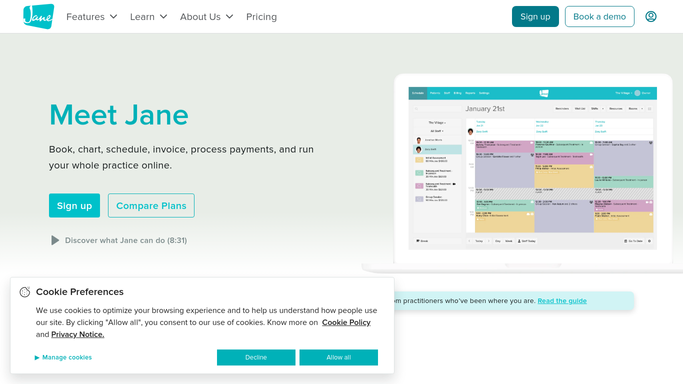
Jane - find completed appointments from yesterday
jane.app How to Automate Jane

WebRun opens Jane to find completed appointments from yesterday. - Open Jane and review appointments completed in the past 24 hours
- Capture client name, treatment type, and practitioner for each completed visit
- Exclude clients who have already received a review request in the past 90 days
Done when Every eligible completed appointment is listed with its client details.
-
2
Gmail - draft personalised review requests
gmail.com How to Automate Gmail
WebRun opens Gmail to draft personalised review requests. - Draft a warm, personalised review request for each client
- Include a direct link to your preferred review platform (Google, Yelp, or your practice site)
- Save each draft unsent in Gmail for the practitioner to review before sending
Done when A review request draft exists in Gmail for every eligible client from yesterday.
-
3
Slack - notify practitioner of pending review drafts
slack.com How to Automate Slack
WebRun opens Slack to notify practitioner of pending review drafts. - Post a brief Slack note listing how many review request drafts are ready for review
- Flag any clients who have mentioned positive feedback in their notes
Done when Practitioner sees the daily count in Slack and can approve Gmail drafts with one review.


How do I automatically request reviews from acupuncture clients after their visit?
WebRun opens Jane every morning, finds appointments completed the previous day, and drafts a warm personalised review request for each eligible client in Gmail. Every message is held unsent for practitioner review, and a Slack note flags the daily count, so genuine reviews are captured while the visit is still fresh.
- Reviews are requested while the visit is still fresh, improving response rates
- Practitioners approve a polished draft in seconds with no manual follow-up
- A 90-day cooldown prevents over-requesting and keeps the relationship respectful
Built for acupuncturists · TCM clinic owners · holistic health studios · wellness practitioners
How is each run configured?
Secure by default
Connect once, stays signed in
WebRun signs in once and keeps each session in a persistent environment, so every run picks up right where it left off.
Every action is checked against this policy before it runs.
Questions, answered
Will it send review requests to clients without my approval?
No. Every request is saved as an unsent Gmail draft and held for your review. Nothing reaches a client until you approve and send it.
How does it avoid sending the same client multiple requests?
It applies a 90-day cooldown by checking client history in Jane, so no client receives a review request more than once in that window.
Which review platform does it link to?
You tell WebRun your preferred platform (Google, Yelp, or your own site) and it inserts the correct link into every draft.
Related templates
Put this on autopilot.
Turn it on in minutes - or have our team set it up for you.