Chase missing intake forms before new client appointments
Every morning, WebRun opens Jane and finds new-client appointments in the next 48 hours where the intake form has not been submitted. It drafts a polite, personalised chase for each client and queues the messages in Gmail for the practitioner to review, ensuring every first-visit form arrives on time.
- No credit card
- Under $0.01 per run
- Cancel anytime
What does WebRun do on every run?
The exact actions WebRun takes, in order - in plain language, so you can adjust anything.
-
WebRun signs in and gets to work
Opens
jane.appin a real browser with your saved login - no setup, no API keys. -
1
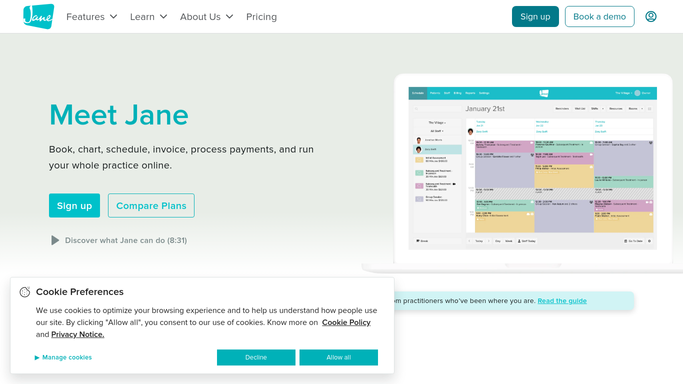
Jane - find new clients with missing intake forms
jane.app How to Automate Jane

WebRun opens Jane to find new clients with missing intake forms. - Open Jane and filter upcoming appointments to new clients in the next 48 hours
- Check each client record for a completed intake form
- List clients whose intake form is missing or incomplete
Done when Every new client with an appointment in the next 48 hours and no completed form is identified.
-
2
Gmail - draft polite intake form reminders
gmail.com How to Automate Gmail
WebRun opens Gmail to draft polite intake form reminders. - Draft a polite, personalised intake form reminder for each client
- Include the direct link to their Jane intake form
- Save every draft unsent for the practitioner to review before sending
Done when A reminder draft with the intake form link exists in Gmail for each client who needs it.
-
3
Slack - notify practitioner of pending forms
slack.com How to Automate Slack
WebRun opens Slack to notify practitioner of pending forms. - Post a Slack alert listing the names and appointment times of clients with missing forms
- Flag any appointments within 24 hours as high priority
Done when Practitioner sees the pending intake list in Slack and can act on Gmail drafts promptly.


How do I automatically chase acupuncture clients for missing intake forms?
WebRun opens Jane every morning and finds new-client appointments in the next 48 hours where the intake form is missing. It drafts a polite personalised reminder with the form link in Gmail for each client, holds every message for practitioner review, and posts a Slack alert so no first visit starts without the right health history.
- Every first visit starts with a complete intake form so the practitioner is fully prepared
- Clients receive a direct form link, reducing the steps needed to complete intake
- Practitioners review and send reminders in seconds with no manual searching in Jane
Built for acupuncturists · TCM practitioners · holistic health clinics · wellness studios
How is each run configured?
Secure by default
Connect once, stays signed in
WebRun signs in once and keeps each session in a persistent environment, so every run picks up right where it left off.
Every action is checked against this policy before it runs.
Questions, answered
Will it send intake reminders to clients without my approval?
No. Every reminder is saved as an unsent Gmail draft. Nothing is delivered to a client until you review and send it.
What if a client submits the form after the draft is created?
It reads the live Jane records each morning. If a client has already submitted their form by the time you review the draft, you can simply delete it.
Does it include the intake form link in each reminder?
Yes. The draft includes the direct link to the client's intake form in Jane, so they can complete it in one click.
Related templates
Put this on autopilot.
Turn it on in minutes - or have our team set it up for you.