Turn the emails that need doing into real tasks
Every morning, WebRun signs in to ABV Mail, reads the unread messages that arrived since the last run, separates the ones that ask for an action from newsletters and receipts, opens a Trello card for each real request, and records the whole triage in a Notion log so nothing quietly disappears.
- No credit card
- Under $0.01 per run
- Cancel anytime
How do I turn emails that need action into tasks automatically?
WebRun signs in to ABV Mail every morning, reads the messages that arrived overnight, and separates real requests from newsletters and receipts. It opens a Trello card for each request with the sender, the ask and any deadline, and records the whole triage in a Notion log, without ever replying for you.
- Requests buried in email become cards with owners and due dates
- Newsletters and receipts stop competing with real work for attention
- A Notion log shows who keeps asking, so recurring requests become a process
Built for small business owners · office managers · solo professionals · support teams
What does WebRun do on every run?
The exact actions WebRun takes, in order - in plain language, so you can adjust anything.
-
WebRun signs in and gets to work
Opens
mail.abv.bgin a real browser with your saved login - no setup, no API keys. -
1
ABV Mail - read and triage new mail
abv.bg
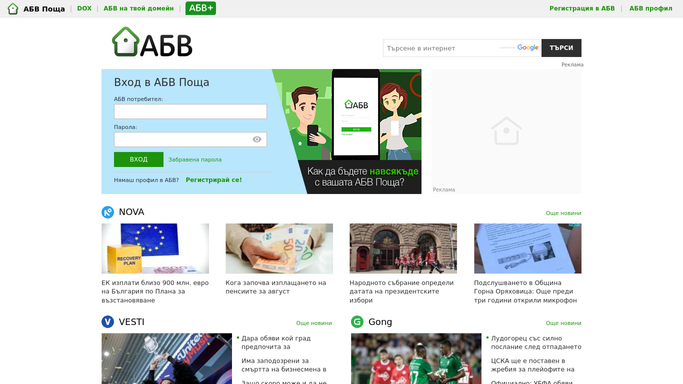
WebRun opens ABV Mail to read and triage new mail. - Sign in to ABV Mail and open the inbox
- Read messages received since the last run
- Sort each into a request that needs action, information to keep, or noise such as newsletters and receipts
- For each request, capture the sender, the subject, what they are asking for, and any date they mention
- Leave every message unread or read exactly as your rule says, and never reply from this run
Done when Every new message is sorted and every real request is captured.
-
2
Trello - open a card per real request
trello.com How to Automate Trello

WebRun opens Trello to open a card per real request. - Open your inbox tasks board in Trello
- Create one card per request with the sender, the ask, and the email subject in the description
- Set a due date when the sender named one
- Label the card by type so billing, support, and supplier requests are visible at a glance
- Skip anything that already has an open card from a previous run
Done when Every actionable email has exactly one card on the board.
-
3
Notion - log what was triaged
notion.so How to Automate Notion

WebRun opens Notion to log what was triaged. - Open your inbox triage log in Notion
- Add one row per message with the sender, the subject, the decision, and the card link if one was created
- Keep a daily count of requests, information, and noise
- Note senders who write in most often so recurring requests can be turned into a process
Done when This morning's triage is recorded in the Notion log.
How is each run configured?
Secure by default
Connect once, stays signed in
WebRun signs in once and keeps each session in a persistent environment, so every run picks up right where it left off.
Every action is checked against this policy before it runs.
Questions, answered
Will it reply to my email?
No. WebRun never sends, replies to, forwards, or deletes a message. It reads the inbox, creates internal Trello cards, and leaves every reply to you.
How does it tell a real request from noise?
It reads the message and looks for an ask: a question, a deadline, an invoice, or an instruction. Newsletters, receipts, and notifications are logged as noise and never become cards.
Will it mark my mail as read?
Only if you ask it to. By default it leaves the read state exactly as it found it, so your inbox looks the same after the run as before it.
Related templates
Put this on autopilot.
Turn it on in minutes - or have our team set it up for you.