Compile the clearance report package the moment a job passes
Every morning, WebRun opens FieldFlo, finds jobs that have passed final clearance, gathers the visual inspection sign-off, clearance air sample results, and site photos from Google Drive into one report package folder, drafts a Gmail delivery note to the client, and posts your project manager a Slack note that the package is ready to review and send.
- No credit card
- Under $0.01 per run
- Cancel anytime
What does WebRun do on every run?
The exact actions WebRun takes, in order - in plain language, so you can adjust anything.
-
WebRun signs in and gets to work
Opens
fieldflo.comin a real browser with your saved login - no setup, no API keys. -
1
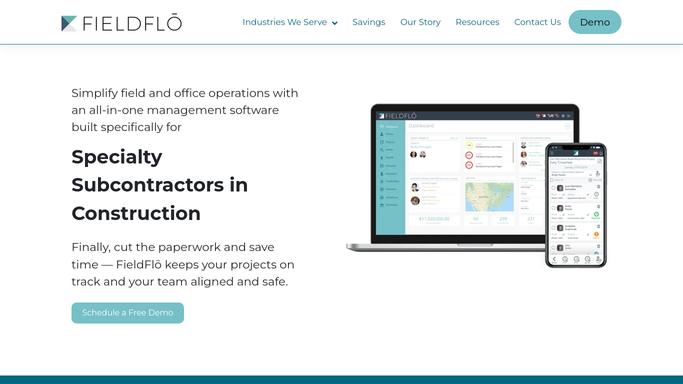
FieldFlo - find jobs that passed final clearance
fieldflo.com How to Automate FieldFlo

WebRun opens FieldFlo to find jobs that passed final clearance. - Open FieldFlo and find jobs whose clearance stage is marked passed since the last run
- Capture the job, site address, client contact, clearance date, and the documents the job requires
- List which clearance items are recorded as complete for each job
Done when Every newly passed job is listed with its client contact and required clearance items.
-
2
Google Drive - compile the clearance report package
google.com How to Automate Google Drive
WebRun compiles the clearance report package in Google Drive. - Open the job's folder in Google Drive and gather the final visual inspection sign-off, clearance air sample results, and site photos
- Assemble them into a single clearance report package folder named for the job
- Note any required document that is missing so it can be located before the package goes out
Done when A clearance report package is assembled in Google Drive with any missing document flagged.
-
3
Gmail - draft the client delivery note for review
gmail.com How to Automate Gmail
WebRun drafts the client delivery note in Gmail and leaves it unsent. - Draft a Gmail delivery note to the client summarizing the passed clearance and the enclosed documents
- Link the compiled clearance report package from Google Drive in the draft
- Leave the email unsent for your project manager to review and send to the client
Done when A Gmail delivery draft with the package linked is waiting for your project manager, unsent.
-
4
Slack - tell the PM the package is ready
slack.com How to Automate Slack
WebRun posts the PM a Slack note that the clearance package is ready to review. - Post a Slack note to your project-manager channel that the clearance package for the job is compiled and the delivery email is drafted
- List any required document still missing so the PM can locate it before sending
- Link the Google Drive package and note that the Gmail delivery note is waiting, unsent
Done when The PM has a Slack note that the package is ready and the delivery email awaits review.



How do I compile and deliver the clearance report after an abatement job passes?
WebRun opens FieldFlo each morning and finds jobs that have passed final clearance. It gathers the visual sign-off, clearance air results, and photos from Google Drive into one package, drafts a Gmail delivery note, and posts your PM a Slack note, leaving the email unsent so a human reviews and sends it.
- Clearance report packages are compiled the morning after a job passes
- Missing clearance documents are flagged before the package leaves the office
- The client delivery email stays unsent until your PM reviews and approves it
Built for asbestos abatement contractors · abatement project managers · environmental remediation firms · abatement office administrators
How is each run configured?
Secure by default
Connect once, stays signed in
WebRun signs in once and keeps each session in a persistent environment, so every run picks up right where it left off.
Every action is checked against this policy before it runs.
Questions, answered
Will the clearance package be sent to the client automatically?
No. WebRun compiles the package in Google Drive and drafts the delivery email, but leaves it unsent. Your project manager reviews the documents and the wording, then sends it to the client. Nothing goes out without human approval.
What if a clearance document is missing from the folder?
WebRun flags any required document it cannot find in the job's Google Drive folder and notes it in the draft, so your project manager can locate the missing item before the package is sent.
Does it decide whether a job actually passed clearance?
No. It relies on the clearance status your team records in FieldFlo. WebRun only compiles the report once a job is marked as passed, it does not make the pass or fail determination itself.
Related templates
Put this on autopilot.
Turn it on in minutes - or have our team set it up for you.