Know where every 1688 order is on its way to you
Every morning, WebRun opens 1688, goes through your placed orders, reads the order status, the logistics tracking number and the expected delivery date for each, logs them all in Airtable, and posts your team a Microsoft Teams list of the shipments running late and the suppliers behind them.
- No credit card
- Under $0.01 per run
- Cancel anytime
How do I track where my 1688 orders are without checking each one?
WebRun opens 1688 every morning, reads every placed order and its current status, and pulls the logistics tracking number and expected delivery date. It logs each order in Airtable, then posts your team a Microsoft Teams list of the shipments running late and the suppliers behind them.
- Late orders surface before a customer asks about them
- Every open order carries a tracking number and an expected date
- Repeat late suppliers become visible from the shipment history
Built for importers · ecommerce sellers · sourcing agents · operations teams
What does WebRun do on every run?
The exact actions WebRun takes, in order - in plain language, so you can adjust anything.
-
WebRun signs in and gets to work
Opens
1688.comin a real browser with your saved login - no setup, no API keys. -
1
1688 - read orders and tracking
1688.com
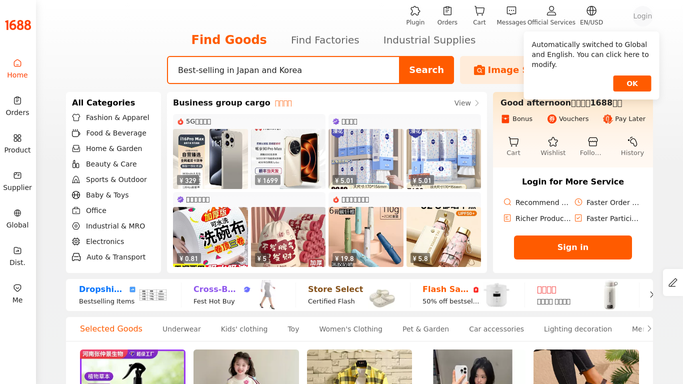
WebRun opens 1688 to read orders and tracking. - Open 1688 and list your placed orders that have not yet been received
- For each order, read the status, the supplier, the amount, and the logistics tracking number
- Note the promised or expected delivery date and how many days have passed since dispatch
- Read the orders only. Never place an order, confirm receipt, or release a payment
Done when Every open order has a current status and, where it exists, a tracking number.
-
2
Airtable - log every shipment
airtable.com How to Automate Airtable

WebRun opens Airtable to log every shipment. - Open your purchasing base in Airtable and update the row for every open order
- Write the status, tracking number, supplier, expected date, and days in transit
- Close out rows for orders that arrived, so the base only shows what is still moving
Done when Airtable matches today's real order and shipment state.
-
3
Microsoft Teams - flag what is running late
microsoft.com How to Automate Microsoft Teams

WebRun opens Microsoft Teams to flag what is running late. - Post the day's shipment picture to your operations channel
- Lead with orders past their expected date and orders still with no tracking number at all
- Group the late ones by supplier so a repeat offender is obvious
Done when Your team knows which orders are late and which supplier keeps slipping.
How is each run configured?
Secure by default
Connect once, stays signed in
WebRun signs in once and keeps each session in a persistent environment, so every run picks up right where it left off.
Every action is checked against this policy before it runs.
Questions, answered
Can it buy or confirm receipt on 1688 for me?
No. WebRun only reads your order list and tracking details. It never places an order, confirms receipt, releases a payment, or opens a dispute, so no money or protection window moves on its own.
What about orders with no tracking number yet?
They are called out separately in the Teams post. An order that has been paid for but never dispatched is usually the earliest sign of a supplier problem, so it is flagged rather than ignored.
How does it spot a supplier that keeps slipping?
The Airtable history keeps days in transit for every past order, so the daily post can group late shipments by supplier and show which one is repeatedly behind.
Related templates
Put this on autopilot.
Turn it on in minutes - or have our team set it up for you.