Get the dates buried in your inbox onto your calendar
Every morning, WebRun signs in to 126 Mail, reads the messages that arrived since the last run, pulls out every proposed meeting time and stated deadline, blocks each one in Google Calendar as a private hold with no guests, and posts the day's commitments to Microsoft Teams.
- No credit card
- Under $0.01 per run
- Cancel anytime
How do I get meeting dates from my email onto my calendar automatically?
WebRun reads your 126 Mail inbox every morning and pulls out every proposed meeting time and stated deadline from the messages that arrived overnight. It blocks each one in Google Calendar as a private hold with no guests, then posts the day's new commitments and any clashes to Microsoft Teams.
- Dates agreed in email land on the calendar the same morning
- Clashes surface before you double-book yourself
- No reply, forward, or invitation is ever sent on your behalf
Built for account managers · consultants · operations staff · anyone running work from an inbox
What does WebRun do on every run?
The exact actions WebRun takes, in order - in plain language, so you can adjust anything.
-
WebRun signs in and gets to work
Opens
mail.126.comin a real browser with your saved login - no setup, no API keys. -
1
126 Mail - find dates and deadlines
126.com
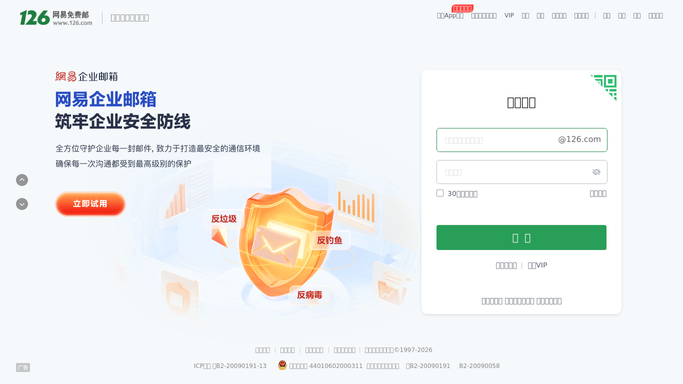
WebRun opens 126 Mail to find dates and deadlines. - Sign in to 126 Mail and open the inbox
- Read every message received since the last run
- Pull out proposed meeting times, agreed deadlines, and delivery dates
- Record the sender, the subject, and the exact date and time promised
- Skip newsletters, receipts, and anything with no date in it
Done when Every dated commitment in yesterday's mail is listed with its sender and subject.
-
2
Google Calendar - block private holds
calendar.google.com How to Automate Google Calendar

WebRun opens Google Calendar to block private holds. - Open Google Calendar and check for a clash before creating anything
- Create a private hold for each commitment, titled with the subject and sender
- Put the source email subject in the event description so the context is one click away
- Never add guests and never send an invitation to anyone
- Mark a clash in the event title rather than moving an existing meeting
Done when Every dated commitment has a private hold on your calendar.
-
3
Microsoft Teams - post the day's commitments
microsoft.com How to Automate Microsoft Teams

WebRun opens Microsoft Teams to post the day's commitments. - Post today's commitments to your own Teams channel
- List what was added to the calendar and who it came from
- Flag any clash so you can decide which one moves
- Note any message that mentioned a date too vaguely to book
Done when You have the day's new commitments and clashes in Teams.
How is each run configured?
Secure by default
Connect once, stays signed in
WebRun signs in once and keeps each session in a persistent environment, so every run picks up right where it left off.
Every action is checked against this policy before it runs.
Questions, answered
Will it reply to emails or invite people to meetings?
No. WebRun reads your 126 Mail inbox and never replies, forwards, or deletes a message. Calendar holds are created with no guests, so no invitation is sent to anyone. Confirming a time with the sender stays your job.
What happens when a new date clashes with an existing meeting?
The hold is still created and the clash is called out in both the event title and the Teams post. WebRun never moves, shortens, or deletes an existing calendar entry.
What if the email mentions a date without a time?
It becomes an all-day hold on that date, and the Teams post flags it as needing a time. Anything too vague to book is listed for you rather than guessed at.
Related templates
Put this on autopilot.
Turn it on in minutes - or have our team set it up for you.