Win back canceled waste service accounts before they are gone for good
Every morning, WebRun opens Trash Flow to find accounts canceled in the past 48 hours, looks up the service history and reason for cancellation, drafts a personal winback outreach in Gmail for the account manager to review, and posts a cancellation alert to your retention channel in Slack.
- No credit card
- Under $0.01 per run
- Cancel anytime
What does WebRun do on every run?
The exact actions WebRun takes, in order - in plain language, so you can adjust anything.
-
WebRun signs in and gets to work
Opens
app.trashflow.comin a real browser with your saved login - no setup, no API keys. -
1
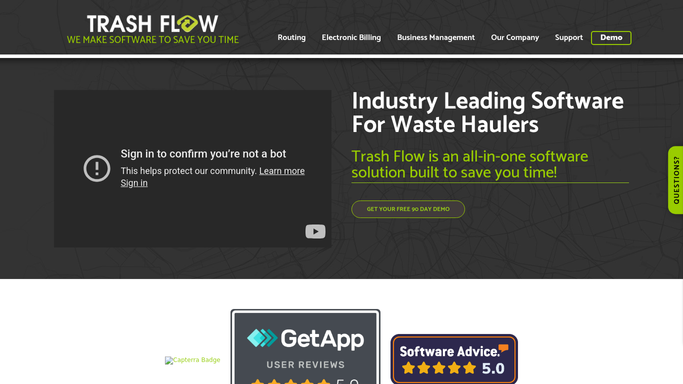
Trash Flow - find recently canceled accounts
trashflow.com

WebRun opens Trash Flow to find recently canceled accounts. - Open Trash Flow and navigate to the account management or cancellation report
- Filter to accounts canceled or marked for cancellation in the past 48 hours
- Capture the customer name, service address, cancellation reason if available, years of service, and account value
Done when Every account canceled in the past 48 hours is listed with its cancellation details and service history.
-
2
Gmail - draft personal winback outreach
gmail.com How to Automate Gmail
WebRun opens Gmail to draft personal winback outreach. - Draft a personal, empathetic winback email for each canceled account using the customer name, service history, and cancellation reason
- Include an offer to discuss concerns, a relevant incentive if applicable, and a direct contact for the account manager
- Leave every draft unsent in Gmail Drafts for the account manager to personalize and send
Done when A winback outreach draft exists in Gmail for every recently canceled account.
-
3
Slack - alert retention team with cancellation list
slack.com How to Automate Slack
WebRun opens Slack to alert retention team with cancellation list. - Post a cancellation alert to the retention channel in Slack
- List each canceled account with the years of service, account value, and cancellation reason
- Rank accounts by value or tenure so the team prioritizes the highest-impact winbacks first
Done when Retention team has a ranked cancellation list in Slack with context for each account.


How do I automatically follow up with canceled waste service customers to win them back?
WebRun checks Trash Flow every morning for accounts canceled in the past 48 hours, drafts a personal winback outreach in Gmail for each customer, and posts your retention team a value-ranked cancellation list in Slack. Account managers can reach out quickly while the relationship is still fresh.
- Every canceled account gets a winback draft within one business day
- Retention team starts the day with a value-ranked cancellation list in Slack
- No recent cancellation goes unacknowledged while the customer is still reachable
Built for waste hauling account managers · customer retention teams · recycling service providers · residential garbage collection
How is each run configured?
Secure by default
Connect once, stays signed in
WebRun signs in once and keeps each session in a persistent environment, so every run picks up right where it left off.
Every action is checked against this policy before it runs.
Questions, answered
Will it contact canceled customers automatically?
No. Every winback email is drafted in Gmail and left for the account manager to review, personalize, and send. Nothing reaches a customer without your approval.
How quickly does it flag a cancellation?
WebRun runs each morning and catches accounts canceled in the past 48 hours, so your team typically has a winback draft within one business day of the cancellation.
What if the cancellation was involuntary, such as a non-pay termination?
The cancellation reason from Trash Flow is included in the Slack alert and the draft so your team can choose the right message type, whether a winback offer or a collections follow-up.
Related templates
Put this on autopilot.
Turn it on in minutes - or have our team set it up for you.