Resolve short picks in ShipHero before orders ship late
Every morning, WebRun opens ShipHero, finds all orders with at least one short-picked line, ranks them by promised ship date, and writes the prioritized worklist to a Google Sheet so the warehouse team can resolve stock gaps and keep orders on time.
- No credit card
- Under $0.01 per run
- Cancel anytime
What does WebRun do on every run?
The exact actions WebRun takes, in order - in plain language, so you can adjust anything.
-
WebRun signs in and gets to work
Opens
app.shiphero.comin a real browser with your saved login - no setup, no API keys. -
1
ShipHero - find orders with short-picked lines
shiphero.com How to Automate ShipHero

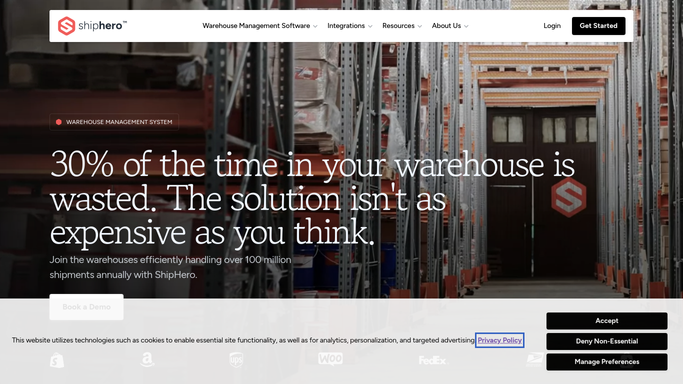
WebRun opens ShipHero to find orders with short-picked lines. - Open ShipHero and filter orders to those with a short-pick exception flag
- For each short-pick order, capture order number, SKU, quantity short, and promised ship date
- Sort orders by ship date ascending so the most urgent appear first
Done when All short-pick orders are listed with their details and sorted by urgency.
-
2
Google Sheets - write prioritized short-pick worklist
google.com How to Automate Google Sheets
WebRun opens Google Sheets to write prioritized short-pick worklist. - Open the designated Short-Pick Worklist Google Sheet
- Clear the previous day's rows and write today's short-pick data
- Apply conditional formatting to highlight orders shipping today or tomorrow
Done when The Google Sheet shows today's prioritized short-pick worklist, with urgent orders highlighted.

How do I automatically track and prioritize short picks in ShipHero?
WebRun opens ShipHero every morning, finds all orders with short-picked lines, ranks them by promised ship date, and writes the prioritized worklist to a Google Sheet. The warehouse team opens one tab to see exactly which stock gaps to resolve first, keeping orders on time.
- Short-pick exceptions are surfaced every morning before the picking shift starts
- Most urgent orders appear first so the team resolves the right gaps first
- No manual WMS digging required to find and prioritize short-pick orders
Built for warehouse supervisors · fulfillment managers · 3PL operators · ecommerce operations teams
How is each run configured?
Secure by default
Connect once, stays signed in
WebRun signs in once and keeps each session in a persistent environment, so every run picks up right where it left off.
Every action is checked against this policy before it runs.
Questions, answered
Will it notify customers about their delayed order automatically?
No. Customer-facing delay notifications are drafted but held for human review before sending. WebRun only posts the internal worklist to Google Sheets automatically.
How does it define a short pick?
A short pick is any order line where the quantity picked is less than the quantity ordered, as flagged in ShipHero's exception reporting. No custom configuration is needed.
What happens when the worklist is empty?
WebRun clears the sheet and writes a single row confirming no short picks were found today, so the team knows the run completed and no action is needed.
Related templates
Put this on autopilot.
Turn it on in minutes - or have our team set it up for you.