Verify insurance eligibility for tomorrow's urgent care appointments before the day starts
Every morning, WebRun opens Experity and retrieves the list of appointments scheduled for the following day. For each appointment it checks the insurance eligibility status on file, identifies any patients with unverified, inactive, or flagged coverage, and posts a summary to Slack so staff can resolve issues before the patient arrives. The full eligibility check results are exported to Google Sheets for the billing team's records.
- No credit card
- Under $0.01 per run
- Cancel anytime
What does WebRun do on every run?
The exact actions WebRun takes, in order - in plain language, so you can adjust anything.
-
WebRun signs in and gets to work
Opens
app.experityhealth.comin a real browser with your saved login - no setup, no API keys. -
1
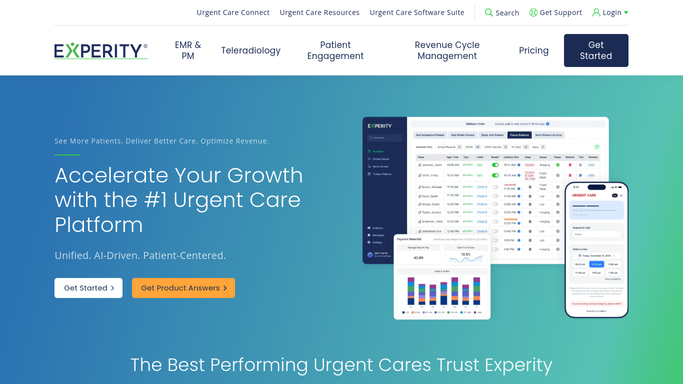
Experity - pull tomorrow's appointment list and eligibility status
experityhealth.com How to Automate Experity

WebRun opens Experity to pull tomorrow's appointment list and eligibility status. - Open Experity and navigate to the appointment schedule
- Filter for all appointments confirmed for the following calendar day
- For each appointment, check the insurance eligibility status recorded in Experity
- Identify patients whose coverage is unverified, shows as inactive, or carries a flag from a prior eligibility error
- Capture the patient name, appointment time, insurance carrier, and eligibility status for each record
Done when Every appointment scheduled for tomorrow has an eligibility status recorded, and all problem accounts are identified.
-
2
Google Sheets - log full eligibility check results
google.com How to Automate Google Sheets
WebRun opens Google Sheets to log full eligibility check results. - Open the Insurance Eligibility Prep sheet
- Append a row for each tomorrow's patient with their name, appointment time, insurance carrier, and eligibility status
- Color-code or mark rows where eligibility is unverified or inactive for easy staff review
- Timestamp the sheet with the date and time of the check so billing staff know how recent the data is
Done when The Google Sheet has a complete eligibility record for every appointment scheduled for tomorrow.
-
3
Slack - flag unverified or inactive coverage to staff
slack.com How to Automate Slack
WebRun opens Slack to flag unverified or inactive coverage to staff. - Post a Slack message to the front desk or billing channel with a count of tomorrow's appointments reviewed
- List only the patients with unverified or inactive coverage, grouped by issue type
- Include each patient's appointment time and insurance carrier so staff can prioritize outreach
- Note any patients where no insurance information is on file so staff can request it before the visit
Done when Staff have a Slack alert with every eligibility flag for tomorrow's appointments so issues can be resolved today.


How do I check insurance eligibility for urgent care appointments before the day starts?
WebRun opens Experity each afternoon and pulls every appointment scheduled for the next day. It checks each patient's insurance eligibility status, logs the full results to Google Sheets, and posts a Slack alert listing only the patients with unverified or inactive coverage so your front desk team can resolve issues before the patient ever walks in.
- Staff see every eligibility flag for tomorrow's appointments before end of business today
- Day-of insurance denials drop because problems are resolved the day before the visit
- Google Sheets gives billing a complete eligibility log for every appointment date
Built for urgent care front desk staff · urgent care billing teams · clinic administrators · revenue cycle managers
How is each run configured?
Secure by default
Connect once, stays signed in
WebRun signs in once and keeps each session in a persistent environment, so every run picks up right where it left off.
Every action is checked against this policy before it runs.
Questions, answered
Does this workflow contact patients about their insurance?
No. This is an entirely internal workflow. WebRun reads eligibility data from Experity and posts results to your staff via Google Sheets and Slack. No patient is contacted at any stage.
Which patients show up in the Slack alert?
Only patients with unverified, inactive, or flagged insurance coverage appear in the Slack alert, so staff can focus on resolving issues rather than reviewing a full appointment list. The complete results are always in Google Sheets.
What if Experity already shows eligibility as verified for everyone?
WebRun posts a clean Slack message confirming that all appointments for tomorrow have verified coverage on file, so your team has a daily confirmation that eligibility prep is complete.
Related templates
Put this on autopilot.
Turn it on in minutes - or have our team set it up for you.