Surface stalled solar projects before they become lost deals
Every morning, WebRun opens Enerflo, identifies any project that has had no stage change or logged activity in the last five days, logs them to a stalled-project tracker in Google Sheets, and posts a prioritised alert to the ops Slack channel so the team can act before momentum is lost.
- No credit card
- Under $0.01 per run
- Cancel anytime
What does WebRun do on every run?
The exact actions WebRun takes, in order - in plain language, so you can adjust anything.
-
WebRun signs in and gets to work
Opens
enerflo.comin a real browser with your saved login - no setup, no API keys. -
1
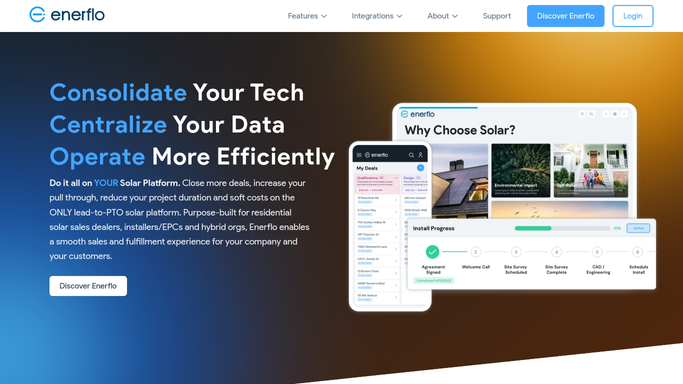
Enerflo - find projects with no recent activity
enerflo.com How to Automate Enerflo

WebRun opens Enerflo to find projects with no recent activity. - Open Enerflo and review active projects across all pipeline stages
- Identify projects with no stage change or logged activity in the last 5 days
- For each stalled project, note the current stage, the homeowner name, the assigned rep, and the number of days idle
- Sort by days idle so the longest-stalled projects appear first
Done when Every stalled project is identified and ranked by days idle.
-
2
Google Sheets - log stalled projects and days idle
google.com How to Automate Google Sheets
WebRun opens Google Sheets to log stalled projects and days idle. - Open the stalled-project tracking sheet
- Add a new row for each project not already listed, or update the days-idle count for ones that are
- Mark projects as resolved when they appear active again in Enerflo
- Record the date of each alert so the team can see the history
Done when The tracking sheet reflects today's stalled projects with current idle counts.
-
3
Slack - post prioritised stall alert
slack.com How to Automate Slack
WebRun opens Slack to post prioritised stall alert. - Post a prioritised alert to the ops Slack channel listing all stalled projects
- Put the longest-stalled projects at the top with the stage, assigned rep, and days idle
- Tag the rep assigned to each project so they receive the notification directly
Done when The ops team and assigned reps have a prioritised stall alert in Slack.


How do I get automatic alerts when solar projects stall in the pipeline?
WebRun opens Enerflo every morning and scans every active project for signs of stalling. Any project with no stage change or activity in the last five days is logged to a Google Sheets tracker and included in a prioritised Slack alert, with the longest-stalled projects at the top and the assigned rep tagged, so the team can intervene before deals go cold.
- Stalled projects are surfaced within 24 hours of going idle so the team can intervene early
- No project stays invisible in the pipeline for more than a day
- Assigned reps are tagged directly in Slack so accountability is clear
Built for solar operations managers · residential solar installers · solar sales managers
How is each run configured?
Secure by default
Connect once, stays signed in
WebRun signs in once and keeps each session in a persistent environment, so every run picks up right where it left off.
Every action is checked against this policy before it runs.
Questions, answered
Does it contact the homeowner or take any action on a stalled project?
No. WebRun only reads project status and posts an internal alert. It never contacts a homeowner or changes anything in Enerflo.
What counts as stalled?
By default, any project with no stage change or logged activity for more than 5 days is flagged. You can adjust this threshold during setup.
Will it keep alerting us about the same project every day?
Yes, until the project shows activity again in Enerflo. This is intentional so nothing stays invisible. The Google Sheets log tracks how long each project has been stalled.
Related templates
Put this on autopilot.
Turn it on in minutes - or have our team set it up for you.