Remind tenants when their stored-goods insurance is lapsing
Every Monday, WebRun opens Stora, finds tenants whose stored-goods insurance is due to expire within 30 days, logs them to a Google Sheet expiry tracker, and drafts a personalised renewal reminder in Gmail for each one. No notice is sent until a staff member reviews and approves the batch.
- No credit card
- Under $0.01 per run
- Cancel anytime
What does WebRun do on every run?
The exact actions WebRun takes, in order - in plain language, so you can adjust anything.
-
WebRun signs in and gets to work
Opens
app.stora.coin a real browser with your saved login - no setup, no API keys. -
1
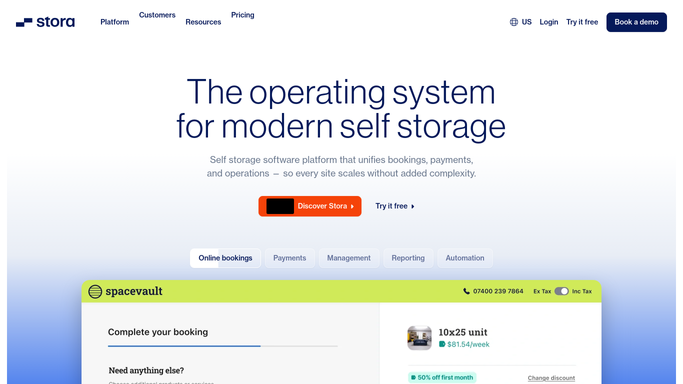
Stora - find tenants with expiring insurance
stora.co

WebRun opens Stora to find tenants with expiring insurance. - Open Stora and navigate to the tenant or insurance section
- Filter for tenants whose stored-goods insurance expires within the next 30 days
- Capture tenant name, unit number, insurance expiry date, and insurer name for each
Done when Every tenant with insurance expiring in the next 30 days is listed with their policy details.
-
2
Google Sheets - log expiry list for staff review
google.com How to Automate Google Sheets
WebRun opens Google Sheets to log expiry list for staff review. - Open the insurance expiry tracking spreadsheet
- Append a row for each tenant at risk of lapsing with their unit, expiry date, and insurer
- Sort rows by expiry date so the most urgent cases appear first
- Add a status column for staff to mark when a renewal reminder has been sent
Done when The expiry sheet is updated with all tenants at risk, sorted by urgency.
-
3
Gmail - draft renewal reminder notices for approval
gmail.com How to Automate Gmail
WebRun opens Gmail to draft renewal reminder notices for approval. - Draft a courteous insurance renewal reminder for each expiring tenant
- Include the unit number, expiry date, and a note on why maintaining coverage matters
- Reference your facility's insurance requirements in the lease if applicable
- Leave every draft unsent in Gmail Drafts for staff review before sending
Done when A ready-to-review insurance reminder draft is in Gmail Drafts for each affected tenant.


How do I remind self-storage tenants when their insurance is about to expire?
Every Monday, WebRun checks Stora for tenants whose stored-goods insurance is expiring within 30 days, logs them to a Google Sheet sorted by urgency, and drafts a personalised renewal reminder in Gmail for each one. No notice is sent until a staff member reviews and approves the batch, protecting both tenants and the facility.
- Lapsing insurance policies are caught 30 days before expiry without manual checks
- Staff review a sorted expiry list each week instead of searching for at-risk tenants
- No reminder reaches a tenant without a human review step
Built for self-storage operators · facility managers · storage compliance teams
How is each run configured?
Secure by default
Connect once, stays signed in
WebRun signs in once and keeps each session in a persistent environment, so every run picks up right where it left off.
Every action is checked against this policy before it runs.
Questions, answered
Will it send insurance reminders to tenants automatically?
No. Every reminder is drafted and left in Gmail Drafts for staff to review and send. No notice reaches a tenant without explicit staff approval.
What if a tenant has already renewed their insurance?
WebRun reads live insurance data from Stora on each weekly run. Tenants who have already renewed are excluded from the current batch automatically.
How far in advance does the workflow flag expiring policies?
WebRun flags insurance expiring within the next 30 days, giving staff time to review and send reminders well before a policy lapses.
Related templates
Put this on autopilot.
Turn it on in minutes - or have our team set it up for you.