Surface expiring roast lots before freshness windows close
Every morning, WebRun opens Cropster, scans roasted lots for approaching freshness expiry, and sends a Telegram alert ranking them by urgency so your dispatch team ships oldest roasts first and nothing goes stale in the warehouse.
- No credit card
- Under $0.01 per run
- Cancel anytime
What does WebRun do on every run?
The exact actions WebRun takes, in order - in plain language, so you can adjust anything.
-
WebRun signs in and gets to work
Opens
app.cropster.comin a real browser with your saved login - no setup, no API keys. -
1
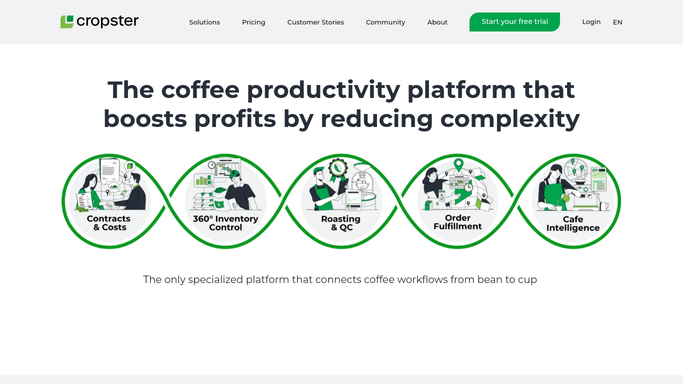
Cropster - scan roasted lots for freshness expiry
cropster.com How to Automate Cropster

WebRun opens Cropster to scan roasted lots for freshness expiry. - Open Cropster and navigate to the roasted coffee inventory
- Read the roast date and batch details for each in-stock lot
- Calculate days since roast and days remaining in your freshness window for each lot
- Collect all lots within 14 days of the freshness window closing, or whatever threshold you set
Done when Every roasted lot approaching its freshness deadline is listed with its roast date and days remaining.
-
2
Telegram - send FEFO dispatch alert
telegram.org How to Automate Telegram
WebRun opens Telegram to send FEFO dispatch alert. - Send a ranked FEFO alert to your dispatch or warehouse Telegram group
- List lots in order from fewest days remaining to most, with roast date and quantity on hand
- Flag any lot within 7 days of its freshness deadline at the top of the message
Done when Your dispatch team has a ranked Telegram alert ordering lots by urgency for today's picks.

How do I get automatic alerts for roasted coffee lots approaching their freshness deadline?
WebRun scans your Cropster roasted inventory every morning and ranks every lot by days remaining in its freshness window. The dispatch team gets a Telegram FEFO alert before the day's picks begin, so the oldest roasts ship first and no lot goes stale sitting behind a newer batch.
- Dispatch team ships oldest roasts first every day without manual checks
- No roasted lot expires in the warehouse unnoticed
- Urgent lots are flagged at the top of the daily Telegram alert
Built for wholesale coffee roasters · roastery dispatch teams · warehouse managers at roasteries
How is each run configured?
Secure by default
Connect once, stays signed in
WebRun signs in once and keeps each session in a persistent environment, so every run picks up right where it left off.
Every action is checked against this policy before it runs.
Questions, answered
How does it define the freshness window?
You set the freshness window in days during setup, for example 30 days post-roast for filter or 21 days for espresso. WebRun applies your threshold to every lot it scans in Cropster.
What if no lots are expiring soon?
It sends a brief all-clear Telegram message so your team knows the check ran and inventory is fresh. No guessing whether the alert was skipped.
Can it handle multiple freshness windows for different product types?
Yes. You can configure separate thresholds for espresso, filter, and single-origin lots, and the alert will apply the correct window to each lot type based on how it is tagged in Cropster.
Related templates
Put this on autopilot.
Turn it on in minutes - or have our team set it up for you.