Get new PT patients paperwork-ready before their first visit
Each morning, WebRun checks Jane for new patient evaluations scheduled in the next 72 hours, drafts a personalized intake form invitation email for each patient with a link to complete their paperwork online, logs the patient in a tracking sheet, and queues every email for front-desk review before sending.
- No credit card
- Under $0.01 per run
- Cancel anytime
What does WebRun do on every run?
The exact actions WebRun takes, in order - in plain language, so you can adjust anything.
-
WebRun signs in and gets to work
Opens
jane.appin a real browser with your saved login - no setup, no API keys. -
1
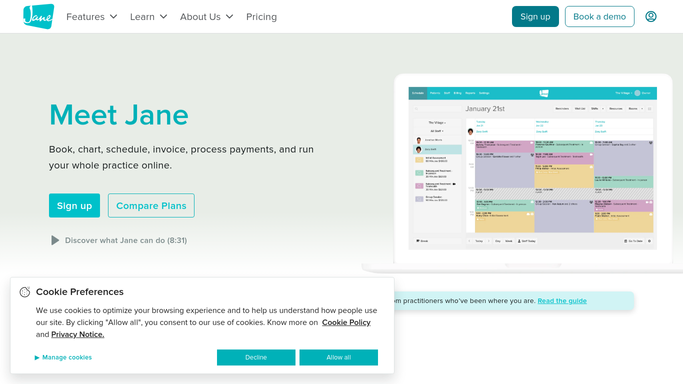
Jane - identify new patient evaluations in the next 72 hours
jane.app How to Automate Jane

WebRun opens Jane to identify new patient evaluations in the next 72 hours. - Open Jane and filter the schedule for new patient evaluation appointments in the next 72 hours
- Identify patients who have not yet received an intake form invitation
- Capture each patient's name, appointment date and time, treating therapist, and contact email
- Skip patients who already have intake paperwork on file or an invitation sent
Done when Every new patient evaluation in the next 72 hours is listed with contact details.
-
2
Gmail - draft personalized intake form invitation emails
gmail.com How to Automate Gmail
WebRun opens Gmail to draft personalized intake form invitation emails. - For each new patient, draft a welcome email with a personalized greeting and a link to complete the intake forms online before their visit
- Include the appointment date, therapist name, clinic address, and parking instructions
- Note that intake forms must be completed at least 24 hours before the evaluation
- Leave every draft unsent for front-desk review - patient emails are never sent automatically
- Label each draft with the appointment date for easy same-day triage
Done when A Gmail draft intake invitation exists for every new patient arriving in the next 72 hours.
-
3
Google Sheets - log intake status for front-desk tracking
google.com How to Automate Google Sheets
WebRun opens Google Sheets to log intake status for front-desk tracking. - Log each new patient to the intake tracking sheet with their name, appointment date, therapist, and invitation status
- Mark the row as Invitation Drafted so front desk can update it to Sent and then Forms Received as the workflow progresses
Done when Every new patient is logged in the intake tracker with the current status.


How do I automatically send intake forms to new PT patients before their evaluation?
Each morning, WebRun identifies new patient evaluations scheduled in the next 72 hours in Jane, drafts a personalized intake form invitation in Gmail for each patient, and logs them in a Google Sheets tracker. Front desk reviews and sends each email, so every new patient arrives prepared and evaluations start on time.
- Every new patient receives a personalized intake invitation before their evaluation
- Front desk avoids manual intake tracking with a live Google Sheets log
- First visits start on time because paperwork is completed in advance
Built for PT front-desk staff · physical therapy clinic managers · outpatient PT practices · physical therapists
How is each run configured?
Secure by default
Connect once, stays signed in
WebRun signs in once and keeps each session in a persistent environment, so every run picks up right where it left off.
Every action is checked against this policy before it runs.
Questions, answered
Will it send intake emails to patients without front-desk review?
No. Every intake invitation is drafted in Gmail and left unsent. The front desk reviews the content and sends each one, so patients only receive accurate, approved messages.
What if the patient already submitted intake forms online?
It checks Jane for each patient's intake status each morning and skips anyone who already has paperwork on file or has received an invitation, avoiding duplicate outreach.
Can it track whether patients have completed their forms?
Yes. It logs each new patient to a Google Sheets tracker with their appointment date and invitation status. Front desk can update the row as forms are received, giving the team a live view of pre-visit readiness.
Related templates
Put this on autopilot.
Turn it on in minutes - or have our team set it up for you.