Start every PT clinic day with a full caseload briefing
Each morning before the clinic opens, WebRun opens Jane, pulls today's full appointment schedule, organizes it by therapist, flags any same-day openings or double-bookings, and posts a structured digest to the clinical Slack channel. A running Google Sheet captures daily volume for trend reporting.
- No credit card
- Under $0.01 per run
- Cancel anytime
What does WebRun do on every run?
The exact actions WebRun takes, in order - in plain language, so you can adjust anything.
-
WebRun signs in and gets to work
Opens
jane.appin a real browser with your saved login - no setup, no API keys. -
1
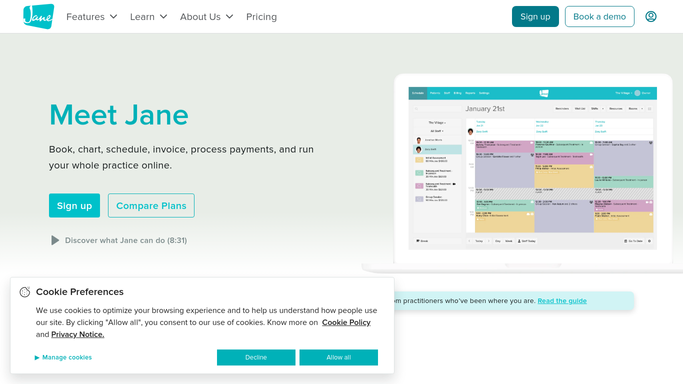
Jane - pull today's full appointment schedule by therapist
jane.app How to Automate Jane

WebRun opens Jane to pull today's full appointment schedule by therapist. - Open Jane and navigate to today's schedule view
- Pull every confirmed appointment organized by therapist with patient name, visit type, and appointment time
- Identify any open slots, unconfirmed appointments, or double-bookings and flag them
- Note the total visit count per therapist and the clinic total for the day
Done when Today's full schedule is captured by therapist with visit counts, open slots, and any flags noted.
-
2
Slack - post structured daily caseload digest to clinical channel
slack.com How to Automate Slack
WebRun opens Slack to post structured daily caseload digest to clinical channel. - Post a structured daily digest to the clinical Slack channel with a section per therapist listing their scheduled patients and times
- Highlight any open slots that could be filled and any unconfirmed appointments that need front-desk follow-up
- Include the total clinic visit count for the day at the top of the digest
Done when The full daily caseload digest is live in Slack for the clinical team to review.
-
3
Google Sheets - log daily visit volume for trend tracking
google.com How to Automate Google Sheets
WebRun opens Google Sheets to log daily visit volume for trend tracking. - Append today's date, total visit count, per-therapist counts, and number of open slots to the daily volume tracking sheet
- This log builds a running trend line the clinic manager can review weekly
Done when Today's volume data is logged in the tracking sheet for trend analysis.


How do I automatically get a daily PT caseload and schedule digest each morning?
Every morning before the clinic opens, WebRun pulls today's full appointment schedule from Jane, organizes it by therapist, flags open slots and unconfirmed appointments, and posts a structured digest to the clinical Slack channel. A daily volume log in Google Sheets builds a trend line the clinic manager can review each week.
- Every therapist and front-desk staff start the day knowing their full caseload
- Open slots and unconfirmed appointments are flagged before the first patient arrives
- Daily visit volume is tracked automatically for weekly trend analysis
Built for physical therapists · PT clinic managers · PT front-desk staff · outpatient PT practices
How is each run configured?
Secure by default
Connect once, stays signed in
WebRun signs in once and keeps each session in a persistent environment, so every run picks up right where it left off.
Every action is checked against this policy before it runs.
Questions, answered
Does the digest include protected patient health information?
It includes only scheduling information visible to the clinical team: patient names, appointment times, and visit types. No clinical notes, diagnoses, or billing data are included in the Slack message.
What if the schedule changes after the digest is posted?
The digest reflects the schedule at the time it runs each morning. For late cancellations or same-day adds, the front desk manages those in Jane directly. The digest is a morning briefing, not a live feed.
Can it flag open slots that could be filled from the waitlist?
Yes. It highlights open slots in the Slack digest so the front desk knows which therapists have capacity. For automated waitlist filling, the pt-waitlist-cancellation-fill template handles that workflow.
Related templates
Put this on autopilot.
Turn it on in minutes - or have our team set it up for you.