Remind customers it is time to reorder their usual produce before they call a competitor
Every Monday, WebRun reviews Produce Pro order history, identifies customers who are past their average reorder cycle for key commodities, drafts a personalized reorder reminder in Gmail for the assigned rep to review, and posts a rep-by-rep outreach list to the sales Slack channel.
- No credit card
- Under $0.01 per run
- Cancel anytime
What does WebRun do on every run?
The exact actions WebRun takes, in order - in plain language, so you can adjust anything.
-
WebRun signs in and gets to work
Opens
producepro.comin a real browser with your saved login - no setup, no API keys. -
1
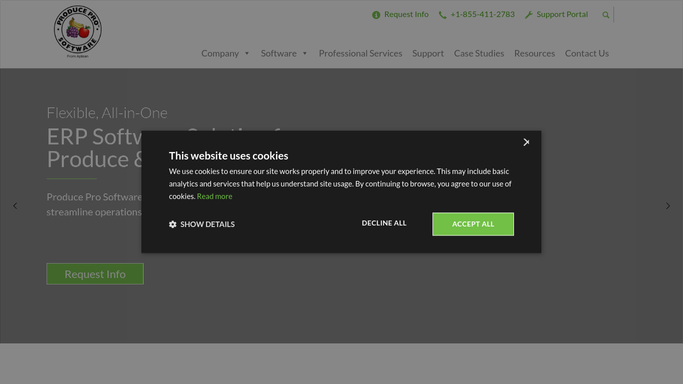
Produce Pro - identify customers past their reorder cycle
producepro.com How to Automate Produce Pro

WebRun opens Produce Pro to identify customers past their reorder cycle. - Open Produce Pro and pull order history for active customers over the last 90 days
- Calculate each customer's average reorder interval per commodity
- Identify customers whose last order for a commodity exceeds their average interval by more than 20%
- Capture customer name, commodity, last order date, average interval, and assigned rep for each
Done when All customers overdue on their typical reorder cycle are listed with their commodity and rep.
-
2
Gmail - draft personalized reorder reminder for rep review
gmail.com How to Automate Gmail
WebRun opens Gmail to draft personalized reorder reminder for rep review. - Draft a personalized reorder reminder email for each overdue customer from their assigned rep
- Reference the specific commodity and the customer's usual order quantity
- Leave every draft in Gmail for the assigned rep to review, personalize further if needed, and send. Do not send automatically
Done when A personalized reorder reminder draft is ready in Gmail for each overdue customer.
-
3
Slack - post rep outreach list to sales channel
slack.com How to Automate Slack
WebRun opens Slack to post rep outreach list to sales channel. - Post a rep outreach list to the sales Slack channel organized by rep
- For each rep, list their customers overdue for a reorder with commodity and days since last order
- Tag each rep so they know to check their Gmail drafts before calling
Done when Every rep has their overdue-customer outreach list in Slack and Gmail drafts waiting.


How do I automatically remind produce customers when they are due to reorder?
Every Monday, WebRun reviews Produce Pro order history to find customers past their average reorder cycle for key commodities. It drafts a personalized reorder reminder in Gmail for each overdue customer from their assigned rep, and posts a rep-organized outreach list to the sales Slack channel. Reps review the drafts and send when ready, keeping customers engaged before they reorder elsewhere.
- Overdue customers receive a personalized nudge before they place the order with a competitor
- Reps start each week with a ready-to-send draft for every at-risk account
- Reorder intervals are calculated automatically from real order history, not guesswork
Built for produce sales reps · fresh produce distributors · account managers · wholesale produce companies
How is each run configured?
Secure by default
Connect once, stays signed in
WebRun signs in once and keeps each session in a persistent environment, so every run picks up right where it left off.
Every action is checked against this policy before it runs.
Questions, answered
Will it email customers automatically to prompt a reorder?
No. Every reorder reminder is drafted in Gmail and held for the assigned rep to review and send. No message reaches a customer without human approval.
How does it know when a customer is overdue for a reorder?
WebRun calculates each customer's average reorder interval per commodity from their Produce Pro order history. If their last order exceeds that average by more than 20%, they appear on the outreach list.
What if a customer placed a smaller order recently but not their usual full order?
It reads the last order date per commodity regardless of quantity. If a partial order was placed recently, the customer's interval resets and they will not appear on the list until their next overdue window.
Related templates
Put this on autopilot.
Turn it on in minutes - or have our team set it up for you.