Check on post-op patients
Every morning, WebRun opens Symplast to identify patients who had surgery exactly one day ago and seven days ago, drafts a caring post-op check-in text message for each via Twilio, and posts all drafts to Slack for your clinical team to review and approve before any message is sent to a patient.
- No credit card
- Under $0.01 per run
- Cancel anytime
What does WebRun do on every run?
The exact actions WebRun takes, in order - in plain language, so you can adjust anything.
-
WebRun signs in and gets to work
Opens
app.symplast.comin a real browser with your saved login - no setup, no API keys. -
1
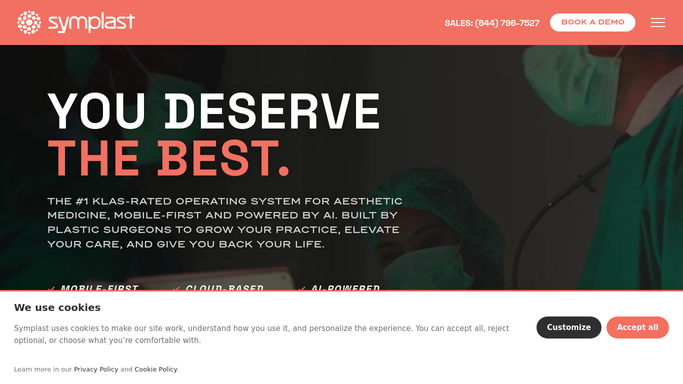
Symplast - identify day-1 and day-7 post-op patients
symplast.com

WebRun opens Symplast to identify day-1 and day-7 post-op patients. - Open Symplast and navigate to the surgical schedule
- Identify patients whose surgery date was exactly 1 day ago for day-1 check-ins
- Identify patients whose surgery date was exactly 7 days ago for day-7 check-ins
- Collect each patient's name, phone number, procedure performed, and surgeon name
Done when All day-1 and day-7 post-op patients are identified with their contact details and procedure.
-
2
Twilio - draft post-op check-in texts
twilio.com How to Automate Twilio
WebRun opens Twilio to draft post-op check-in texts. - Draft a day-1 check-in text for each post-op day-1 patient asking how they are feeling and reminding them to call if they have concerns
- Draft a day-7 check-in text for each post-op day-7 patient checking on recovery progress and reminding them of their follow-up appointment
- Leave all messages unsent in draft status pending clinical staff approval
Done when A draft check-in text is prepared for every day-1 and day-7 post-op patient.
-
3
Slack - queue drafts for clinical approval
slack.com How to Automate Slack
WebRun opens Slack to queue drafts for clinical approval. - Post all draft check-in texts to the clinical team Slack channel grouped by day-1 and day-7
- Include patient name, procedure, surgeon, and the exact draft message text for each
- Note that all messages require clinical staff approval before being sent
Done when Clinical team has all draft post-op check-in texts in Slack ready for review and approval.


How do I automatically send post-op check-in messages to surgery patients?
Every morning, WebRun opens Symplast to find patients who are at post-op day 1 and day 7, then drafts a personalized check-in text for each via Twilio. All drafts are posted to Slack for your clinical team to review and approve before any message reaches a patient, ensuring timely and clinically appropriate follow-up.
- Every post-op patient receives a timely day-1 and day-7 check-in
- Clinical team reviews every message before it reaches a patient
- Post-op follow-up runs consistently without manual coordinator effort
Built for plastic surgery practices · cosmetic surgeons · surgical nurses · post-op care coordinators
How is each run configured?
Secure by default
Connect once, stays signed in
WebRun signs in once and keeps each session in a persistent environment, so every run picks up right where it left off.
Every action is checked against this policy before it runs.
Questions, answered
Will it text post-op patients without clinical approval?
No. Every post-op check-in text is drafted and held in Slack for your clinical team to review and approve. WebRun never sends a message to a patient without explicit clinical sign-off.
Can it handle patients who had multiple procedures?
Yes. WebRun pulls the procedure name from Symplast for each patient and includes it in the draft message, so the check-in references the actual surgery each patient had.
What if a patient had a complication and needs more than a text?
Clinical staff review every draft in Slack before it is sent. If a patient needs additional attention the team can modify or withhold the message and escalate through your normal clinical process.
Related templates
Put this on autopilot.
Turn it on in minutes - or have our team set it up for you.