Chase missing intake forms before the first appointment
Every morning, WebRun opens Jane and finds new patient appointments scheduled in the next 7 days where intake forms are still outstanding, drafts a friendly reminder to each family with a link to the form, stages every draft for staff review before sending, and posts the outstanding intake list to Slack so the front-desk team knows who still needs to complete paperwork.
- No credit card
- Under $0.01 per run
- Cancel anytime
What does WebRun do on every run?
The exact actions WebRun takes, in order - in plain language, so you can adjust anything.
-
WebRun signs in and gets to work
Opens
jane.appin a real browser with your saved login - no setup, no API keys. -
1
Jane - identify new patients with incomplete intake forms
jane.app How to Automate Jane

WebRun opens Jane to identify new patients with incomplete intake forms. - Open Jane and navigate to upcoming appointments in the next 7 days
- Filter for new patient appointments where intake forms have not been submitted
- Capture the child name, appointment date, assigned therapist, and family contact details
- Note how many days remain before the appointment
Done when All new patient appointments within 7 days with missing intake forms are identified with contact details.
-
2
Gmail - draft intake form reminder for family review
gmail.com How to Automate Gmail
WebRun opens Gmail to draft intake form reminder for family review. - Draft a friendly intake form reminder email for each family
- Include the child name, appointment date, therapist name, and a link to the intake form
- Mention that completing the forms before the visit helps the therapist prepare
- Leave every draft unsent for staff review before sending
- Do not send any message to a family without staff approval
Done when An intake reminder draft is staged in Gmail for every new patient family missing their paperwork.
-
3
Slack - post outstanding intake list for staff visibility
slack.com How to Automate Slack
WebRun opens Slack to post outstanding intake list for staff visibility. - Post the outstanding intake list to the front-desk Slack channel
- Include each child's name, appointment date, and days remaining to complete forms
- Note which families already have a Gmail draft ready for review and sending
Done when Front-desk team has the full outstanding intake list in Slack with days-remaining flags.
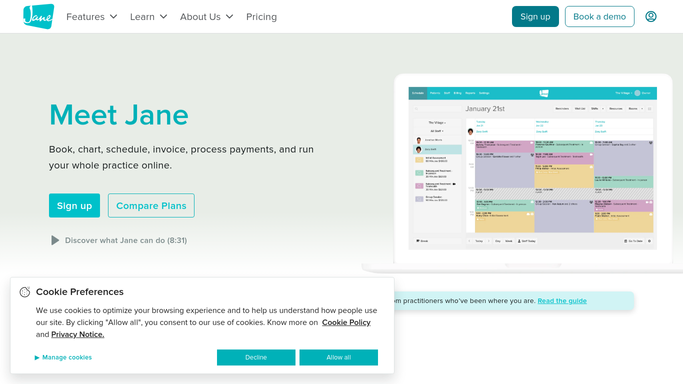


How do I automatically chase outstanding intake forms before a child's first therapy appointment?
WebRun checks Jane every morning for new patient appointments in the next 7 days where intake forms are still outstanding, drafts a friendly reminder with the form link for each family, stages every draft in Gmail for staff review, and posts a Slack intake list so the front-desk team can ensure every child arrives ready for their first session.
- Fewer first appointments delayed by missing intake paperwork
- Staff review a ready-to-send reminder batch rather than manually tracking who still needs forms
- Families who submit forms are removed from the list automatically so staff never chase twice
Built for pediatric occupational therapy clinics · pediatric speech therapy practices · pediatric physical therapy offices · multi-discipline pediatric therapy centers
How is each run configured?
Secure by default
Connect once, stays signed in
WebRun signs in once and keeps each session in a persistent environment, so every run picks up right where it left off.
Every action is checked against this policy before it runs.
Questions, answered
Will it send intake reminders to families automatically?
No. Because messaging patient families involves protected health information context, WebRun stages every reminder as a Gmail draft for staff to review and send. Nothing goes to families without a human check.
How many days before the appointment does it start chasing the intake forms?
WebRun flags new patient appointments up to 7 days out and runs the check every morning, so families with appointments on Friday are chased from the Monday before.
What if the family already submitted the forms after the previous reminder was sent?
WebRun checks the live intake form status in Jane each morning, so families who have already submitted their forms are automatically removed from the outstanding list.
Related templates
Put this on autopilot.
Turn it on in minutes - or have our team set it up for you.