Get a daily available-to-sell stock digest
Every morning, WebRun opens Agriware 365, reads available-to-sell quantities by variety and size, records a dated snapshot in a Google Sheet, and sends your sales team a Telegram digest of what is sellable today and what is running low.
- No credit card
- Under $0.01 per run
- Cancel anytime
What does WebRun do on every run?
The exact actions WebRun takes, in order - in plain language, so you can adjust anything.
-
WebRun signs in and gets to work
Opens
mprise-agriware.comin a real browser with your saved login - no setup, no API keys. -
1
Agriware 365 - read available-to-sell stock
mprise-agriware.com How to Automate Agriware 365

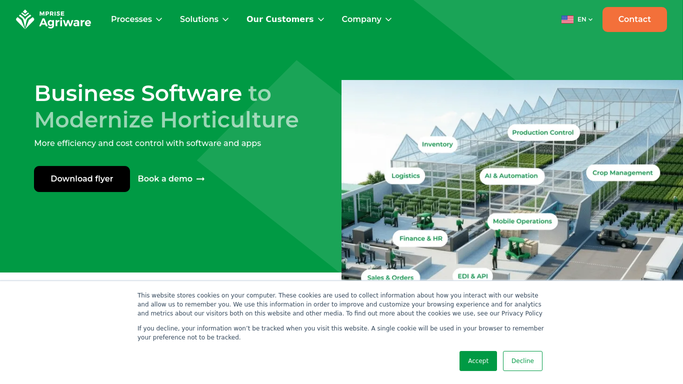
WebRun opens Agriware 365 to read available-to-sell stock. - Open Agriware 365 and go to available-to-sell inventory
- Read current sellable quantity by variety, size, and location
- Capture items with low or zero availability separately
Done when Current available-to-sell quantities are captured for every active variety.
-
2
Google Sheets - record a dated snapshot
google.com How to Automate Google Sheets
WebRun opens Google Sheets to record a dated snapshot. - Open the availability snapshot sheet
- Write today's date and the sellable quantity for each variety and size
- Keep prior days so the team can see the trend
Done when A dated availability snapshot for today is saved in the sheet.
-
3
Telegram - digest what is sellable today
telegram.org How to Automate Telegram
WebRun opens Telegram to digest what is sellable today. - Send a short digest to the sales team chat
- List top sellable varieties first with quantity on hand
- Flag anything newly low or sold out so reps stop promising it
Done when The sales team has today's available-to-sell digest in Telegram.


How do I get a daily digest of what is available to sell?
WebRun sends your sales team a daily available-to-sell digest. Each morning it opens Agriware 365, reads sellable quantity by variety and size, records a dated snapshot in Google Sheets, and posts a Telegram summary of what is ready to sell and what is newly low, so reps only promise stock you actually have.
- Sales sees exactly what is sellable before the day starts
- Newly low and sold-out lines are flagged automatically
- A dated availability trend builds up with no manual entry
Built for nursery growers · wholesale nursery sales teams · plant brokers · greenhouse operations
How is each run configured?
Secure by default
Connect once, stays signed in
WebRun signs in once and keeps each session in a persistent environment, so every run picks up right where it left off.
Every action is checked against this policy before it runs.
Questions, answered
Is the availability real time?
It reads live available-to-sell inventory in Agriware 365 at run time each morning, so the digest reflects the sellable quantity on hand right then, including current and future stock insight.
Does it send anything to customers?
No. The digest goes only to your internal sales team chat in Telegram. WebRun never messages a customer, so it is safe to run unattended.
Can it flag items about to sell out?
Yes. WebRun lists any variety that is newly low or at zero availability, so reps stop promising stock you no longer have to sell.
Related templates
Put this on autopilot.
Turn it on in minutes - or have our team set it up for you.