Schedule EMG studies the moment a referral arrives
Within 30 minutes of a new EMG or nerve conduction study referral landing in Nexus Clinical, WebRun checks the referring diagnosis and urgency, books the earliest matching slot in Google Calendar, and drafts a Twilio text with prep instructions (medication holds, no lotion) for staff to review and send to the patient.
- No credit card
- Under $0.01 per run
- Cancel anytime
What does WebRun do on every run?
The exact actions WebRun takes, in order - in plain language, so you can adjust anything.
-
WebRun signs in and gets to work
Opens
app.nexusclinical.comin a real browser with your saved login - no setup, no API keys. -
1
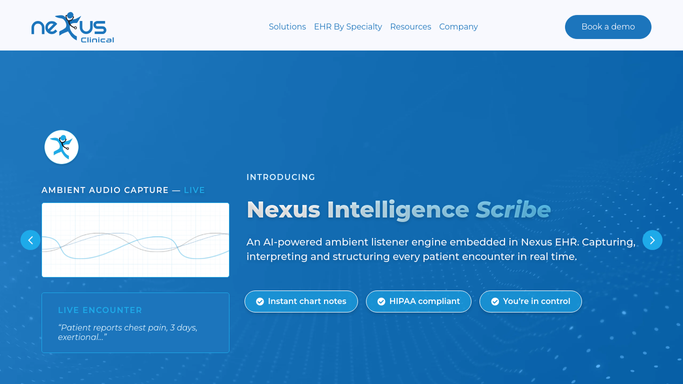
Nexus Clinical - find new EMG and NCS referrals
nexusclinical.com How to Automate Nexus Clinical

WebRun opens Nexus Clinical to find new EMG and NCS referrals. - Open Nexus Clinical and check for new EMG and nerve conduction study referrals
- Read the referring diagnosis, laterality, and urgency noted by the referring provider
- Match the study type to the correct EMG technician and equipment needed
Done when Every new referral is read and matched to the correct study type and urgency.
-
2
Google Calendar - book the earliest matching slot
calendar.google.com How to Automate Google Calendar
WebRun opens Google Calendar to book the earliest matching slot. - Search Google Calendar for the earliest slot with the right EMG technician and room
- Book the slot and hold it for the patient
- Flag any referral marked urgent that cannot get a slot within 7 days
Done when Every new referral has a booked slot, or an urgent flag if none was available in time.
-
3
Twilio - draft prep instructions for the patient
twilio.com How to Automate Twilio
WebRun opens Twilio to draft prep instructions for the patient. - Draft a text with the appointment time and prep instructions such as medication holds and skin care for each booked patient
- Queue every draft for staff review. Never send a text to a patient without approval
- Mark the referral as confirmed once staff approves and the text goes out
Done when A reviewable prep-instructions draft exists for every newly booked EMG study.


How do I get new EMG and nerve conduction study referrals scheduled quickly?
WebRun checks Nexus Clinical for new EMG and nerve conduction study referrals, reads the diagnosis and urgency, and books the earliest matching slot in Google Calendar within 30 minutes. It then drafts a Twilio prep-instructions text for staff to approve and send, so every referral gets a scheduled study and ready-to-send instructions without sitting in an inbox overnight.
- New referrals get a booked slot within 30 minutes instead of sitting in a queue
- Urgent referrals with no slot inside 7 days are flagged instead of silently scheduled out weeks
- Patients get prep instructions before every study, drafted for staff review
Built for neurology clinics · EMG technicians · neurodiagnostic labs · scheduling coordinators
How is each run configured?
Secure by default
Connect once, stays signed in
WebRun signs in once and keeps each session in a persistent environment, so every run picks up right where it left off.
Every action is checked against this policy before it runs.
Questions, answered
Will it text the patient before staff sees the message?
No. WebRun drafts the appointment and prep-instructions text in Twilio and queues it for staff review. It only goes out once a staff member approves and sends it.
How does it pick which slot to book?
It reads the study type, laterality, and urgency from the referral and matches them to the earliest slot with the right EMG technician and equipment already free in Google Calendar.
What happens to urgent referrals if nothing is open soon?
Any urgent referral that cannot get a slot within 7 days is flagged separately, instead of being silently booked into a slot far out.
Related templates
Put this on autopilot.
Turn it on in minutes - or have our team set it up for you.