Keep medical transport trips confirmed
Every morning, WebRun opens RouteGenie, pulls trips scheduled for the next 24 hours, drafts a confirmation SMS for each rider via Twilio, and posts the draft batch to Slack for a dispatcher to review and release.
- No credit card
- Under $0.01 per run
- Cancel anytime
What does WebRun do on every run?
The exact actions WebRun takes, in order - in plain language, so you can adjust anything.
-
WebRun signs in and gets to work
Opens
app.routegenie.comin a real browser with your saved login - no setup, no API keys. -
1
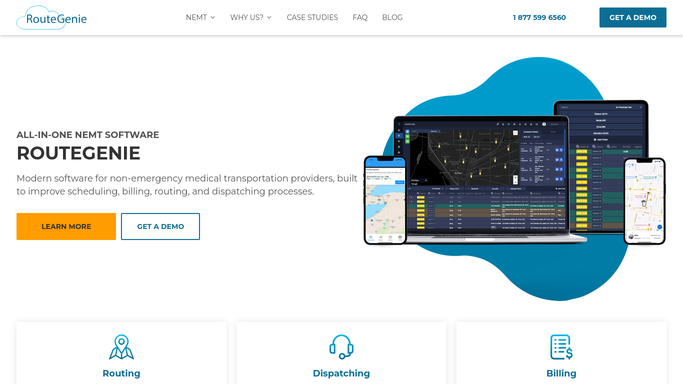
RouteGenie - pull upcoming trips
routegenie.com How to Automate RouteGenie

WebRun opens RouteGenie to pull upcoming trips. - Open RouteGenie and navigate to the scheduled trips view
- Filter to trips departing in the next 24 hours
- Capture rider name, pickup address, pickup time, and destination for each trip
- Skip any trip already marked confirmed
Done when Every unconfirmed trip for the next 24 hours is listed with its rider and pickup details.
-
2
Twilio - draft confirmation SMS per rider
twilio.com How to Automate Twilio
WebRun opens Twilio to draft confirmation SMS per rider. - Draft a short SMS confirmation for each rider using their name, pickup time, and pickup address
- Include the dispatcher callback number in each draft
- Do not send any message. Save each draft for review
Done when One outbound SMS draft exists for every upcoming unconfirmed trip, unsent and held for review.
-
3
Slack - queue drafts for dispatcher review
slack.com How to Automate Slack
WebRun opens Slack to queue drafts for dispatcher review. - Post the full draft batch to the dispatch Slack channel
- List rider name, time, and message text for each draft
- Prompt the dispatcher to approve and release or edit before sending
Done when Dispatcher has a Slack summary of all pending confirmation drafts and can approve release with one action.


How do I automatically confirm upcoming NEMT trips with riders?
WebRun opens RouteGenie every morning, pulls all trips departing in the next 24 hours, and drafts a confirmation SMS for each rider via Twilio. The full batch is posted to Slack for dispatcher review, and no message is sent until a staff member approves the release.
- Every rider gets a timely confirmation before their trip, reducing no-shows
- Dispatchers review a single Slack batch instead of sending messages one by one
- No message reaches a patient without explicit staff approval
Built for NEMT providers · medical transport dispatchers · paratransit operators
How is each run configured?
Secure by default
Connect once, stays signed in
WebRun signs in once and keeps each session in a persistent environment, so every run picks up right where it left off.
Every action is checked against this policy before it runs.
Questions, answered
Will it send messages to riders without staff approval?
No. WebRun drafts every confirmation and holds the batch in Slack for a dispatcher to review. No SMS is transmitted until a human approves and releases it.
What information goes into each confirmation?
Each draft includes the rider's name, scheduled pickup time, pickup address, and your dispatcher callback number, pulled directly from the RouteGenie trip record.
What happens if a trip is already confirmed in RouteGenie?
Already-confirmed trips are skipped on each run, so riders never receive a duplicate message and the draft batch stays clean.
Related templates
Put this on autopilot.
Turn it on in minutes - or have our team set it up for you.