Start every dispatch day with a clean manifest digest
Every morning, WebRun opens NEMT Cloud Dispatch, exports the day's full trip manifest, organizes each run by driver and vehicle into a Google Sheet, and posts a summary digest to the dispatch Slack channel so the team starts the day aligned.
- No credit card
- Under $0.01 per run
- Cancel anytime
What does WebRun do on every run?
The exact actions WebRun takes, in order - in plain language, so you can adjust anything.
-
WebRun signs in and gets to work
Opens
app.nemtclouddispatch.comin a real browser with your saved login - no setup, no API keys. -
1
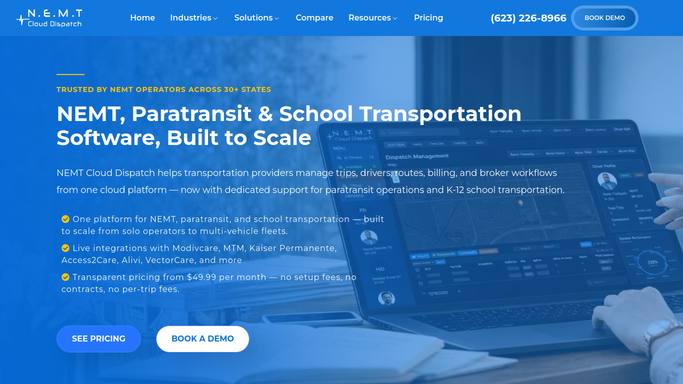
NEMT Cloud Dispatch - pull today's full trip manifest
nemtclouddispatch.com

WebRun opens NEMT Cloud Dispatch to pull today's full trip manifest. - Open NEMT Cloud Dispatch and navigate to the daily trip manifest
- Export all scheduled trips for today, including trip ID, rider, pickup time, pickup address, destination, driver, and vehicle
- Flag any trips without an assigned driver or vehicle
Done when All of today's trips are captured, with driver and vehicle assignments and any unassigned gaps flagged.
-
2
Google Sheets - organize runs by driver and vehicle
google.com How to Automate Google Sheets
WebRun opens Google Sheets to organize runs by driver and vehicle. - Open the dispatch manifest Google Sheet (or create today's tab if missing)
- Write each trip row organized by driver, sorted by pickup time
- Highlight unassigned or conflicting trips in a separate section at the top
Done when Today's manifest is logged in the Google Sheet, organized by driver, with unassigned trips surfaced.
-
3
Slack - post dispatch digest to team
slack.com How to Automate Slack
WebRun opens Slack to post dispatch digest to team. - Post a summary to the dispatch Slack channel showing total trip count, driver count, and number of unassigned trips
- Include a link to the full manifest Google Sheet
- Mention the dispatch supervisor if any trips remain unassigned
Done when The dispatch team has a Slack digest with today's trip totals and a direct link to the full organized manifest.


How do I automatically generate a daily dispatch manifest digest for my NEMT fleet?
WebRun pulls the full daily trip manifest from NEMT Cloud Dispatch each morning, organizes every run by driver and vehicle into a Google Sheet, and posts a summary digest to Slack. The team sees total trips, assigned drivers, and any coverage gaps before the first pickup.
- Dispatch team sees today's full manifest before the first pickup
- Unassigned trips are surfaced automatically so nothing falls through the cracks
- Driver assignments are organized in one place without manual copying
Built for NEMT dispatchers · medical transport fleet managers · paratransit coordinators
How is each run configured?
Secure by default
Connect once, stays signed in
WebRun signs in once and keeps each session in a persistent environment, so every run picks up right where it left off.
Every action is checked against this policy before it runs.
Questions, answered
Does it contact drivers or riders directly?
No. This is a purely internal digest. WebRun reads the manifest and posts to Slack for the dispatch team only. No messages go to drivers or riders.
What if a driver has a conflict or double booking?
Unassigned and potentially conflicting trips are highlighted in the Google Sheet and surfaced at the top of the Slack digest so dispatchers can resolve them before the day starts.
Can it cover multiple vehicles or depots?
Yes. WebRun reads all trips in the NEMT Cloud Dispatch manifest for the day and organizes them by driver and vehicle, regardless of how many vehicles or depots your operation uses.
Related templates
Put this on autopilot.
Turn it on in minutes - or have our team set it up for you.