Earn more reviews from satisfied NEMT riders
Each afternoon, WebRun opens RouteGenie, finds trips completed that day without a recent review request, drafts a short review request SMS for each eligible rider via Twilio, queues every draft for staff review in Slack, and logs which riders have been asked so no one receives a duplicate request.
- No credit card
- Under $0.01 per run
- Cancel anytime
What does WebRun do on every run?
The exact actions WebRun takes, in order - in plain language, so you can adjust anything.
-
WebRun signs in and gets to work
Opens
app.routegenie.comin a real browser with your saved login - no setup, no API keys. -
1
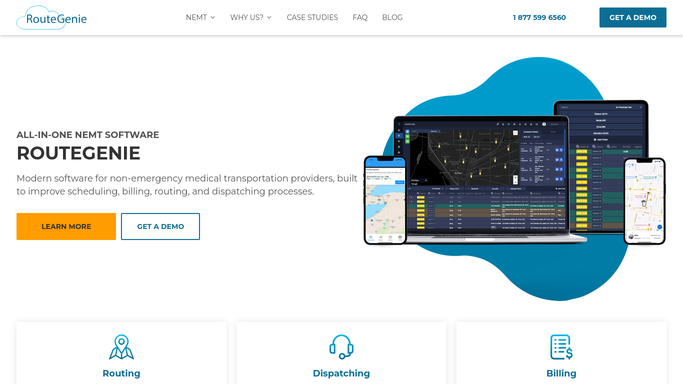
RouteGenie - find completed trips eligible for review request
routegenie.com How to Automate RouteGenie

WebRun opens RouteGenie to find completed trips eligible for review request. - Open RouteGenie and filter to trips completed today with status Complete
- Capture rider name and phone number for each completed trip
- Exclude riders who received a review request in the last 60 days
- Exclude no-show or cancelled trips
Done when All eligible completed trips are listed with rider contact details, filtered to avoid duplicates.
-
2
Twilio - draft review request SMS per rider
twilio.com How to Automate Twilio
WebRun opens Twilio to draft review request SMS per rider. - Draft a short, friendly review request SMS for each eligible rider
- Include a brief thank-you and a plain link to your Google Business or review platform profile
- Do not send. Hold every draft for staff review
Done when One held review request draft exists for every eligible rider, unsent pending staff approval.
-
3
Slack - queue drafts for staff approval
slack.com How to Automate Slack
WebRun opens Slack to queue drafts for staff approval. - Post the daily review request batch to the operations Slack channel: draft count and rider list
- Prompt the staff member to review message text and release the batch
- Log the send date for each rider once approved
Done when Staff has a Slack summary of today's review request drafts and can release the batch with one approval.


How do I automatically request reviews from NEMT riders after their trip?
WebRun opens RouteGenie each afternoon, finds every trip completed that day, and drafts a short review request SMS for each eligible rider via Twilio, excluding anyone asked in the last 60 days. The batch is queued in Slack for staff review, and no message reaches a rider until a staff member approves the release.
- Review requests go out the same day as a completed trip, while the experience is fresh
- No rider receives a duplicate request within 60 days
- Staff reviews message text before every batch is released
Built for NEMT operators · medical transport marketing managers · paratransit operations teams
How is each run configured?
Secure by default
Connect once, stays signed in
WebRun signs in once and keeps each session in a persistent environment, so every run picks up right where it left off.
Every action is checked against this policy before it runs.
Questions, answered
Will it send review requests to riders without staff approval?
No. Every review request is drafted and held in Slack for staff to review the message text and release the batch. No SMS is sent automatically.
Will riders who already left a review be asked again?
WebRun tracks which riders have received a request in the last 60 days and excludes them from new batches, so no rider is messaged repeatedly.
Can we customize what the review request says?
Yes. Give WebRun your preferred message text or tone and it will use that wording in every draft. Staff can also edit individual drafts in Slack before approving the release.
Related templates
Put this on autopilot.
Turn it on in minutes - or have our team set it up for you.