Watch vendor status pages and alert your team to outages
Every few minutes, WebRun opens the status pages of your critical vendors, reads the current component statuses, and - if anything has changed since the last check - posts a Slack alert and optionally raises a PagerDuty incident so your team isn't the last to know.
- No credit card
- Under $0.01 per run
- Cancel anytime
What does WebRun do on every run?
The exact actions WebRun takes, in order - in plain language, so you can adjust anything.
-
WebRun signs in and gets to work
Opens
manage.statuspage.ioin a real browser with your saved login - no setup, no API keys. -
1
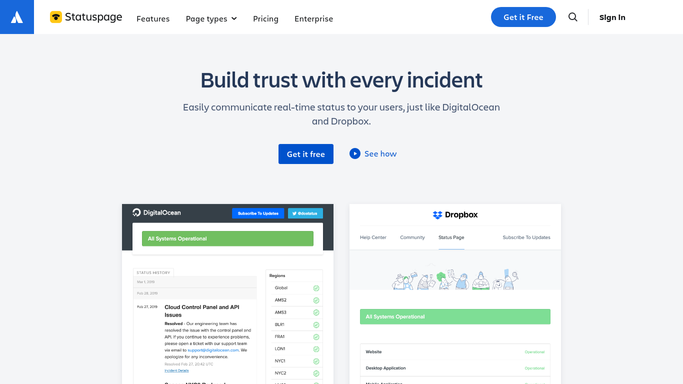
Statuspage - scrape each vendor's current status
statuspage.io

WebRun opens Statuspage to scrape each vendor's current status. - Open each vendor's public Statuspage URL from your configured list
- Read the overall status and any affected component names
- Compare against the last recorded status to detect changes (new incident, resolved, or updated)
Done when All vendor statuses are checked and any changes since last run are identified.
-
2
PagerDuty - raise an incident for critical degradation
pagerduty.com How to Automate PagerDuty
WebRun opens PagerDuty to raise an incident for critical degradation. - If a critical vendor shows 'Major Outage', open PagerDuty and create a new incident
- Name the incident after the vendor and affected components, set severity to High
- For 'Degraded Performance', log the event but do not page the on-call engineer
Done when A PagerDuty incident is open for any critical vendor outage.
-
3
Slack - broadcast the status change alert
slack.com How to Automate Slack
WebRun opens Slack to broadcast the status change alert. - Post a status-change alert to #vendor-incidents: vendor name, previous status, new status, and affected components
- Include a link to the vendor's status page
Done when The team has been alerted to every vendor status change.

How can I automatically monitor vendor status pages and get alerted to outages?
Every few minutes, WebRun opens the status pages of your critical vendors, reads current component statuses, and - if anything has changed since the last check - posts a Slack alert and optionally raises a PagerDuty incident, so your team knows about third-party outages at the same moment the vendor announces them.
- Vendor outages detected within minutes of the vendor posting them
- PagerDuty incident raised automatically for critical degradations
- Team is never the last to know about a third-party service failure
Built for DevOps engineers · SRE teams · IT operations teams · engineering managers
How is each run configured?
Secure by default
Connect once, stays signed in
WebRun signs in once and keeps each session in a persistent environment, so every run picks up right where it left off.
Every action is checked against this policy before it runs.
Questions, answered
Which vendors can it monitor?
Any vendor with a public Statuspage, Atlassian Statuspage, or similar public status feed - AWS, GitHub, Stripe, Twilio, and hundreds more.
Will it page the on-call team for every blip?
Only for 'Major Outage' on vendors you mark as critical. Degraded performance is logged and posted to Slack without paging, so your engineers aren't flooded.
Does it alert again when the vendor recovers?
Yes - it posts a 'Resolved' message so you know the all-clear without having to go and check.
Related templates
Put this on autopilot.
Turn it on in minutes - or have our team set it up for you.