Follow up with no-shows and late cancels to rebook them
Every morning, WebRun opens Boulevard, identifies appointments from the previous day that were no-shows or late cancellations, drafts a friendly rebooking message for each client, and posts the list to Slack for front desk review before any message goes out.
- No credit card
- Under $0.01 per run
- Cancel anytime
What does WebRun do on every run?
The exact actions WebRun takes, in order - in plain language, so you can adjust anything.
-
WebRun signs in and gets to work
Opens
dashboard.joinblvd.comin a real browser with your saved login - no setup, no API keys. -
1
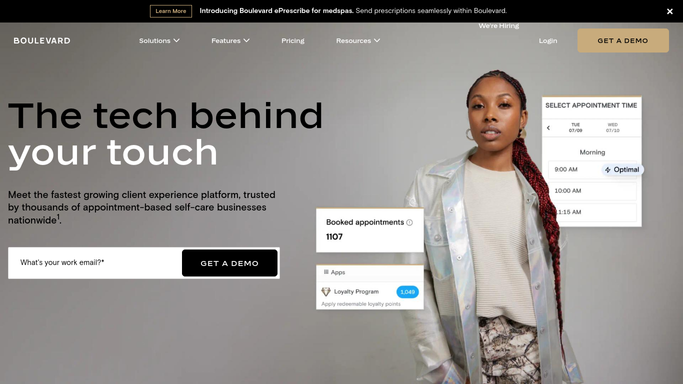
Boulevard - identify no-shows and late cancellations
joinblvd.com How to Automate Boulevard

WebRun opens Boulevard to identify no-shows and late cancellations. - Open Boulevard and filter yesterday's appointments for no-show and late-cancel statuses
- Capture each client's name, appointment type, provider, and whether a cancellation fee applies
- Skip clients who have already rebooked or are flagged as do-not-contact
Done when Every no-show and late cancel from yesterday is listed with appointment details.
-
2
Gmail - draft friendly rebooking follow-ups
gmail.com How to Automate Gmail
WebRun opens Gmail to draft friendly rebooking follow-ups. - Draft a warm, non-accusatory follow-up message for each client offering to rebook
- Reference the specific treatment they missed and include a booking link
- Save each draft unsent so your front desk can review tone and any cancellation-fee context before sending
Done when Rebooking follow-up drafts are saved in Gmail, none sent yet.
-
3
Slack - post recovery list for front desk review
slack.com How to Automate Slack
WebRun opens Slack to post recovery list for front desk review. - Post yesterday's no-show and late-cancel list to the front desk channel
- Flag repeat no-shows for extra attention
- Note the Gmail drafts ready for review
Done when Front desk has the full list and can approve or adjust follow-ups before sending.


How do I automatically follow up with med spa clients who no-showed or cancelled late?
WebRun checks Boulevard every morning for no-shows and late cancellations from the previous day, drafts a warm rebooking follow-up for each client in Gmail, and posts the full list to Slack for front desk review. No message is sent until your team approves it, protecting the client relationship while recovering lost revenue.
- Every no-show and late cancel is flagged for follow-up before the next business day starts
- Friendly rebooking drafts are ready for front desk approval within minutes
- Repeat no-shows are highlighted so your team can decide on a personal approach
Built for med spas · aesthetic clinics · injectables and laser practices · cosmetic dermatology offices
How is each run configured?
Secure by default
Connect once, stays signed in
WebRun signs in once and keeps each session in a persistent environment, so every run picks up right where it left off.
Every action is checked against this policy before it runs.
Questions, answered
Will it send messages to no-show clients without anyone reviewing them first?
No. Every follow-up is saved as a Gmail draft for your front desk to review. Your team decides whether to send, adjust the tone, or handle the situation personally before anything reaches the client.
Can it tell if a cancellation fee should be mentioned?
WebRun reads the appointment status and any cancellation notes from Boulevard. Your team can add cancellation-fee language to the draft before approving it, ensuring each message is handled appropriately.
What happens if a client already rebooked on their own?
WebRun checks Boulevard for existing future bookings before drafting a follow-up. Clients who have already rebooked are excluded from the list automatically.
Related templates
Put this on autopilot.
Turn it on in minutes - or have our team set it up for you.