Win back clients who have not visited in months
Every Monday, WebRun opens Aesthetic Record, finds clients who have not had an appointment in 90 or more days, drafts a personalized win-back message for each with a relevant offer, and posts the list to Slack for your team to review before anything is sent.
- No credit card
- Under $0.01 per run
- Cancel anytime
What does WebRun do on every run?
The exact actions WebRun takes, in order - in plain language, so you can adjust anything.
-
WebRun signs in and gets to work
Opens
app.aestheticrecord.comin a real browser with your saved login - no setup, no API keys. -
1
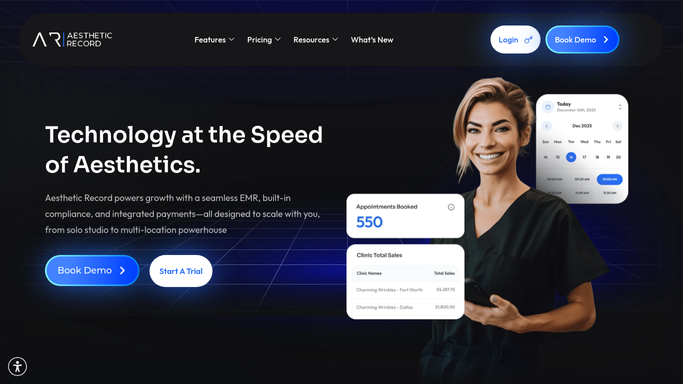
Aesthetic Record - find clients lapsed 90 or more days
aestheticrecord.com How to Automate Aesthetic Record

WebRun opens Aesthetic Record to find clients lapsed 90 or more days. - Open Aesthetic Record and filter client records for those whose last appointment was 90 or more days ago
- Capture each client's name, last treatment type, provider, and days since last visit
- Skip clients who have a future appointment already booked or who have opted out of marketing communications
- Sort the list so clients lapsed longest are prioritized first
Done when Every lapsed client is listed with their last treatment and days since last visit.
-
2
Gmail - draft personalized win-back offers
gmail.com How to Automate Gmail
WebRun opens Gmail to draft personalized win-back offers. - Draft a warm, personalized win-back message for each client referencing their last treatment and suggesting a natural next step
- Include a re-engagement offer or incentive your clinic has approved, such as a complimentary add-on or a time-limited discount
- Save all drafts unsent for team review
Done when Personalized win-back drafts are saved in Gmail, none sent yet.
-
3
Slack - post win-back queue for team review
slack.com How to Automate Slack
WebRun opens Slack to post win-back queue for team review. - Post this week's lapsed-client list to the marketing or front desk channel
- Flag the longest-lapsed clients for a personal phone call rather than just an email
- Note the count of clients by days-lapsed bracket so the team can gauge the size of the win-back effort
Done when Your team has the win-back list in Slack and can approve and send drafts.


How do I automatically win back lapsed med spa clients who have not visited in months?
WebRun checks Aesthetic Record every Monday for clients who have not visited in 90 or more days, drafts a personalized win-back message for each in Gmail, and posts the full list to Slack. Opt-out flags are respected automatically, and no message reaches any client until your team approves it.
- Lapsed clients are surfaced every week without manual chart searches
- Personalized drafts reference the client's last treatment, making the outreach feel relevant rather than generic
- Opt-out clients are excluded automatically so every message goes only to contactable prospects
Built for med spas · aesthetic clinics · cosmetic dermatology practices · injectables and laser providers
How is each run configured?
Secure by default
Connect once, stays signed in
WebRun signs in once and keeps each session in a persistent environment, so every run picks up right where it left off.
Every action is checked against this policy before it runs.
Questions, answered
Will it send win-back messages to clients without my approval?
No. Every win-back message is saved as a Gmail draft for your team to review. Nothing reaches a client until your marketing or front desk team approves and sends it.
Does it respect clients who have opted out of marketing?
Yes. WebRun reads opt-out flags from Aesthetic Record before drafting any message. Clients who have unsubscribed or opted out of marketing are excluded from the list automatically.
How does it decide what offer to include?
WebRun drafts the win-back message around the client's last treatment type and uses an offer template your team sets up during onboarding. Your team reviews the offer in every draft before sending.
Related templates
Put this on autopilot.
Turn it on in minutes - or have our team set it up for you.