Fill cancelled slots from your waitlist the moment they open up
Every morning, WebRun opens Jane, finds open slots created by cancellations or no-shows in the next 48 hours, matches them against the waitlist by service type and therapist preference, drafts an offer message in Gmail for the best match, and alerts your team in Slack so nothing is left unfilled.
- No credit card
- Under $0.01 per run
- Cancel anytime
What does WebRun do on every run?
The exact actions WebRun takes, in order - in plain language, so you can adjust anything.
-
WebRun signs in and gets to work
Opens
jane.app/loginin a real browser with your saved login - no setup, no API keys. -
1
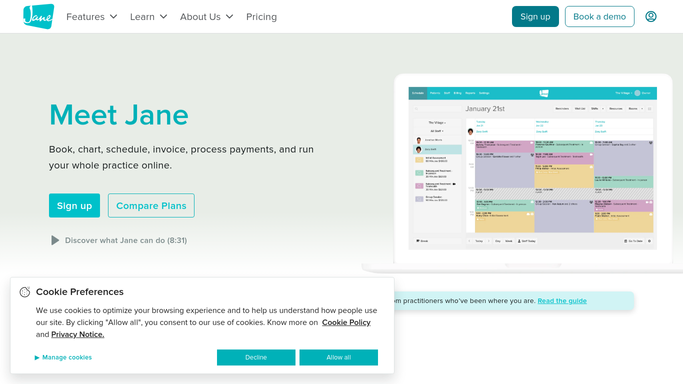
Jane - find open slots from recent cancellations
jane.app How to Automate Jane

WebRun opens Jane to find open slots from recent cancellations. - Open Jane and navigate to the upcoming appointments list
- Find any slots that have opened due to cancellations or no-shows in the next 48 hours
- Check the waitlist for clients requesting the same service type, therapist, and time window
- Identify the best waitlist match for each open slot
Done when Every open slot is matched to the best available waitlist candidate.
-
2
Gmail - draft waitlist slot offer messages
gmail.com How to Automate Gmail
WebRun opens Gmail to draft waitlist slot offer messages. - Draft an offer message for the best waitlist match for each open slot, noting the specific date, time, and therapist
- Include a direct booking link so the client can confirm quickly
- Leave all drafts unsent in Gmail for your review before sending
Done when A Gmail draft is ready for the top waitlist match for each open slot.
-
3
Slack - alert the team to open slots and outreach status
slack.com How to Automate Slack
WebRun opens Slack to alert the team to open slots and outreach status. - Post a Slack summary listing each open slot, the matched waitlist candidate, and the time window before the slot expires
- Flag slots opening within 24 hours as urgent so your team can act quickly
Done when Your team has today's open slot and waitlist match summary in Slack.


How do I automatically fill cancelled massage appointments from the waitlist?
WebRun opens Jane every morning, finds open slots created by cancellations within the next 48 hours, and matches each slot against the waitlist by service type and therapist preference. It drafts an offer message in Gmail for the best match per slot and alerts your team in Slack with urgency flags, so no revenue is lost to an empty table.
- Cancelled slots are filled within hours rather than going to waste
- Waitlist clients are matched to the right service and therapist, improving their experience
- No offer is sent to a client without your review and approval
Built for massage therapy clinics · wellness studios · spa managers · busy solo practitioners
How is each run configured?
Secure by default
Connect once, stays signed in
WebRun signs in once and keeps each session in a persistent environment, so every run picks up right where it left off.
Every action is checked against this policy before it runs.
Questions, answered
Will it contact the waitlist client automatically?
No. WebRun drafts the offer message in Gmail and waits for your approval before anything is sent to the client.
How does it choose which waitlist client to contact first?
It matches by service type, therapist preference, and the date and time window the client requested when they joined the waitlist in Jane.
What if the waitlist client has already booked another appointment?
It reads live booking and waitlist data from Jane each morning, so clients who have since booked are removed from the match pool automatically.
Related templates
Put this on autopilot.
Turn it on in minutes - or have our team set it up for you.