Draft distribution notices for every LP before you wire
When you trigger a distribution run, WebRun opens Juniper Square, reads each LP's ownership percentage and the total distribution amount, calculates individual payments, logs every LP and amount to a Google Sheet for your records, drafts a personalized distribution notice for each investor, and posts a confirmation summary to Slack for the GP team to review before anything is sent.
- No credit card
- Under $0.01 per run
- Cancel anytime
What does WebRun do on every run?
The exact actions WebRun takes, in order - in plain language, so you can adjust anything.
-
WebRun signs in and gets to work
Opens
app.junipersquare.comin a real browser with your saved login - no setup, no API keys. -
1
Juniper Square - read LP ownership and distribution amounts
junipersquare.com How to Automate Juniper Square

WebRun opens Juniper Square to read LP ownership and distribution amounts. - Open Juniper Square and navigate to the pending distribution
- Read each LP's ownership percentage, account balance, and distribution entitlement
- Capture the distribution type (return of capital, profit, or preferred return) and total pool amount
- Draft a personalized distribution notice for each LP with their specific payment amount - save as draft, do not send
Done when Every LP has a confirmed distribution amount and a queued draft notice in Juniper Square.
-
2
Google Sheets - log payment breakdown for reconciliation
google.com How to Automate Google Sheets
WebRun opens Google Sheets to log payment breakdown for reconciliation. - Open the distribution reconciliation Google Sheet (or create one for this run)
- Log each LP name, ownership percentage, gross amount, any withholding, and net payment
- Add a total row and flag any LP whose bank details are missing or unverified
Done when The reconciliation sheet is complete with every LP's payment breakdown and flags.
-
3
Slack - post summary for GP review
slack.com How to Automate Slack
WebRun opens Slack to post summary for GP review. - Post a summary to the IR team Slack channel: total pool, LP count, and any flagged accounts
- Include a link to the Google Sheet for review
- Note that all LP notices are saved as drafts and none have been sent
Done when The GP team has a Slack summary with the distribution breakdown and a link to the reconciliation sheet.
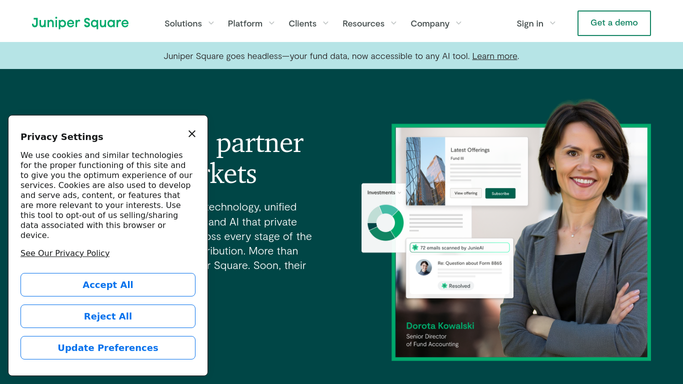


How do I automatically draft distribution notices for all my fund LPs?
WebRun reads each LP's ownership percentage and distribution entitlement from Juniper Square, drafts personalized payment notices, logs every amount to a reconciliation Google Sheet, and posts a summary to Slack for GP review. No notice is sent and no funds move until the team approves.
- Distribution notices drafted for all LPs in minutes with zero manual calculations
- Every LP payment logged to a reconciliation sheet before funds move
- Missing bank details flagged automatically so no wire is sent to an unverified account
Built for private equity GPs · real estate fund managers · fund administrators · alternative asset managers
How is each run configured?
Secure by default
Connect once, stays signed in
WebRun signs in once and keeps each session in a persistent environment, so every run picks up right where it left off.
Every action is checked against this policy before it runs.
Questions, answered
Will it send distribution notices to LPs automatically?
No. All LP notices are saved as drafts in Juniper Square. WebRun posts a summary to Slack for your team to review, and you trigger the send only after confirming the amounts are correct.
What happens if an LP's banking details are missing?
WebRun flags any LP with missing or unverified bank details in the Google Sheet and highlights them in the Slack summary so they are resolved before funds are wired.
Can it handle multiple distribution types in one run?
Yes. It reads the distribution type from Juniper Square for each LP, whether return of capital, preferred return, or profit distribution, and labels each line in the reconciliation sheet accordingly.
Related templates
Put this on autopilot.
Turn it on in minutes - or have our team set it up for you.